
Before getting started know this.
1. Before beginning your Plantronics C054 setup, the Plantronics CS540, also known as C054, is not a Bluetooth headset and will not connect to a mobile phone or computer via Bluetooth. Discover more differences between the C054 and C054A in this guide on how to avoid scams.
2. You can connect your C054 to a computer by getting the Discover D315 adapter.
Learn how to connect your Plantronics CS540 to a computer
Prefer to watch a video?

On your next order use coupon code BLOG at checkout for your exclusive discount.
Out of the box, your Plantronics C054 (CS540) system comes paired to the charging base. As part of your Plantronics C054 setup, make sure you're not using a counterfeit C054A by reviewing this important comparison guide. If your C054 headset comes unpaired or you hear a triple beep tone, follow this quick guide to pair it properly.
Step 1
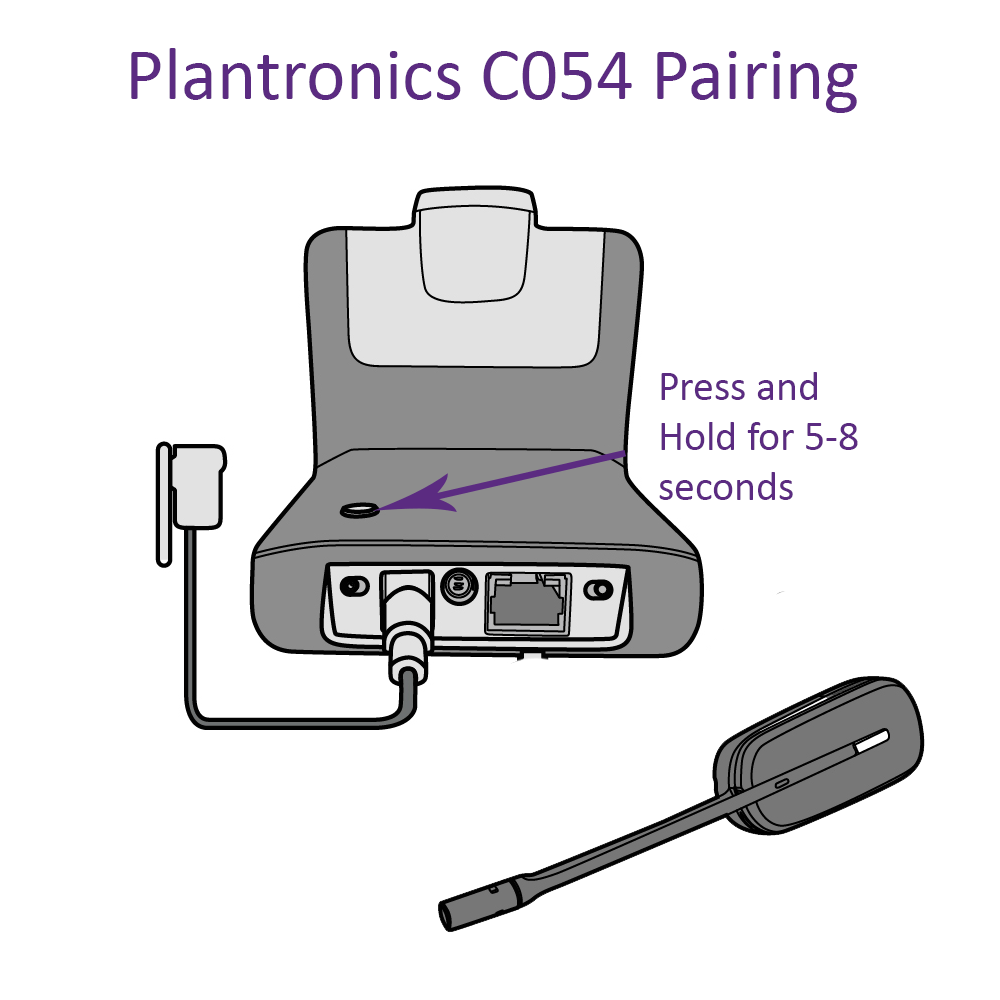
Press and hold the pairing button for 5-8 seconds on the back of your C054 charging base, then release your finger. You'll see the white LED light start flashing on the front of the charging base.
Step 2
Hold the volume control up button on your earpiece (in or out of the charging base is OK) until a solid white LED light appears on the headset, then release.

*Note: If you've had your headset 2 years or more and Plantronics C054 setup guide doesn't help, you may need a new battery. Follow the Plantronics C054 battery replacement guide for the compatible battery and installation process.
Step 3
When the LED light on your Plantronics earpiece disappears and the white LED light goes solid on your C054 charging base, the two are now paired.










4 comments
Frank Wilis
I have a Plantronics CO54 headset, it’s already paired and set up. However, when I get a call it doesn’t ring on my headset, so if I step away where I can’t hear the actual phone I don’t know I’m getting a call. Is there a way to set up the call ring on this headset?
Stan Conner
Is it possible to pair this base with a different type of bluetooth receiver? If I could pair it with my hearing aid/bluetooth. i have a Sound World Solutions CS50 hearing amplifier. If not, do you have any more hearing impaired accessories that may help? thanks
Drew (Headset Advisor)
Hi Marie,
Yes we can mail but I would recommend you reach out to our support team at 1-800-683-5715 to further help with troubleshooting to find the root cause.
Marie Trevisone
Followed instructions. Headset did not have desired outcome. Base is fine. When volume up, light did not go solid white, while on base or not. May need battery. Could you mail?