Do you want the best headset?
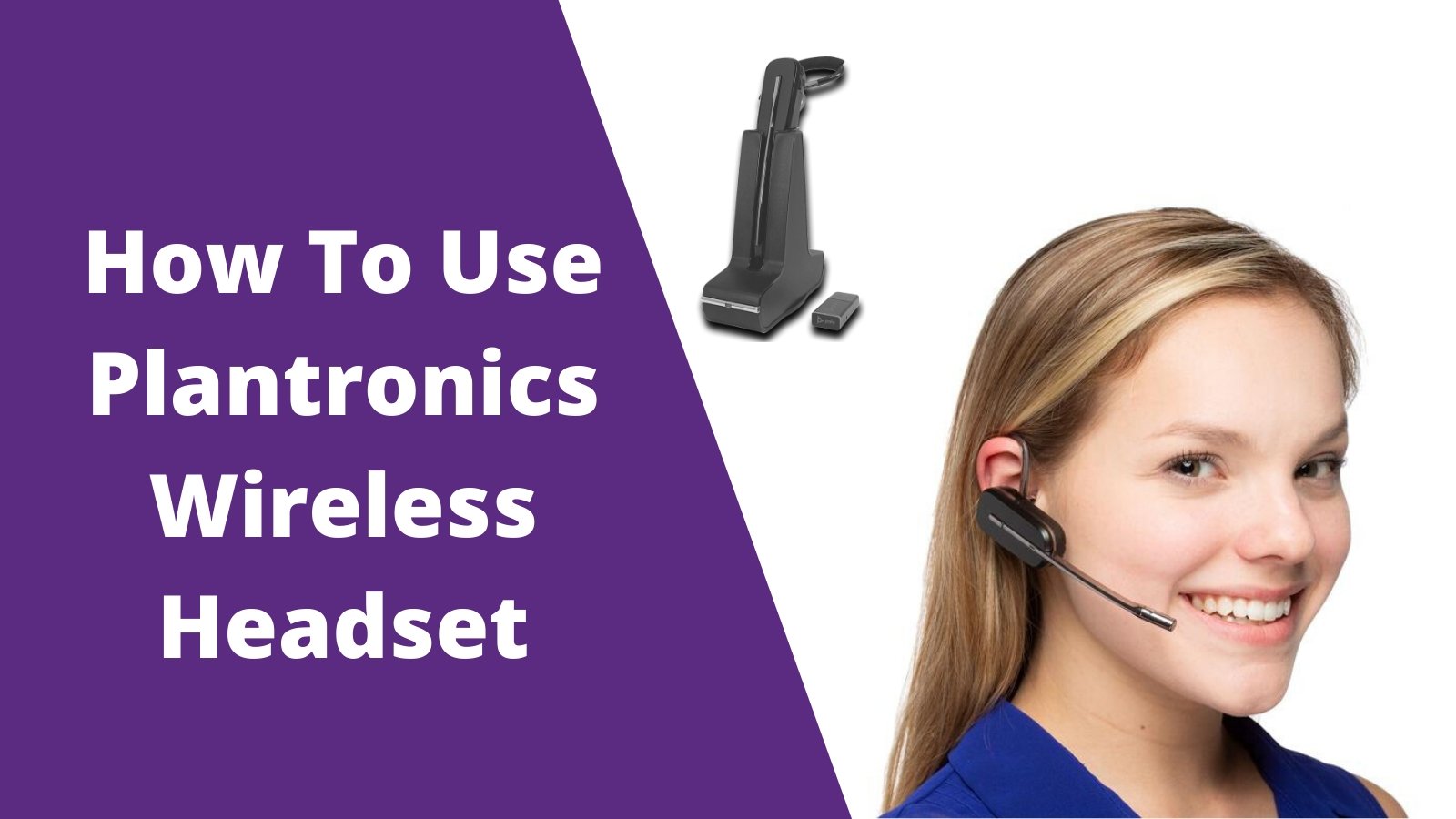
Before learning how to use your Plantronics wireless headset, you need to determine what type of wireless headset you have. There are 3 types of Plantronics wireless headsets you may have:
- Plantronics wireless headset for office phone
- Plantronics wireless USB headset
- Plantronics wireless Bluetooth headset
Using a Plantronics wireless headset with an office phone
There are 3 different ways you can use a Plantronics wireless headset on your office phone. Depending on which telephone you have, or accessory you ordered will determine how you use your Plantronics wireless headset. Some telephones have a dedicated headset port and others don't. Here are some of the main Plantronics wireless headsets you can expect to use with an office phone.
- CS500 series: C054, C053, C052, CS540, CS530, CS520, CS510, CS540xd, CS545xd, CS510xd, CS520xd
- Savi W700 series: W02, W740, W745, W730, W720, W710
- Savi 8200 series: W8220, W8210, W8240, W8245
- CS series: CS50, CS55, CS351n, CS361n, CS70n
Using your wireless headset with an office phone WITHOUT headset port
- Remove your Plantronics headset from the charging base and press the on button.
- To answer or make an outbound call, pick up your telephone handset and set it on your desk. To end the call, hang up your handset back on the base of your telephone.

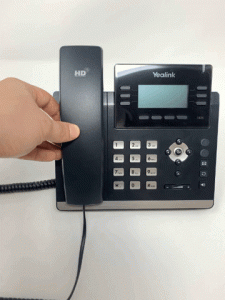
Using your wireless headset with an office phone WITH headset port
- Remove your Plantronics headset from the charging base and press the on button.
- On the face of your office phone will be a headset button. Press the headset button to answer/end your phone calls.

Using your wireless headset with remote call answering accessory (Recommended and preferred)
- Remove your Plantronics headset from the charging base and place it on your head.
- When a phone call comes in, press the on button on your headset and you'll be on the call (works up to about 350 feet away from your desk)
- To place an outbound call, click the on button on your headset, then dial out like normal. Easy as that!
*Keep in mind, out of the box when you purchase a Plantronics wireless headset for your office phone, in order to answer/end calls away from the phone, you'll need to purchase a remote answering accessory. Based on the make/model of the phone you have will depend on which accessory required. Contact us today to verify compatibility.
Adjusting volume controls
Each Plantronics wireless phone headset is going to have volume controls on the headset, as well as the charging base. Many customers aren't aware of the volume controls on the charging base, and the only way to adjust your microphone on either wireless model is from the setting on the charging base.
Often times, if a caller can't hear you, it's common to press the volume on the office phone, but that doesn't increase or decrease your microphone volume. Quick volume control reference guide below for your specific Plantronics wireless headset

Microphone positioning
The best positioning for plantronics phone headset microphone is 1-2 fingers width away from your mouth to give the best sound quality possible. 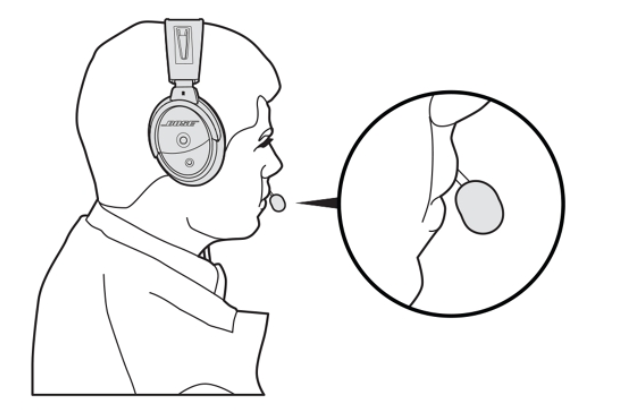
Using your Plantronics Wireless USB Headset
First, we need to understand the two different technologies your Plantronics headset may be using and the differences. DECT 6.0: Wireless technology that keeps your calls secure and private, without interference from common devices like Wifi and Bluetooth. DECT 6.0 headsets will give you about 10x more wireless range compared to Bluetooth but won't connect with your mobile phones. So, if you need a headset on the go, a Plantronics Bluetooth headset is recommended. 
Plantronics DECT USB headsets to consider: W440, W445, W430, W420, W410, Savi 8240 UC, Savi 8245 UC, Savi 8210 UC, Savi 8220 UC DECT 6.0 vs Bluetooth: What's the difference?
Bluetooth: Some Plantronics wireless headsets operate on Bluetooth, but include a USB adapter that plugs into your computer for better sound quality and range. Typically Plantronics wireless USB headsets that operate on Bluetooth are best for at home or mobile workers, who use a mix of their computer or laptop and mobile phone. Bluetooth headsets aren't recommended in an office setting because they're less secure and are susceptible to interference, being that many of our devices today use Bluetooth. 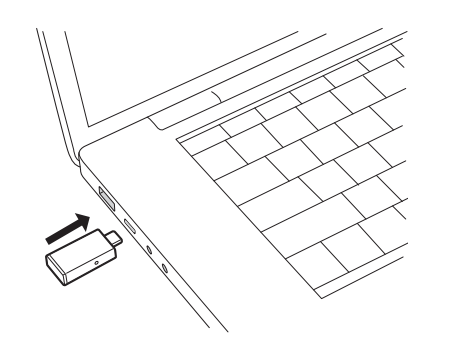 Plantronics Bluetooth USB headsets to consider: Voyager Legend UC, Voyager 5200 UC, Voyager 4210 UC, Voyager 4220 UC How to pair a Plantronics Bluetooth headset to your mobile phone and computer Now that we know the different headset technologies, it's important to know what phone system you have to properly use your Plantronics wireless USB headset. You maybe be using phone system providers like Ringcentral, Vonage, Jive, 8x8, Nextiva, Avaya, Cisco, and many others.
Mac vs PC connectivity
Keep in mind before purchasing any Plantronics wireless USB headset for your computer, each model comes in two variations. USB-A for PC and older Macs or USB-C for new Mac computers. If you already have a USB-A model and you're using a Mac computer, you can purchase a USB-C to USB-A conversion cord.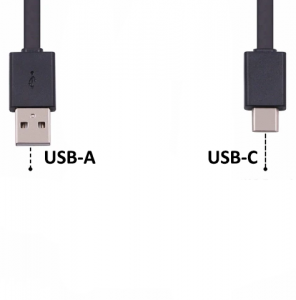
Not all softphones allow remote call answering
There's a lot of confusion for end customers when it comes to using a Plantronics wireless headset on their phone system through the computer. Not all phone system softphones have an integration that allows you to answer/end calls when away from the desk. If this integration isn't available at the current time, you'll be required to answer calls on the computer, then you can walk and talk away from the computer.
It's a good idea to verify compatibility if that's a feature you want, before making a purchase. If you already have a phone system that doesn't have this integration, the best thing you can do is reach out to your provider and request that to be added in the future. The more customers that ask, the higher the chance they add this feature in the future.
Answering an inbound call on your computer: With remote answering: Press the on button on your Plantronics headset and you'll be on a call Without remote answering: Have your Plantronics headset turned on, then click the answer button on your softphone.
*Each model has a different on button. Reference your manual for the proper
button to press  Making an outbound call: Pull up your computer softphone client. As long as your headset is turned on, dial the number you're trying to reach and hit the green
call button. 
Using your Plantronics Wireless Bluetooth Headset on mobile phone
- First charge your headset
- Pair your Plantronics headset to your mobile phone (Follow your manual on the pairing process)
- Depending on the model you have, customize your headset to your preferred comfort
- To answer or end calls on your mobile phone, press the call control button (shown in manual)
If you have any Plantronics Voyager 4200 UC or Voyager 5200 series headset and want to use Amazon Alexa, this series is compatible.
Need to call someone? Simply tap the call control button and say "Call Drew" and your call will begin to dial out.
Need to text someone? Tap the call control and say "Message Drew to say how great my new headset is"
Requirements: Plantronics Hub for mobile Amazon Alexa app