Do you want the best headset?
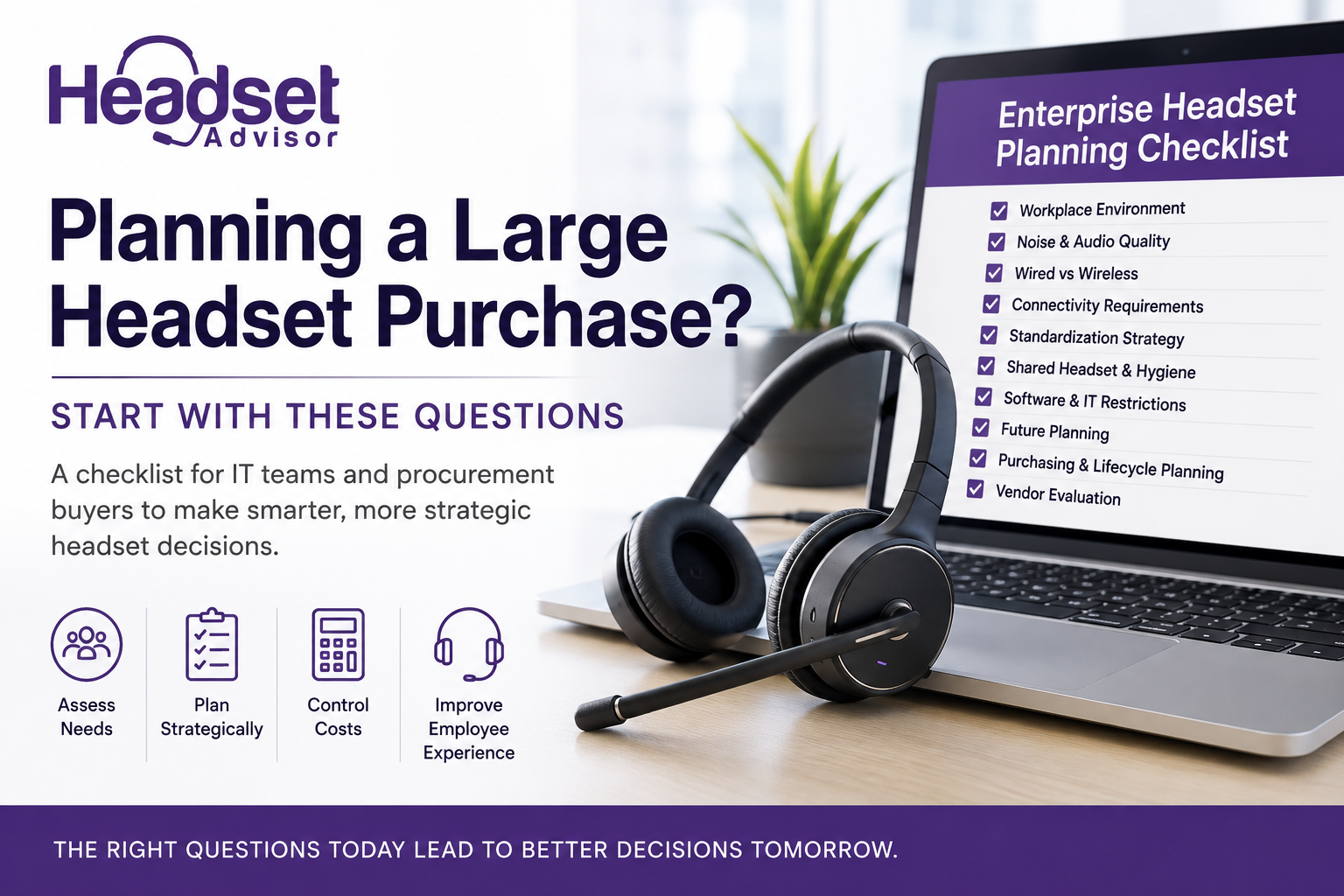
This is the first article in our two-part series designed to help IT teams and procurement buyers make smarter headset deployment decisions.
Buying headsets for a business may seem straightforward at first. You know the process; choose a model after some initial analysis, place the order, deploy the headsets, and move on to the next IT project.
But for many organizations, especially those supporting larger teams, contact centers, hybrid employees, or multiple office locations, headset decisions can quickly become far more involved than they initially appear.
Selecting the wrong headset can lead to employee discomfort, increased support requests, communication challenges, unnecessary exchanges or replacement costs, and frustration for both users and IT teams alike.
That’s why taking the time upfront to ask the right questions before making a large headset purchase can help organizations avoid costly problems later. And in the process, avoid a lot of unnecessary frustration and expense.
Whether you’re planning a refresh of aging equipment, supporting hybrid workers, or standardizing across the organization, thoughtful planning upfront can make a major difference long term.
We also produced a Youtube video that covers many of these same points, so you may want to view that as well.
1. What Work Environments Need To Be Supported?

Work environments have changed dramatically over the past several years. For many, Covid was a big driver here.
Some employees still work in traditional office settings, while others split time between home and office environments. Others may work remotely full time or regularly travel between locations.
Each environment introduces different communication challenges.
Open offices often create constant coworker conversations and other background noise. Remote employees, like those working from home, may deal with barking dogs, lawn equipment, children, or other household noise. Mobile workers may take calls from airports, hotels, coffee shops, or other shared workspaces that can present a wide variety of distracting noise.
The better that businesses understand where employees actually work each day, and the noise challenges they face, the easier it becomes to choose headset solutions that truly support those environments.
For additional insights on managing audio quality across office, home, and mobile workspaces, check out our related blog: Sounding Professional Anywhere: Audio Tips for Hybrid Workers.
2. How Much Background Noise Do Employees Deal With?

Background noise has become one of the biggest communication obstacles in modern workplaces.
Some employees work in environments filled with office noise, nearby conversations, HVAC systems, traffic sounds, household distractions, or café noise. Over time, these constant distractions can affect communication quality, concentration, customer perceptions, and overall productivity.
For organizations operating in noisier environments, microphone noise canceling technology can become extremely important. Some businesses may also benefit from speaker Active Noise Cancellation (ANC), which helps reduce the surrounding noise employees hear through the headset speakers. This allows them to stay focused without becoming distracted by the sounds around them.
In especially challenging environments, AI-powered noise canceling software like neep provides an additional layer of protection by helping suppress distracting background noise on both sides of the conversation. This is something a headset is unable to do alone. Together, this represents the most lethal weapon against the fight for noise reduction..
Cleaner audio doesn’t just improve calls. In many cases, it can also help employees concentrate more effectively throughout the workday, which may contribute to improved productivity and reduced listening fatigue. We explore this topic further in our related blog: Why Poor Audio Increases Mental Fatigue.
3. Wired Or Wireless: Which Makes The Most Sense?

There’s no universal right answer between wired and wireless headsets.
The best option depends entirely on how employees work, and what those needs require.
For highly stationary employees or budget-conscious deployments, wired headsets may provide the simplicity and reliability needed while helping control costs. A company may also prefer to have employees at their desk, rather than moving throughout the office wearing a wireless headset.
If your office isn’t one of them, then for employees who frequently collaborate, multitask, or move throughout the office while on calls, wireless headsets often provide greater flexibility and freedom. They can also help to avoid missed calls, and the need for returning those calls which provides customers with a higher level of service.
Some businesses may also require long-range wireless capabilities for employees who regularly step away from their desks while on active calls. This is particularly true for those who work in large offices, or at home workers who need to maintain a connection as they move throughout their home environment.
Thinking about both current workflows and future workplace needs can help organizations avoid investing in solutions that may become outdated, and inefficient sooner than expected.
4. Will Employees Need To Connect To Multiple Devices?

Today’s workers rarely rely on a single communication device anymore. In the past, it was mostly about connecting to a desk phone.
Now, many employees transition throughout the day between computers, desk phones, mobile phones, and collaboration platforms such as Microsoft Teams or Zoom.
For hybrid employees especially, seamless movement between devices can significantly improve convenience and work efficiency.
Some headset systems are designed primarily for computer connectivity, while others are built to support multiple device types simultaneously, including mobile phone use both inside and outside the office. Having a headset that can be used across multiple devices, can help to avoid the need for purchasing multiple headsets for the same use.
Understanding how employees communicate today, and how those needs may evolve, is an important part of choosing the right long-term solution.
5. Should Your Business Standardize On One Headset?

Standardizing on a single headset platform can offer several operational advantages.
It can simplify support, troubleshooting, employee training, accessory inventory, and replacement part management. IT teams often find it easier to manage large deployments when fewer headset models are involved.
However, there’s another side to the conversation too.
Not every headset style works comfortably for every employee.
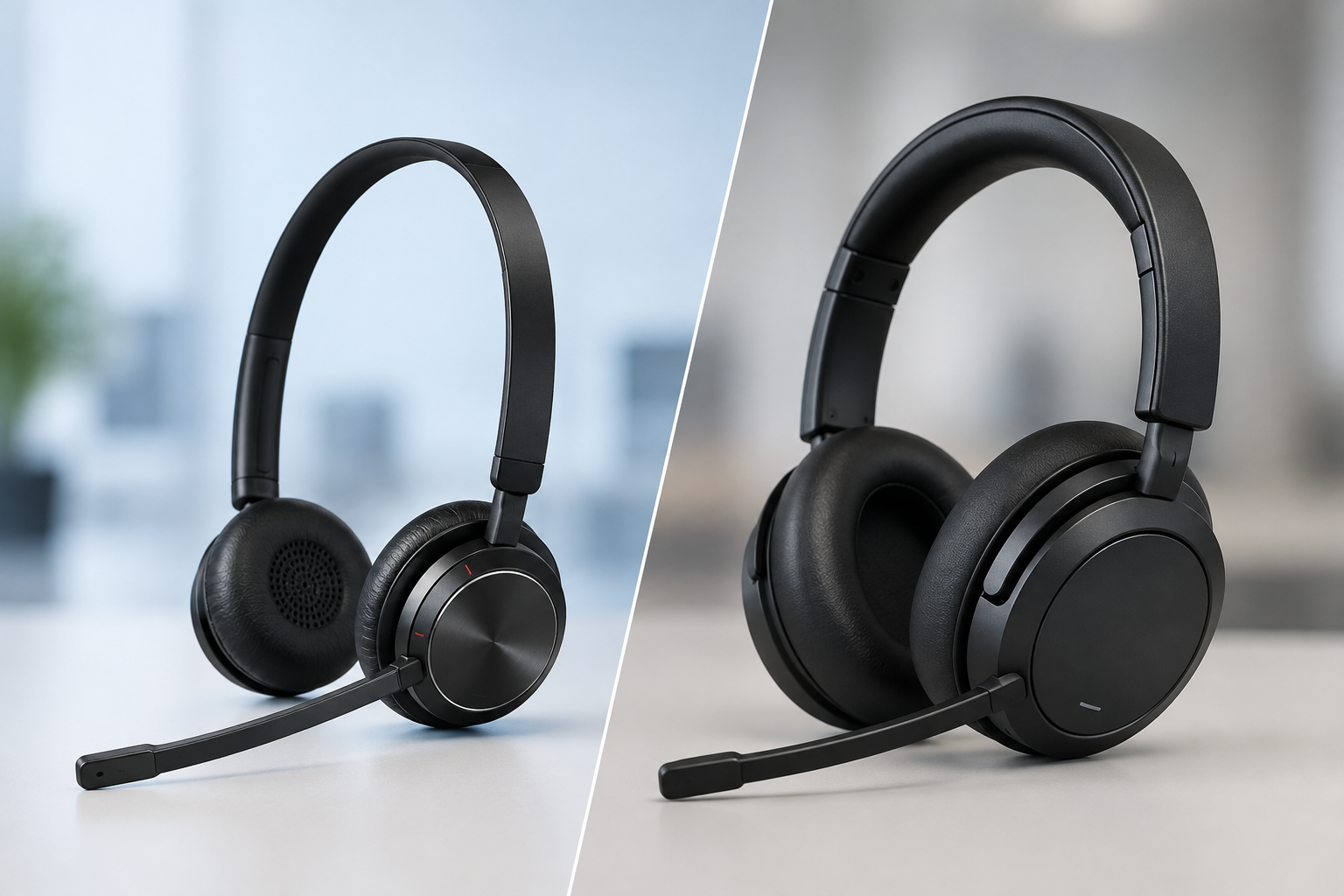
Some users may experience discomfort from over-the-head designs due to headband clamping pressure which can bring on migraine headaches for some people. Others who have small ears may struggle with ear loop stability for on-ear models, narrow ear canals can pose challenges for earbud style headsets too.
Because of this, many businesses find success by standardizing where practical while still allowing reasonable exceptions when needed for comfort, stability, or health considerations.
That balanced approach can help organizations maintain operational simplicity without forcing every employee into the exact same wearing style. For additional insights into how headset fit and comfort can affect employees over time, check out our related blog: How to Choose a Comfortable Headset for All-Day Use
6. Will Headsets Be Shared Between Employees?

Shared headset environments, though less common today compared to years ago, create additional considerations which suggest that this should be carefully reviewed if your organization shares devices among employees.
Businesses should think about hygiene practices, accessory replacement schedules, cleaning procedures, and employee comfort.
Some organizations provide employees with their own headset when sharing a desk across shifts, or their own ear cushions and microphone wind screens, while others use disposable ear cushion covers in shared environments.
Regular cleaning routines and predictable accessory replacement schedules can help support both cleanliness and employee comfort, especially in high-use contact center environments. For additional headset cleaning and maintenance best practices, read our related blog: Headset Hygiene Tips for Contact Centers and Shared Workspaces
7. Does Your Company Restrict Software Downloads?

Some businesses tightly control software downloads and installations on employee computers.
If that’s the case, it’s important to evaluate how headset settings and features are accessed in any headset you might be considering.
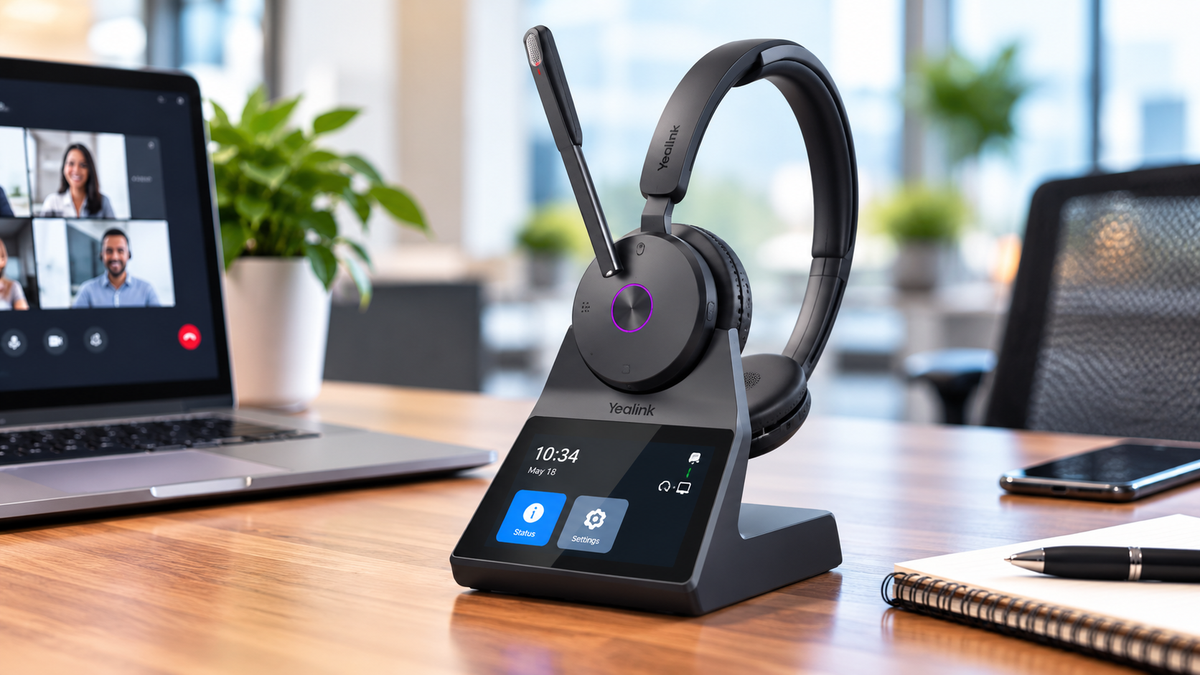
Certain headset systems, like the Yealink HA64 Pro, now provide touchscreen controls with onboard configuration menus that allow users to adjust many settings directly from the headset base itself, reducing dependency on downloaded software applications that would otherwise be required for this same accessibility.
For IT teams managing large deployments, this can help simplify administration while reducing the need for ongoing support requests related to features or software access.
8. Are You Planning Only For Today — Or Future Needs Too?

One of the most common mistakes businesses make is purchasing based only on their current needs.
But workplace communication needs continue to evolve. How things are done today, and the devices used, differ from how things were done in the past.
Before making a large investment, businesses should consider whether future plans may include:
- additional hybrid work
- office expansion
- remote employees
- changing collaboration platforms
- increased mobility requirements
Planning ahead can help organizations avoid deploying solutions that may no longer fit the business a short time later which can require additional investments.
9. Should You Buy Or Lease?

Many organizations automatically assume purchasing is the only option available when procuring headsets for teams because in the past, there were no other options.
But depending on the size of the deployment, leasing may also be worth considering.
Some leasing programs may include benefits such as:
- replacement accessories
- setup assistance
- advanced replacement coverage
- premium support
- full-term warranty protection
For some businesses, these programs can simplify long-term headset management while making new headsets more affordable and simplified budgeting. This can allow you to obtain the appropriate devices based on your needs without the worry of the upfront costs.
10. Should You Consider Headset Trade-In Programs?

When businesses plan large headset upgrades, older equipment is often overlooked.
Many organizations already have old headset inventory sitting in storage rooms, unused drawers, or deployed across departments. In larger environments, that older equipment may still represent meaningful value.
Before replacing existing devices, businesses should consider asking:
- Does the vendor offer a headset trade-in program?
- Can existing equipment help offset upgrade costs?
- Is older inventory eligible for recycling or upgrade incentives?
While many vendors do not offer trade-in options, some do.
For larger deployments especially, trade-in allowances can sometimes create meaningful savings that help reduce overall upgrade costs. At minimum, it’s a consideration worth exploring before retiring older equipment entirely.
11. How Important Is Vendor Support?

The headset itself is important, but it represents one part of the overall picture.
The vendor supporting the deployment can make a major difference both during and after implementation. A good vendor can provide meaningful guidance upfront, and help to make managing headsets easier throughout the life of the equipment.
Before making a large headset investment, businesses should consider questions such as:
- Who provides support after the sale?
- Is setup assistance included?
- Can the vendor provide a “train the trainer” tutorial?
- Are exchanges and returns allowed?
- Who handles warranty-related issues?
- Besides purchasing, does the vendor offer a leasing program?
- Do headsets represent the vendor’s core business?
- How many years have they specialized in headsets?
- Where can customer reviews and ratings be viewed?
- How easy is it to reach someone if support is needed after the sale?
These questions can help businesses better understand the level of expertise, accessibility, and long-term support they can realistically expect from a vendor relationship.
Because in many cases, the true test of a vendor begins after the purchase has already been made.
12. Establish Predictable Accessory Refresh Cycles

Headsets are heavily used business tools, especially in contact centers and busy offices.
Over time, ear cushions wear out, microphone wind screens deteriorate, batteries weaken, and headband comfort features can fail.
Rather than waiting until components fail completely, businesses can benefit from establishing predictable replacement schedules for accessories and consumable items. From within an all-inclusive lease, this timeframe can be established upfront with the vendor, which is convenient, can save money and helps to avoid having headsets with failing accessories.
This proactive approach can help maintain employee comfort, improve professionalism, support hygiene, simplify budgeting, and extend equipment life.
Small preventative steps taken consistently can often help reduce larger support and replacement issues later.
Final Thoughts
A large headset deployment affects much more than communication devices alone.
The decisions businesses make today can influence employee comfort, productivity, workplace flexibility, support workloads, communication quality, and long-term operational costs.
By asking the right questions before purchasing, organizations can make more informed decisions that support both current needs and future growth.
And in many cases, careful planning upfront can help avoid costly frustrations later.
What’s Next?
Now that you’ve worked through the planning questions, the next step is understanding what your answers may be telling you.
In Part 2 of our Enterprise Headset Planning Series, we explore how different workplace needs, noise environments, comfort considerations, and operational priorities can help point businesses toward the right headset direction.
Continue reading:
How To Interpret Your Headset Planning Checklist
Have Questions Or Need Some Help?

Whether you’re planning a large headset deployment, comparing wired versus wireless solutions, evaluating noise canceling technologies, or trying to simplify headset management across your organization, Headset Advisor is here to help.
With over 30 years of experience and more than 800 five-star Google reviews, we help businesses identify headset solutions that improve communication quality, employee comfort, and long-term operational success.
Contact us today, and let one of our trained Advisors help you find the right, compatible solution that’s perfect for your needs.