Do you want the best headset?
Clear communication has always been important in the legal profession. Whether discussing contracts, negotiating settlements, conducting client consultations, participating in video conferences, or collaborating internally with staff, law firms rely heavily on communication throughout the workday.
Because of this, many law firms are taking a closer look at the communication tools employees use every day including headsets.
What may have once been viewed as a convenience accessory has increasingly become an important productivity tool for attorneys, legal assistants, paralegals, intake specialists, and administrative staff alike.
But not all headsets are the same, because differences do exist.


The right headset can improve sound quality, mobility, comfort, productivity, and professionalism. The wrong solution can create frustration, poor audio quality, limited flexibility, and even long-term discomfort for employees who spend hours each day on calls or video meetings.
If your firm is considering new headsets, here are some important things worth considering before making a purchase.
Law Firms Are Communication-Heavy Environments
Legal professionals spend a tremendous amount of time communicating. It’s at the foundation of what law firms are all about.
That communication may involve:
- client consultations
- court-related conversations
- negotiations
- internal discussions
- Incoming client calls
- mediations
- video meetings with staff and clients
- document reviews
- remote worker communication
In many cases, calls can involve highly sensitive or confidential information. Clear conversations and professionalism is highly important conversations.
Poor audio quality, distracting background noise, or constantly repeating information during conversations can negatively impact both efficiency and a client’s experience.
This is one reason more law firms are investing in professional headset solutions rather than relying on traditional phone handsets or basic consumer audio devices. Neither will allow you to sound or perform at your best.
Wired vs Wireless Headsets for Law Firms

Wired Headsets Still Have a Place
For employees who remain primarily stationary at a desk throughout the day, wired headsets may be a great option to consider. Wired headsets are simple to connect, easy to learn how to operate, and represent a lower upfront cost. They're known for reliability and many offer a lightweight wearing experience.
For reception desks, or employees who rarely leave their workspace during calls, wired solutions may the right choice.
However, many firms are increasingly moving toward wireless headsets.
Why Wireless Headsets Are Becoming More Popular
Wireless headset adoption has grown steadily in legal environments over the past several years.
Part of the reason is simple: wireless headsets have become increasingly more affordable than they once were, making it more practical to deploy them across an organization instead of limiting them to only a few employees.
But cost is only one of the reasons law firms are moving to wireless.
Wireless mobility can significantly improve efficiency in law firms where employees frequently multitask throughout the day.
Attorneys and staff may need to:
- retrieve files
- consult with coworkers
- walk between offices
- access printers or copiers
- grab coffee while on a call
- continue conversations while moving throughout the office
Wireless headsets allow conversations to continue uninterrupted allowing employees to be more productive.
For legal professionals constantly balancing calls, meetings, documents, and deadlines, that flexibility can be extremely valuable. And when you look at the impact over time, this versatility can make a meaningful difference in convenience and productivity.
Mono vs Stereo Headsets

Another important consideration is whether employees would benefit more from mono or stereo headset designs.
The best option often depends on the user’s role, work environment, and personal preference, and sensitivities.
Mono Headsets: Keeping One Ear Open

Mono headsets cover only one ear, leaving the other ear open to hear surrounding activity.
This style is often preferred by employees who need to remain aware of:
- coworkers nearby
- incoming conversations
- office activity
- reception environments
- multiple ongoing discussions
Legal assistants, receptionists, and administrative staff often prefer mono headsets because they allow them to stay aware of the office environment while staying connected to callers.
Some users also simply dislike having both ears covered for long periods of time.
Mono headsets can provide a more natural and less isolating experience that some have with stereo headsets.
And, for those who'd like to have both ears uncovered, the Shokz Opencomm2 UC that uses bone conduction technology could be an option to consider. Ear pads rest against the head near the ear area, leaving both ears completely free and open.
Stereo Headsets: Better Focus and Concentration

Stereo headsets cover both ears and help to passively reduce surrounding noise.
For attorneys or staff who spend significant time in video meetings, working remotely, dealing with sensitive conversations, and needing to keep noise levels low to help maintain concentration, stereo headsets can be very beneficial.
By reducing surrounding office noise, stereo models often help users:
- hear conversations more clearly
- focus more effectively
- reduce listening fatigue
- stay engaged during longer meetings
- avoid the need to repeat themselves, or have the caller do the same
In busy offices or hybrid work situations, stereo headsets are increasingly becoming the preferred option.
Noise Cancellation Matters in Legal Environments

Background noise can quickly and easily become distracting during important conversations.
Whether it’s:
- nearby conversations
- office activity sounds
- Keyboard noise
- hallway noise
- home office distractions
- conference room activity
unwanted noise can interfere with professionalism and degrade audio quality which is where microphone noise cancellation becomes especially valuable.
Modern professional headsets use advanced microphone technology to help reduce unwanted background noise so callers hear the speaker more clearly instead of hearing the background noise.
This becomes especially important during:
- client consultations
- Zoom meetings
- Microsoft Teams calls
- negotiations
- remote work conversations
- multi-person office environments
Clear communication helps conversations remain efficient and professional.
AI Noise Canceling and Two-Way Audio Enhancement

Many newer headset solutions now incorporate AI-powered noise canceling technologies that go beyond traditional microphone noise reduction.
Some solutions, like neep noise canceling software, can help improve audio quality from both sides of the conversation by reducing distracting background sounds while also enhancing speech clarity. This can be a valuable tool to consider because it adds another layer of noise filtering, and works with any audio device.
This can be especially useful in:
- hybrid work environments
- open office settings
- home offices
- shared workspaces
- busy legal departments
- Voice or video conferencing
As video meetings and remote communication continue to play a larger role within the legal industry, technologies that improve conversation clarity are becoming increasingly valuable.
Video Meetings Have Changed Communication Expectations

Video conferencing has become a standard part of modern legal communication.
Today’s law firms regularly use platforms such as:
- Microsoft Teams
- Zoom
- Google Meet
- Webex
For things like client consultations, mediation discussions, virtual meetings, multi-office communication, remote work and more.
During video meetings, audio quality often matters even more than video quality itself. A less than perfect video image still allows the job to get done if the audio quality is clear.
A professional headset helps ensure:
- voices sound clear
- conversations remain intelligible
- background distractions are minimized
- communication feels more professional
Built-in laptop microphones are generally unable to perform at the same level as a dedicated professional headset microphone, especially when background noise is present.
Comfort Should Not Be Overlooked

Many legal professionals spend hours each day on calls or video meetings. With that in mind, comfort is something that shouldn’t be overlooked.
A headset that feels acceptable for a short call may become uncomfortable after several hours of continuous use. Those who work in call centers, or are on long calls regularly know this to be true.
Important comfort considerations include:
- headset weight
- ear cushion design and material
- headband clamping pressure
- adjustability
- wearing style
- headset design
Long-term comfort can directly impact productivity, employee adoption and satisfaction, level of fatigue experienced by the user.
This becomes especially important for employees wearing headsets throughout the majority of the workday.
And finally, something else to consider is the type of headset matters for some individuals. For example, there are those who cannot wear a headset that has a headband because it causes them to develop headaches, or migraines. While others, especially those who have very small ears, often cannot wear an earpiece style headset as the fit is unstable on the ear.
This means, thought needs to be given as to whether or not the company will standardize on a certain model, or not. What many organizations do is to standardize, but allow for exceptions much like I’ve noted here.
Headsets Can Also Support Better Ergonomics

Traditional phone handsets often create unhealthy working habits.
Many professionals still cradle handsets between the shoulder and ear while typing, reviewing documents, or taking notes. Over time, this can contribute to:
- neck strain
- shoulder tension
- muscle discomfort
- repetitive stress issues
- numbness and tingling

Headsets eliminate the need to physically hold a phone handset (or cradle it) during conversations, allowing users to maintain more natural posture while working hands-free which from a health and wellness perspective, headsets are vastly better.
In addition to improving comfort, this also allows employees to multitask more effectively during calls which helps to provide a higher level of customer service, and improves productivity.
Connectivity Is Another Important Consideration

Before purchasing headsets, firms should evaluate what devices employees actually need to connect to.
Depending on the environment, users may require connectivity to:
- desk phones
- computers
- mobile devices
- Microsoft Teams
- Zoom
- softphones
- multiple devices simultaneously
Some headsets are designed primarily for a single connection type, while others support multiple device connections and seamless switching between platforms.
Understanding current and future connectivity needs upfront can help firms avoid purchasing solutions that limit flexibility today and in the future.
DECT vs Bluetooth for Law Firms

When evaluating wireless headset options, firms may also find that they’re faced with the choice between Bluetooth and DECT wireless headsets.
Bluetooth headsets are extremely common and work well for many office environments, particularly for users connecting primarily to computers and mobile devices.
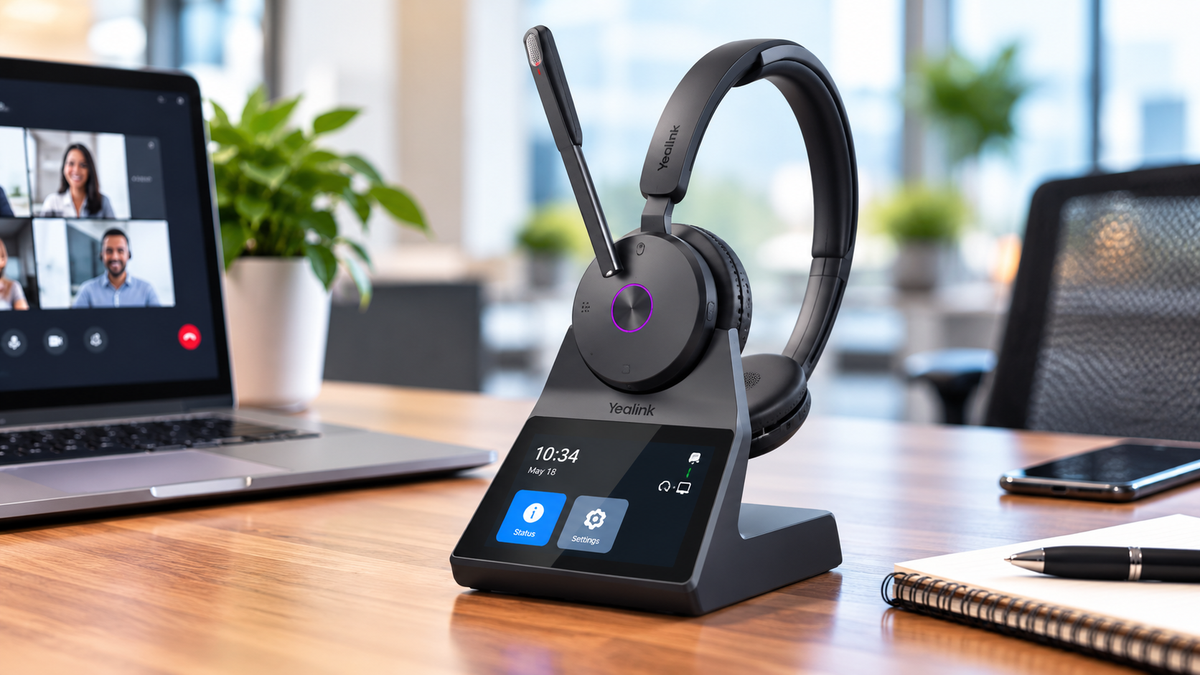
DECT wireless headsets, like the Yealink HA64 Pro however, are often preferred for users needing:
- longer wireless range
- stronger connection stability
- reduced wireless congestion
- enhanced mobility throughout larger offices
- connectivity to multiple devices
To learn more about the differences between Bluetooth and DECT, check out our informative video below:
For professionals needing the option to move around the office during calls, DECT can provide noticeably greater range and reliability compared to standard Bluetooth solutions.
You might be interested to view this short, 1:06 minute video that demonstrates the wireless range difference between Bluetooth and DECT headsets. This was done on a football field, and I think you might find the results interesting.
Vendor Support Matters Too
One of the most overlooked aspects of purchasing headsets is the vendor supporting the products you choose.
The headset itself is important, but so is:
- setup assistance
- compatibility guidance
- Ongoing technical support
- replacement accessories
- product knowledge
- deployment experience
Law firms should consider whether the vendor:
- specializes in headset solutions or offer them as part of a broader offering
- offers support before and after the sale
- provides leasing options
- supports trade-in programs
- carries replacement parts and accessories
- accepts returns and exchanges
These services can help to make deploying headsets easier, while helping firms avoid expensive compatibility mistakes that can require resources to correct.
Leasing and Trade-In Programs Can Reduce Costs

Many firms are surprised to learn that older headset inventory may still hold trade-in value.
Trade-in programs can help organizations reduce upgrade costs while also clearing out outdated or unused equipment. Trading in old headsets can allow them to be repurposed, or responsibly recycled, helping to keep them out of landfills.
Leasing programs are also becoming increasingly popular because they can help firms:
- reduce upfront expenses
- simplify budgeting
- maintain updated technology
- improve scalability
- access premium support services
As wireless headset technology continues evolving, some organizations prefer the flexibility leasing programs can provide. Leasing can assure the firm always has reliable, professional sounding, and compatible equipment at an affordable rate.
Final Thoughts
Choosing the right headset solution for a law firm involves more than simply selecting a device with good sound quality.
The best headset choice depends on:
- employee roles
- office environment
- mobility needs
- connectivity requirements
- comfort preferences
- communication platforms used
- noise levels
- workflow demands
Whether selecting wired or wireless headsets, mono or stereo models, Bluetooth or DECT technology, firms should evaluate how employees actually work throughout the day and choose solutions that support those needs.
Professional headsets can improve communication sound quality, increase productivity, support better ergonomics, reduce distractions, and help legal professionals work more efficiently in both office and remote environments. A professional headset, through advanced audio technology, can help to project a more professional image as well.
At Headset Advisor, we help law firms identify headset solutions that fit their communication needs, operational requirements, and budget considerations. Whether you need help comparing wired vs wireless headsets, selecting the right headset style, improving audio quality for video meetings,learning more about neep software, or exploring lease and trade-in options, our team is here to help.
If you have questions or would like personalized guidance, contact Headset Advisor today. With over 30 years of experience, and over 800 five star Google reviews, we’re the company best suited to evaluate and address your needs.