Do you want the best headset?
How to Choose a Headset for Microsoft Teams
Looking for the right headset for Microsoft Teams? Here’s what you need to know:
- Teams-Certified Headsets: These offer features like mute sync, call controls, and a dedicated Teams button for seamless integration.
- Connection Types: Choose from USB, Bluetooth, DECT, or hybrid options based on your work setup. DECT provides long range and stability, while Bluetooth is great for mobility.
- Audio Quality: Prioritize headsets with noise-canceling microphones and advanced audio technologies for clear communication.
- Comfort: Consider factors like weight, padding, and style (over-ear, on-ear, or open-ear) for all-day use.
- Budget: Match features to your role and balance upfront costs with long-term value.
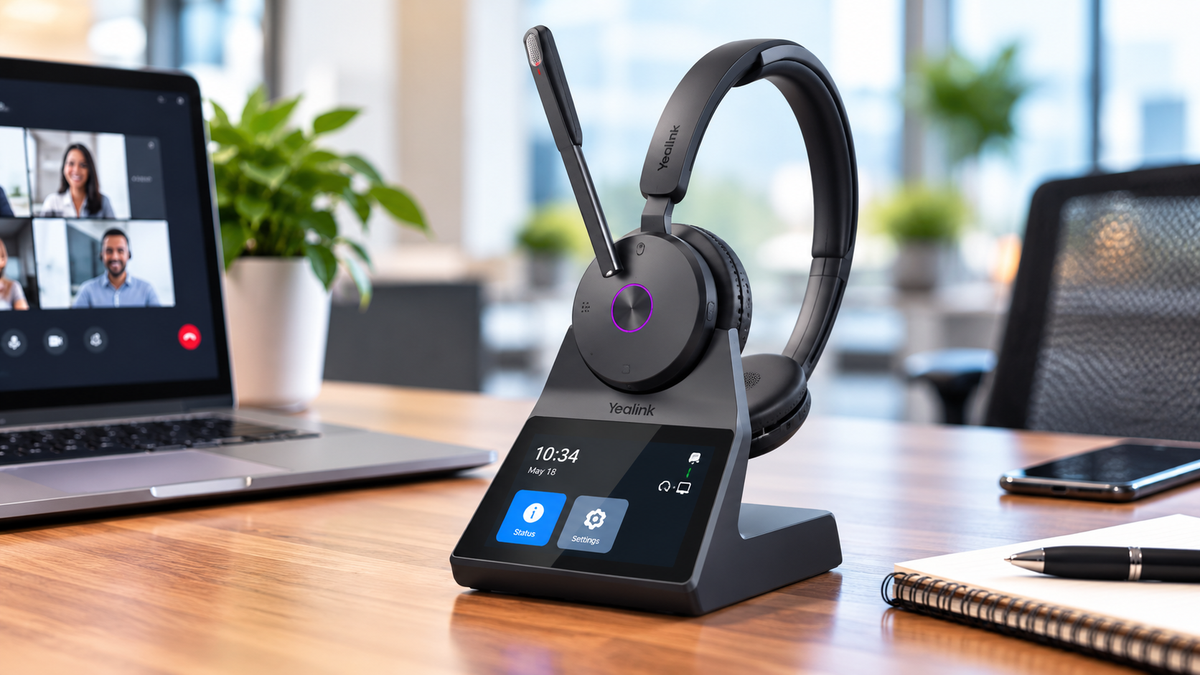
Quick Tip: For hybrid workers, a model like the Yealink HA64 Pro combines DECT and Bluetooth for flexibility, starting at $259.99.
Clear audio and comfort are key for productivity in today’s meeting-heavy work environment. Let’s dive deeper into what to look for when choosing your ideal headset.
How to Choose the Right Microsoft Teams Headset: 5-Step Guide
5 Best Headsets for Microsoft Teams


sbb-itb-0686a5f
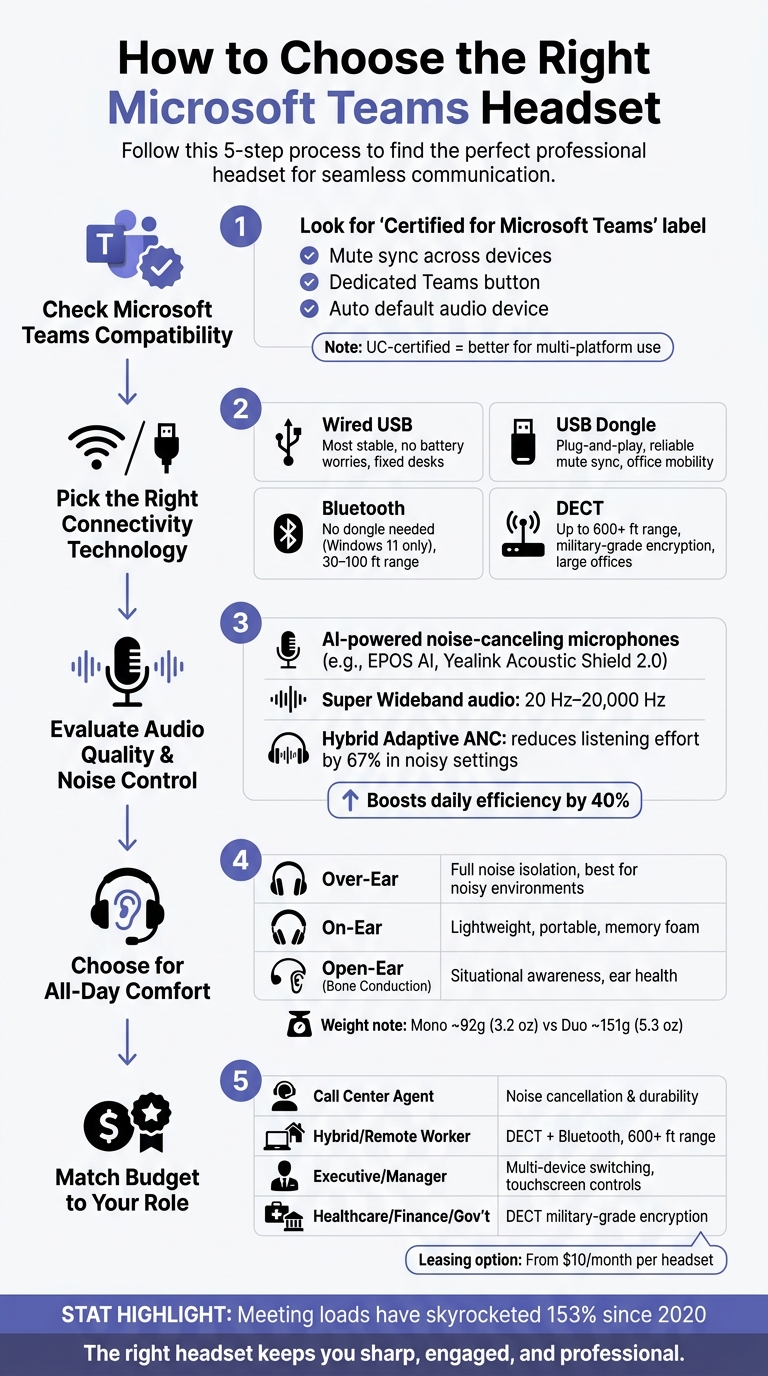
Step 1: Check Microsoft Teams Compatibility
Headset performance with Microsoft Teams can vary widely. Some headsets offer full integration - like call controls, mute sync, and meeting notifications - while others only provide basic audio, leaving you to manage calls directly through the Teams interface. Understanding these differences before making a purchase can save you from a lot of frustration.
Teams-Certified vs. Non-Certified Headsets
When you see the "Certified for Microsoft Teams" label, it means Microsoft has tested and approved that headset specifically for use with Teams. This certification isn't just for show - it enables features that non-certified devices can't provide.
One of the most noticeable differences is Mute Sync. A certified headset ensures that when you mute the mic on the physical device, your status in the Teams app updates instantly - and vice versa. Non-certified headsets often lack this synchronization, leading to situations where Teams shows you as unmuted while your mic is actually off, which can cause confusion during meetings.
Certified headsets also come with a dedicated Teams button. This button allows you to join meetings, bring the Teams window to the forefront, or raise your hand - all without touching your keyboard. Plus, when connected, Teams automatically sets the headset as the default audio device.
"The biggest benefit of a Microsoft Teams certified headset is out of the box you'll be able to answer/end incoming calls from your headset... without the need of downloading any software." - Headset Advisor
However, if you frequently switch between Teams and other platforms like Cisco or Avaya, you might want to consider a Microsoft Teams vs. UC-certified version of the same headset. UC-certified models are designed to avoid firmware conflicts, making them more versatile for multi-platform use.
Check Device and Operating System Support
Most certified headsets that connect via USB or a dongle work seamlessly with both Windows and macOS. But if you're looking at a headset that uses Native Bluetooth - meaning it connects directly to your PC's Bluetooth without a dongle - be aware that this currently only works on Windows 11.
Native Bluetooth also has specific hardware requirements. Your PC should have an Intel 12th Gen Core processor (or newer) or a Qualcomm Snapdragon X processor (or newer). Additionally, your Teams desktop app must be version 24335.208.3315.1951 or later.
Once your headset is connected, confirm functionality by navigating to Settings > Devices in Teams. Make sure your headset is listed under both the speaker and microphone sections. If you're experiencing issues with call controls, try closing any manufacturer software, like Poly Hub or Jabra Direct, as these can sometimes interfere with Teams' native controls.
With these requirements checked, you're ready to choose the connection type that best fits your needs.
Pick a Connection Type: USB, Bluetooth, or DECT
After ensuring compatibility, the connection type you choose will shape your overall Teams experience. Here's a quick comparison:
| Connection Type | Best For | Advantage |
|---|---|---|
| Wired USB | Fixed desks, contact centers | Most stable; no battery worries |
| USB Dongle (Wireless) | Office mobility | Plug-and-play; reliable mute sync |
| Native Bluetooth | Laptop/mobile users | No dongle needed (Windows 11 only) |
| DECT | Large offices, home offices | Longest range - up to 600+ feet |
Wired USB is the most straightforward option. It's reliable, with no concerns about battery life or wireless interference. If you're working at a fixed desk all day, this is a solid choice.
DECT is ideal for those who need extended wireless range and security. Operating on a dedicated 1.9 GHz frequency, it avoids competing with office Wi-Fi for bandwidth. If you like to move around during calls, DECT gives you the freedom to roam - up to 600 feet.
Bluetooth works well for hybrid workers who switch between a laptop and a smartphone. Just remember that standard Bluetooth has a limited range of about 30 feet. Even if your headset supports native Bluetooth, using the included USB dongle is often the more reliable option for a stable Teams experience.
Step 2: Pick the Right Connectivity Technology
Once you've ensured compatibility, the next step is deciding how your headset will connect. This choice can impact range, stability, and how freely you can move around while staying connected.
DECT vs. Bluetooth for Teams: Key Differences
Both DECT and Bluetooth provide wireless connectivity, but they work in distinct ways. DECT uses a dedicated 1.9 GHz band, offering a range of up to 300 ft and enhanced security with military-grade encryption. On the other hand, Bluetooth operates on the 2.4 GHz band, providing a range of 30–100 ft and excelling in multi-device pairing. This makes Bluetooth ideal for users who frequently switch between devices like laptops, smartphones, and tablets. The choice between these technologies often depends on your work environment and specific needs.
| Feature | DECT | Bluetooth |
|---|---|---|
| Operating Frequency | 1.9 GHz (Dedicated) | 2.4 GHz (Shared) |
| Standard Range | Up to 300 ft | 30–100 ft |
| Interference Risk | Very Low | Moderate |
| Multi-Device Pairing | Limited (Requires Base) | Yes (Multipoint) |
| Security | Military-grade encryption | Standard encryption |
| Best For | High call volume, desk roles | Hybrid/Mobile workers |
Wired, Wireless, or Hybrid: Which One Fits Your Work?
Understanding the differences between DECT and Bluetooth can help you decide whether a wired, wireless, or hybrid setup is best for your needs.
For roles where every second counts - like emergency dispatch or financial trading - a wired USB headset ensures zero latency and uninterrupted performance. If you're mostly desk-bound and handling high call volumes, a wired headset offers simplicity and reliability.
Wireless DECT is the go-to option for those who need freedom to move around, whether it's to grab a printout, talk to a colleague, or navigate a large workspace. Meanwhile, Wireless Bluetooth is perfect for hybrid workers who need a single headset that can seamlessly connect to both a laptop at home and a phone on the go - no base station required.
However, Bluetooth can struggle in busy office environments with a lot of wireless activity, leading to occasional audio drops. In such cases, DECT's dedicated frequency ensures a cleaner, more stable connection.
Yealink HA64 Pro: A Hybrid DECT and Bluetooth Option

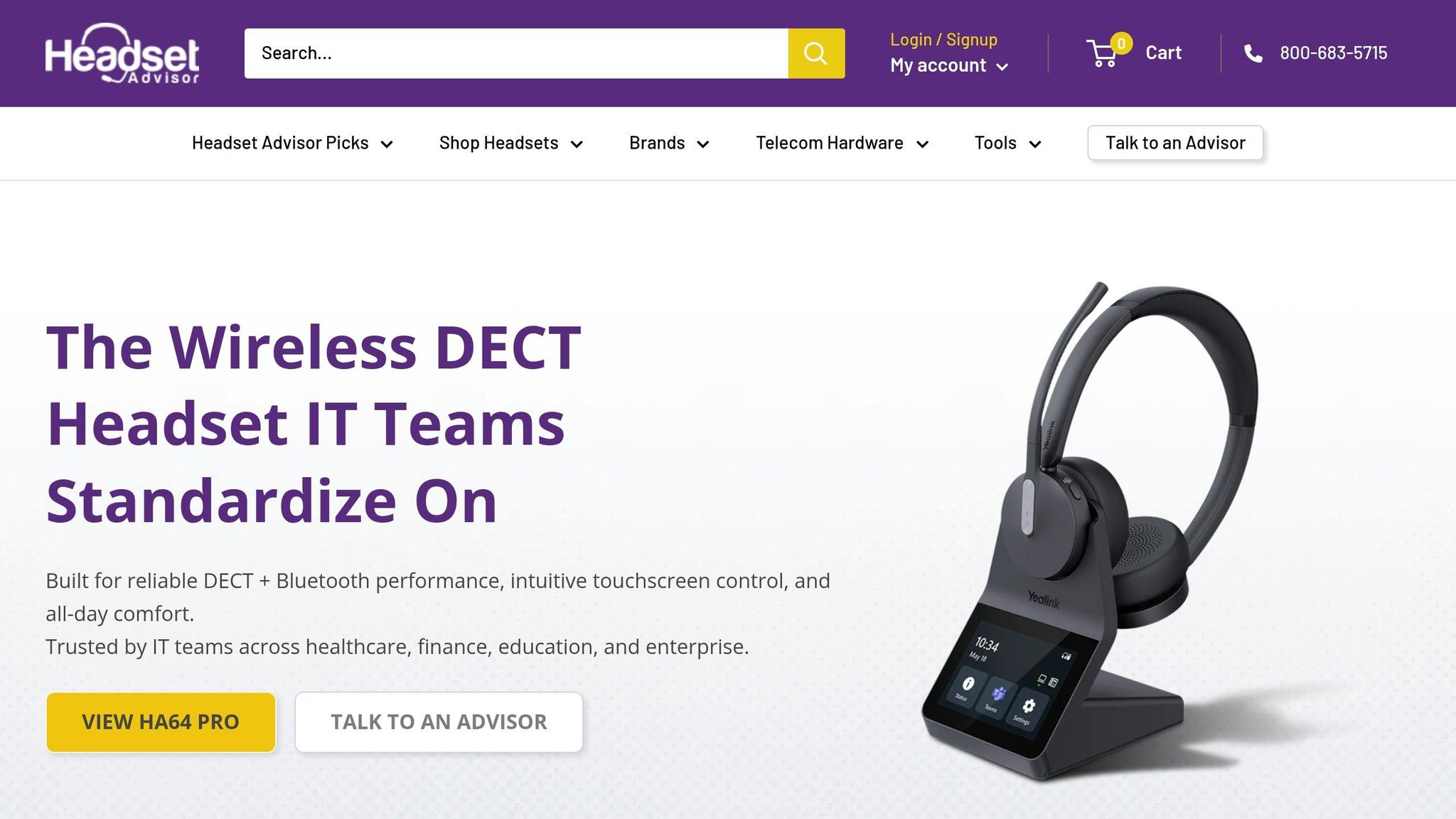
Typically, DECT headsets rely on a desk-bound base station, which limits mobility. The Yealink HA64 Pro breaks this mold by combining DECT and Bluetooth directly into the headset, offering greater flexibility.
"Having Bluetooth in the base means... you can't use the headset away from the base, meaning you can't use it outside of the office. [The HA64 Pro] is a game changer because DECT and Bluetooth are both located in the headset." - Doug Merritt, Headset Advisor
The Yealink HA64 Pro delivers impressive performance with up to 607 ft of range on DECT and 164 ft on Bluetooth. It also boasts a battery life of up to 16 hours (DECT) or 32 hours (Bluetooth), all for $259.99. This hybrid option gives you the best of both worlds, making it a versatile choice for various work setups.
Step 3: Evaluate Audio Quality and Noise Control
Once you've tackled connectivity, it's time to zero in on audio quality. This is critical for ensuring smooth, professional Teams calls. A headset that works well in quiet settings might falter when faced with a noisy office. Here’s what to consider.
What to Look for in Microphone and Speaker Quality
The microphone is arguably the most important part of any headset for professional calls. While basic noise-canceling mics can filter out some background noise, AI-powered microphone systems take it up a notch. Tools like EPOS AI™ and Yealink Acoustic Shield 2.0 use machine learning to isolate your voice from surrounding sounds in real time.
When it comes to speakers, look for Super Wideband audio (20 Hz–20,000 Hz). This technology preserves the full audio spectrum, avoiding the drop-off that’s common with standard Bluetooth models. The result? A 25–35% boost in call efficiency.
Next, let’s dive into how noise-canceling tech can make a difference in busy environments.
How Active Noise Cancellation Helps in Busy Spaces
Active Noise Cancellation (ANC) electronically reduces background noise, creating a quieter listening experience. Hybrid Adaptive ANC, however, takes things further by adjusting cancellation levels in real time. This prevents the discomfort that can come from overly aggressive noise cancellation. For anyone working in open offices or unpredictable home environments, Hybrid Adaptive ANC is a feature worth prioritizing.
"Hybrid adaptive ANC means that the built-in Active Noise Cancellation will adapt to the surrounding noise level and only use as much ANC as needed at any given time. This reduces the feeling of occlusion..." - EPOS
EPOS technology, for instance, has been shown to cut listening effort by 67% in noisy settings, while boosting daily efficiency by 40% by improving reaction times without compromising accuracy.
It’s also important to note that ANC on your headset complements Microsoft Teams' built-in Noise Suppression. ANC manages what you hear, while your noise-canceling microphone ensures your caller hears you clearly. Together, they create a smoother communication experience.
Headset Options from Headset Advisor Worth Considering
Different noise levels call for different solutions. Here’s a quick comparison of three headsets available through Headset Advisor:
| Headset | Noise Control Approach | Best For | Price |
|---|---|---|---|
| Discover D722U | Passive isolation via large ear cushions | High-activity offices, call centers | $99.99 |
| Shokz Opencomm2 II | Bone conduction + noise-canceling mic | Users who prefer open-ear awareness | $221.54 and up |
| EPOS Impact 1000 | Hybrid Adaptive ANC + EPOS AI™ mic | Open office and hybrid environments | $251.82 and up |
The Discover D722U is a simple, plug-and-play USB headset that boasts 4.8/5 stars across 73 reviews. Its oversized ear cushions offer excellent passive noise isolation without relying on electronics. The Shokz Opencomm2 II, on the other hand, uses bone conduction to keep your ears open while a noise-canceling boom mic ensures crystal-clear voice transmission. It holds a stellar 4.9/5 rating from 38 reviews. For the most challenging noise environments, the EPOS Impact 1000 stands out with four digital MEMS AI adaptive microphones and Hybrid Adaptive ANC, earning a 4.7/5 rating from 19 reviews.
"The EPOS Impact 1000 features 4 digital MEMS Ai adaptive noise canceling microphones... this microphone will provide you with superior sound quality that's clearly head and shoulders above the competition." - Doug Merritt, Headset Advisor
Step 4: Choose a Headset Designed for All-Day Comfort
Even the best audio quality won't matter if your headset becomes uncomfortable during long calls. For anyone spending hours on Teams meetings, fit and comfort are just as important as sound. Let’s break down how style, weight, and design impact your experience.
Over-Ear, On-Ear, and Open-Ear: Which Style Fits You Best?
The style of your headset plays a big role in its comfort.
| Style | Fit | Best For |
|---|---|---|
| Over-Ear | Cups fully enclose the ears | Noise reduction and deep focus |
| On-Ear | Cushions rest on top of the ears | Lightweight comfort and portability |
| Open-Ear | Sits outside the ear canal (bone conduction) | Awareness of surroundings and ear health |
Over-ear headsets, such as the Discover D722U, offer excellent passive noise isolation, making them a great option for noisy environments. On-ear models are smaller and lighter, often featuring memory foam and pivoting speakers that adjust to the shape of your ears. Open-ear designs, like the Shokz Opencomm2 II, use bone conduction technology to transmit sound through your cheekbones, leaving your ear canals open - perfect if you need to stay alert to your surroundings.
Once you’ve picked a style, the physical features of the headset will determine how comfortable it feels over time.
Weight, Padding, and Headband Adjustability
Weight is often overlooked but plays a huge role in comfort. A headset that feels fine in the morning can feel like a burden by the afternoon. Mono headsets can weigh as little as 92 grams (3.2 oz), while duo models are typically heavier, around 151 grams (5.3 oz).
Padding also matters. Look for memory foam cushions and padded, adjustable headbands to avoid pressure points during extended wear. Perforated ear cushions are a bonus - they help with heat management, which is especially noticeable during long meetings in warmer conditions. Adjustable headbands and pivoting ear pieces ensure the headset fits your head comfortably, rather than forcing a generic fit.
"The design team at Yealink spent countless hours creating the HA64 Pro so it would be comfortable to wear for long periods of time. They paid careful attention to the form factor and ergonomics... Hundreds of head profiles were used in getting the headset geometry right." - Doug Merritt, Headset Advisor
Mono vs Stereo Headsets
Your choice between mono and duo headsets depends on whether you prioritize situational awareness or full focus. Here’s a quick comparison:
| Feature | Single-Ear (Mono) | Dual-Ear (Duo) |
|---|---|---|
| Primary Benefit | Awareness of surroundings | Immersive focus with noise isolation |
| Weight | Lighter (e.g., 92g / 3.2 oz) | Heavier (e.g., 151g / 5.3 oz) |
| Best Environment | Quiet spaces; reception desks | Noisy or open-plan offices |
| Awareness | High - one ear stays open | Low - both ears are covered |
Mono headsets are ideal for those who frequently step away from their desk, work in quieter settings, or need to stay alert to their surroundings. Duo headsets, on the other hand, are better for blocking out distractions in busy or loud environments. For instance, the Yealink HA64 Pro comes in both mono and duo options, priced at approximately $259.99.
While audio quality and connectivity are essential, comfort is what makes a headset practical for all-day use. A comfortable headset ensures you can stay productive and focused during those long Microsoft Teams calls.
Step 5: Match Your Budget to the Features You Need
Once you've nailed down the comfort and connectivity requirements, it's time to look at pricing. The trick is to balance quality, performance, and cost to ensure a seamless Microsoft Teams experience. It's not about finding the cheapest option - it's about getting the best value for how you actually work.
Match Headset Features to Your Job Role
Your job role plays a big part in determining the features you need. Spending on unnecessary extras is just as wasteful as skimping on key features.
| Role | Priority | Focus |
|---|---|---|
| Call Center Agent | Noise cancellation & durability | Stereo headset with 3-mic Acoustic Shield technology |
| Hybrid/Remote Worker | Dual connectivity (DECT + Bluetooth) | Versatile headset with a range of 600+ ft and mobile pairing |
| Executive/Manager | Multi-device switching & intuitive controls | Touchscreen controls with triple connectivity (PC, desk phone, mobile) |
| Healthcare/Finance/Gov't | Security & privacy | DECT with military-grade encryption for sensitive calls |
For example, call center agents need comfortable headsets designed for long hours, with memory foam padding and high-performance microphones to handle back-to-back calls. On the other hand, hybrid workers will benefit from a model like the Yealink HA64 Pro, which offers both DECT and Bluetooth connectivity, giving them flexibility without tethering them to a desk.
Factor in Long-Term Costs
The upfront price is just one piece of the puzzle. A lower initial cost can sometimes lead to higher expenses down the line. When comparing headsets, think about factors like build quality, warranty coverage, and whether the brand provides firmware updates to keep the device compatible as Microsoft Teams evolves.
"The best headset isn't about choosing the most expensive option... It's about selecting the right headset for your specific environment, your workflow, and how you communicate on a daily basis." - Headset Advisor
Brands like Yealink stand out by offering tools like Yealink USB Connect, which streamlines firmware updates and extends a headset's lifespan. Take the Yealink HA64 Pro, for instance - it includes a 2-year warranty. Plus, high-quality audio isn't just a perk; it can reduce listener fatigue by 35% and boost employee productivity by up to 18%.
If upfront costs are a concern, leasing programs can be a smart alternative. For as little as $10.00/month per headset, qualified organizations can lease devices that include full warranty coverage and free replacement accessories like ear cushions and batteries. This approach is especially helpful when equipping a large team.
Plan for Team-Wide Headset Needs
When you're buying headsets for an entire team, these cost considerations become even more important. Standardizing on one model can simplify IT support, reduce training time, and make it easier to stock spare parts. This ensures every employee gets a consistent, reliable experience during Teams calls.
For large-scale purchases, it's a good idea to involve your IT department early. They'll help confirm compatibility with your existing unified communications setup and any future platform changes. Many brands, including Yealink, also offer demos or trials - such as with the Yealink HA64 Pro - so you can test the headset in your office environment before committing. Additionally, trade-in programs let you exchange older headsets or desk phones for credit toward new Teams-certified models, helping to offset costs.
Conclusion: How to Find the Right Microsoft Teams Headset
Picking the right headset for Microsoft Teams boils down to five key factors. Start by selecting a Teams-certified headset to guarantee easy setup, built-in call controls, and smooth integration. Then, think about how you'll connect. DECT headsets are ideal for office setups with their strong range and security, while Bluetooth models offer the freedom to move around. Need both? A hybrid option like the Yealink HA64 Pro (starting at $259.99) might be your answer.
Once you've considered certification and connectivity, focus on audio quality, comfort, and cost. A good microphone with noise cancellation is crucial - no one wants to deal with muffled audio or background noise during calls. Comfort is just as important, especially for long workdays. And, of course, your budget should align with your professional demands, whether you're taking occasional calls or spending hours in meetings.
The numbers make it clear: meeting loads have skyrocketed by 153% since 2020. That means your headset is more than just a tool - it's a lifeline for clear communication. A poorly chosen headset can lead to frustration, dropped calls, and even burnout. But the right one? It keeps you sharp, engaged, and professional.
"The quality of remote communication directly affects team cohesion. When people can hear each other clearly and without frustration, they engage more, contribute more, and feel more connected to the group even when they are physically apart." - Vistanet
If you're unsure where to start, Headset Advisor can help. They provide tailored recommendations, compatibility checks, and lifetime support to ensure you find the perfect fit. By keeping these essentials in mind, you'll make every Microsoft Teams call seamless and productive.
FAQs
Do I need a Teams-certified headset?
Using non-certified headsets with Microsoft Teams is possible, but opting for a Teams-certified headset takes your experience to the next level. These headsets are designed to deliver top-notch audio quality, integrate seamlessly with Teams, and offer convenient features like automatic default audio device setup, a dedicated Teams button, and built-in call controls. If you rely on Teams for daily communication and want access to all its features without hassle, investing in a certified headset is a smart choice.
Should I use DECT, Bluetooth, or USB for Teams?
The right option for you largely depends on your workplace setup and how mobile you need to be.
- DECT: Perfect for desk-based roles requiring long-range, secure connections and handling a high volume of calls.
- Bluetooth: Best for multi-device flexibility, working seamlessly with laptops, tablets, and phones. Using certified headsets with USB dongles can further enhance connection stability.
- Hybrid: Advanced models like the Yealink HA64 Pro offer the best of both worlds, combining DECT's extended range with Bluetooth's mobility for greater versatility.
What’s the best headset setup for hybrid work?
For hybrid work setups, having a multi-device, wireless headset that supports both DECT and Bluetooth is a game-changer. The Yealink HA64 Pro stands out as a top option because it combines these two technologies directly within the headset. This means you can connect to your computer and desk phone through the base station while effortlessly using Bluetooth to stay connected to your mobile phone. The result? Consistently high-quality audio and the flexibility to move between workspaces with ease.