Do you want the best headset?
There are plenty of wireless headsets that connect to your computer and mobile phone. There are also DECT headsets designed to give you greater wireless range around the office.
The new Yealink HA68 Pro brings those two worlds together, but adds something else that's becoming increasingly important: Hybrid Active Noise Cancellation to help reduce the distractions you hear around you.
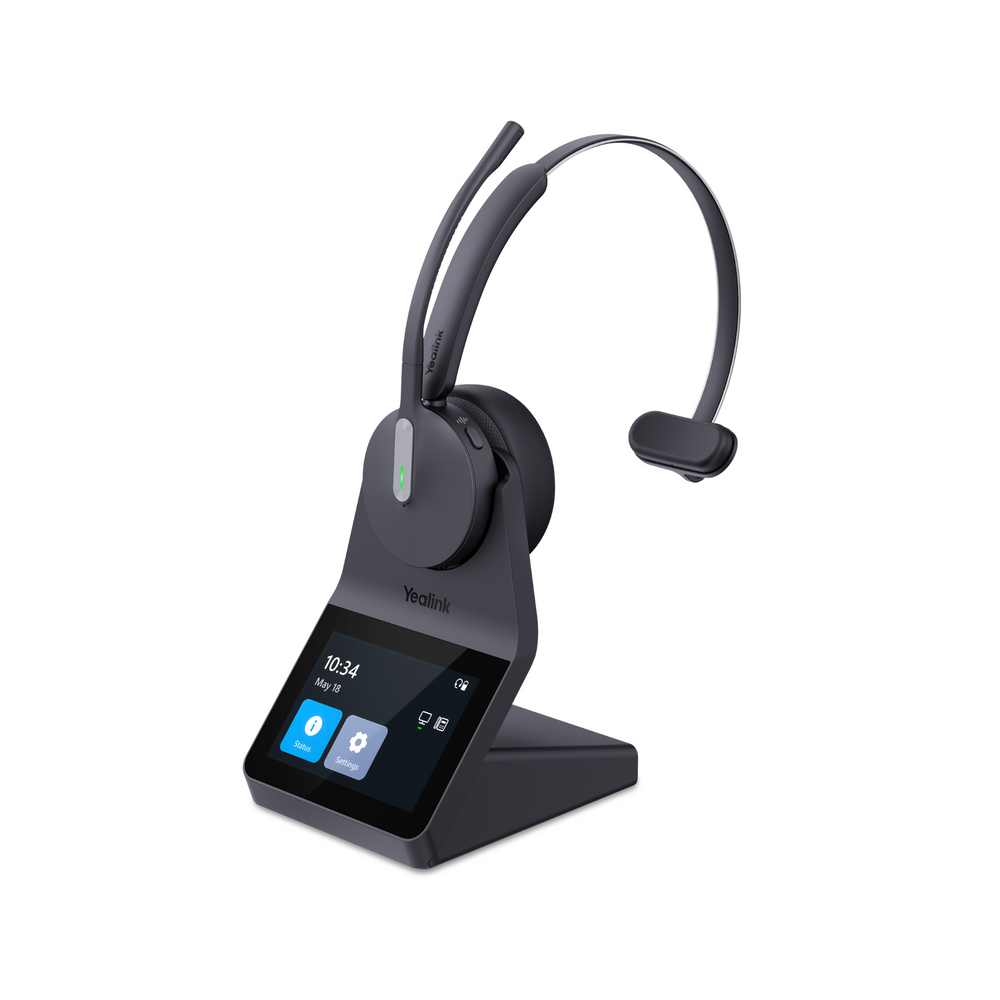
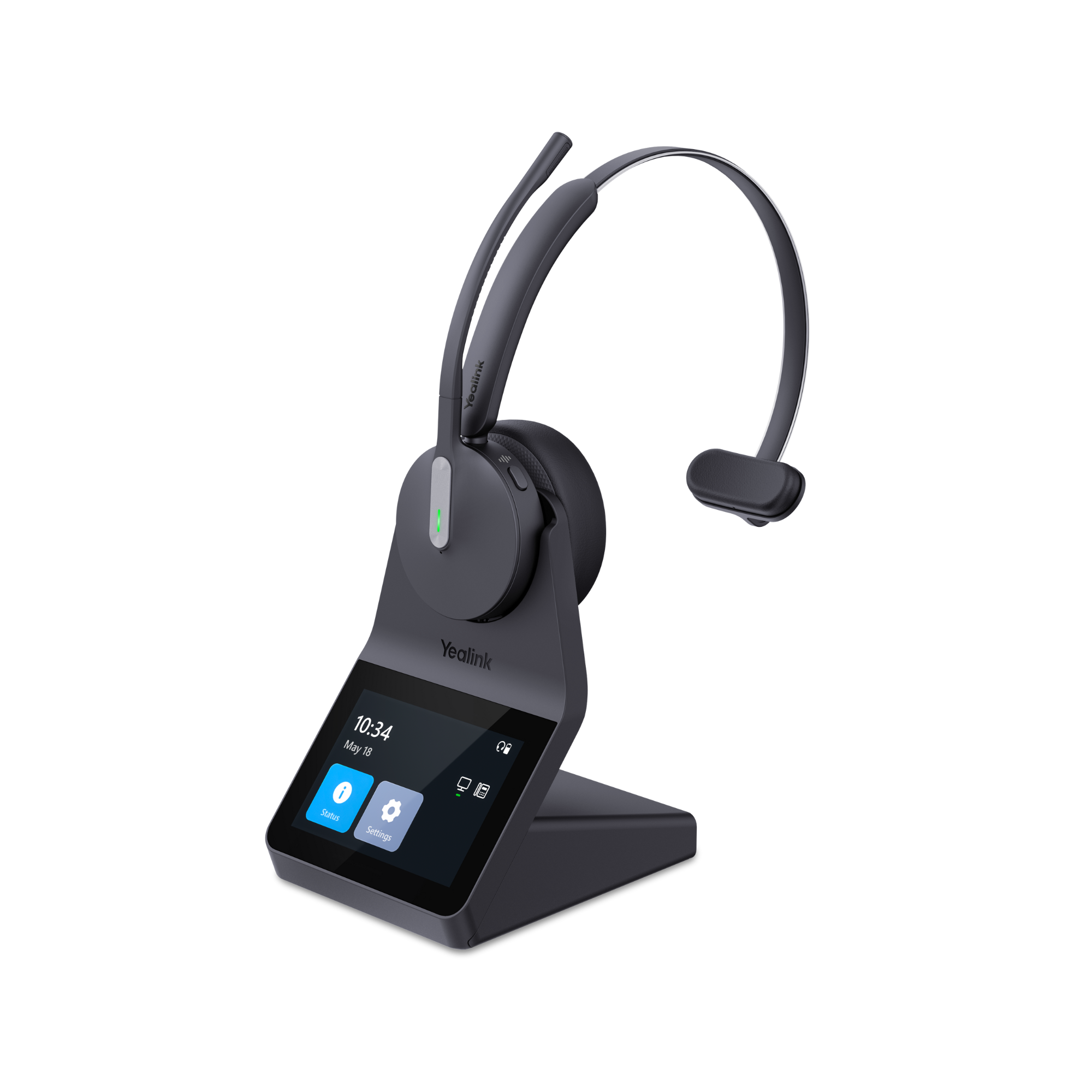
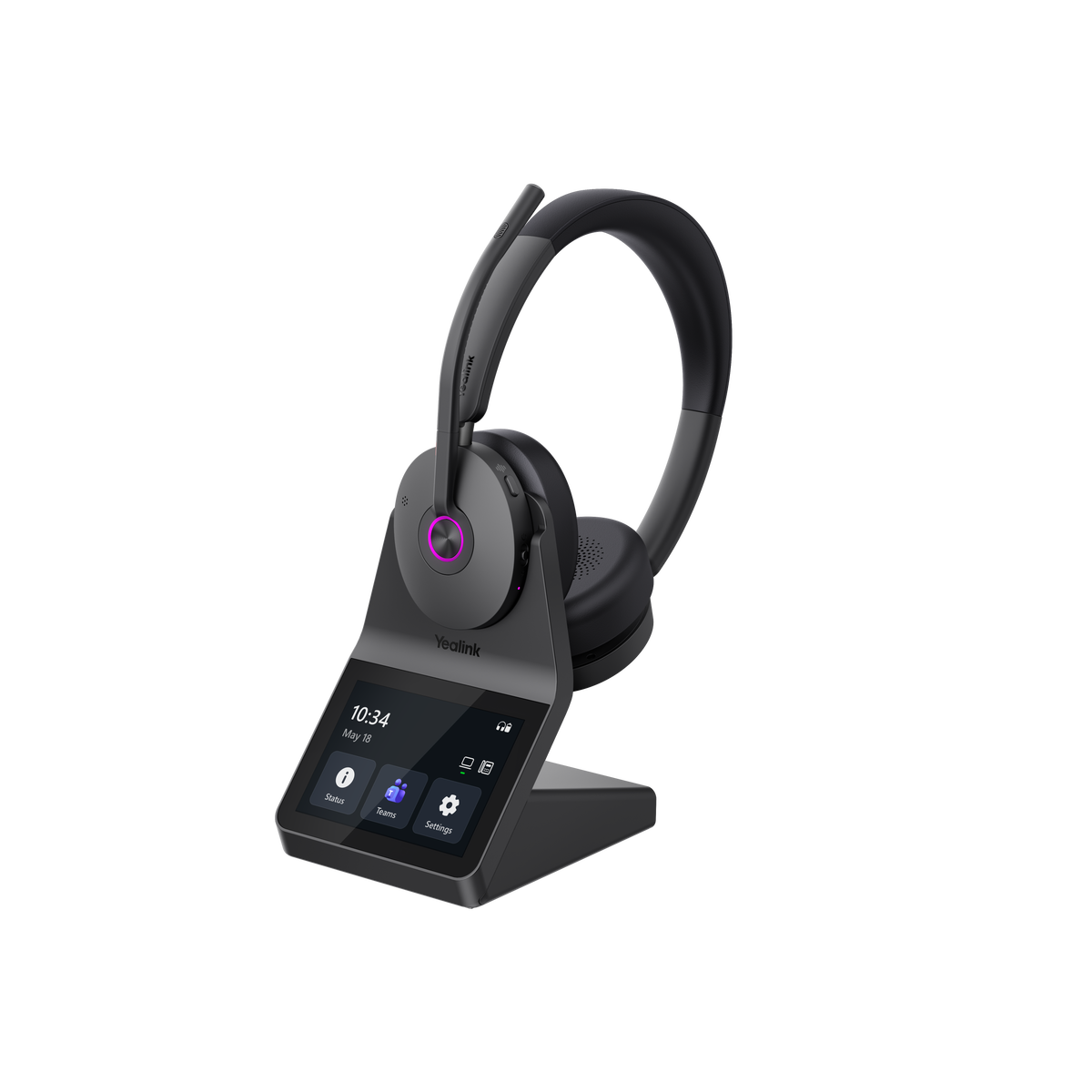
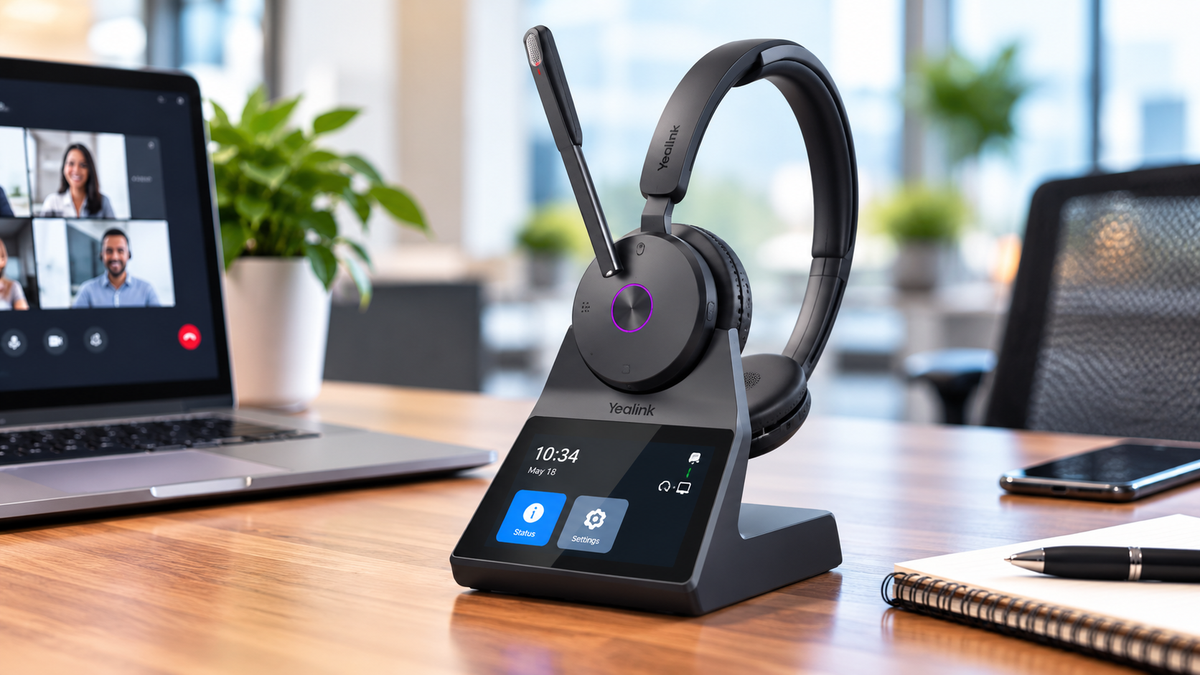
It also includes a 3.5-inch color touchscreen workstation base, Acoustic Shield 3.0 microphone technology for superior noise reduction, up to 607 feet of DECT wireless range for greater freedom of movement, Bluetooth built directly into the headset for added versatility, and larger, soft ear cushions designed to keep you comfortable on those heavy call days.
At $329.99, the HA68 Pro sits firmly in premium business headset territory.
So the question isn't whether it has a lot of features. It does.
The more important question is:
what do those features actually mean to you, and are they useful enough for the way you work to justify considering it?
That's what we'll look at in this review.
Prefer video? Watch Drew's review below, where he'll walk you through the HA68 Pro and put its microphone and noise cancellation through some challenging tests.
[VIDEO PLACEMENT: Drew's HA68 Pro review/test video when available]
The HA68 Pro Combines DECT and Bluetooth in an Unusual Way
One of the first things to understand about the HA68 Pro is that this isn't simply another Bluetooth office headset. It has some qualities that help it to stand out in the crowd.
It uses both DECT and Bluetooth 5.3, giving you two different wireless technologies in the same headset. DECT provides up to 185 meters/607 feet of wireless range, while Bluetooth provides up to 50 meters/164 feet. So, depending on which device you’re connected to, you’ll have plenty of wireless range.
Why this matters
DECT is particularly useful when you're working in an office and want to move farther away from your desk while remaining connected to a call, or being able to take an incoming call remotely.
Maybe you need to walk over to a printer, grab something from another office or simply stand up and move around during a long conversation. Having up to 607 feet of specified DECT range gives you substantially more freedom to move around than a typical Bluetooth-only headset, and also longer than most all other DECT headsets too.
But here's where the HA68 Pro gets more interesting.
Bluetooth is built into the headset itself, not in the base.
That means if you need to leave the office you can take your headset with you and continue your call. Headsets with Bluetooth in the base don’t allow you this same versatility because you must stay within a specified distance from the headset base.
This may seem like a minor difference, but in practical use, it’s a big advantage.
You can use DECT when you're at your desk and want maximum wireless range, then take the same headset with you and use Bluetooth when you're working somewhere else or on the go.
For someone who divides the workweek between an office, home and other locations, that can eliminate the need for separate headsets.
Hybrid ANC Helps Quiet the Noise You Hear
Noise cancellation can get confusing because there are two completely different problems a business headset needs to solve.
First, there's the noise you hear.
The HA68 Pro uses Hybrid Active Noise Cancellation, combining feedforward and feedback microphones combined with passive isolation from the earcups and cushions to help reduce surrounding noise.
Why this matters
Think about trying to concentrate while coworkers are having conversations around you, office equipment is running, or if you work from home, you may be distracted by the sounds of pets, or children for example.
ANC won't put you into a completely silent room, and we wouldn't suggest that it will.
What it can do is reduce the amount of surrounding noise reaching your ears, which can make it easier to concentrate on your call or the work in front of you. Once dampened, the noise may no longer be distracting which can help you to be more productive.
If you work alone in a quiet private office, Active Noise Cancellation is a feature that may not provide much value to you.
But if you work in an open office, shared workspace, home with other people around, or another environment where background noise and distractions are common, it would be considerably more valuable.
And that's really the question:
How much is reducing the noise around you worth if it helps you maintain a higher degree of focus and concentration, and helps you to be more productive?
For some people, not much.
For others, particularly those who spend their day surrounded by activity, it could be one of the most important reasons to consider the HA68 Pro.
Acoustic Shield 3.0 Works on the Other Side of the Conversation
ANC helps with the noise you hear.
The HA68 Pro's noise canceling microphone system tackles the other half of the problem: the noise your caller hears.
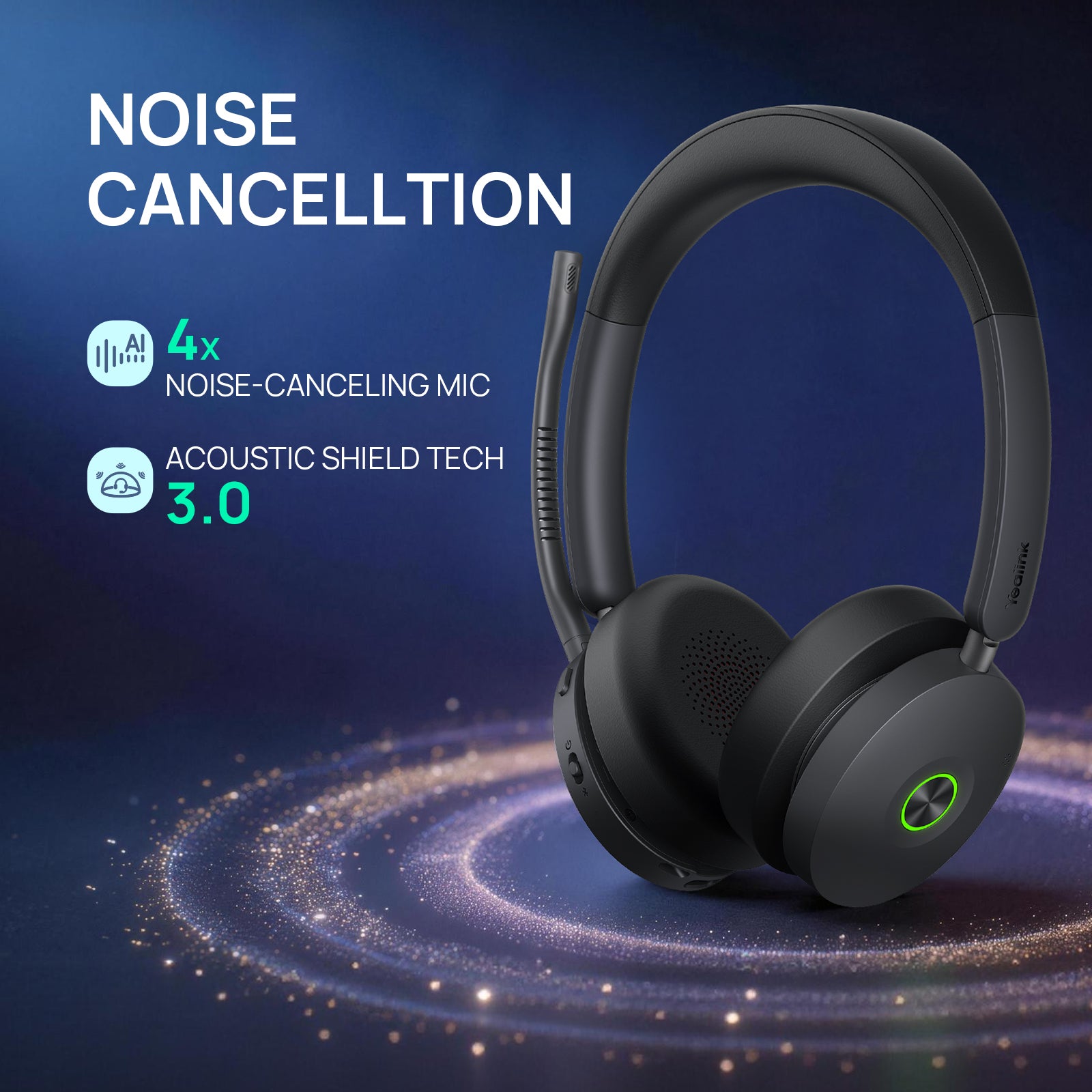
Yealink uses its Acoustic Shield 3.0 Technology, with a four-microphone voice-isolation system designed to identify where your voice is coming from and reduce surrounding sounds before they're transmitted to the person you're speaking with.
The technical specifications list six MEMS microphones overall, so don't be confused if you see both four and six microphone references associated with this headset. The four-microphone description refers specifically to the Acoustic Shield noise-canceling system, while the headset contains six microphones overall.
Why this matters
A headset can sound perfectly good in a quiet room, but not as good once distracting background noise enters the picture. No background noise means the microphone has one job to do, which is to transmit your voice. However, once noise comes into play, the microphone now has two jobs; project your voice clearly, while at the same time, filtering out the intrusive background noise. And that’s where many headset microphones fail. They may be good at one or the other, but not always at both.
That's why we put emphasis on microphone testing at Headset Advisor.
If the HA68 Pro can keep your voice understandable and professional sounding while suppressing the distractions around you, the benefit isn't really about microphones or algorithms.
It's that the person you're speaking with can concentrate on you instead of what’s going on around you.

Need Even More Noise Reduction?
No headset microphone is designed to eliminate all the background sounds. If noise is a major concern, you may want to pair the HA68 Pro, or virtually any headset, with neep ai noise canceling software.
neep goes beyond the headset microphone by reducing unwanted noise on both ends of the call. It learns your voice, enhances it, and helps isolate it from competing sounds around you. It can also reduce distracting noise coming from the person you're speaking with.
Why this matters
You get an added layer of noise protection that helps keep the conversation focused on the voices that matter, giving everyone on the call a cleaner, less distracting experience.
To learn more about neep, or to request your free trial, go to neep.com
The 3.5-Inch Touchscreen Is More Important Than It May Look
At first glance, an interactive color touchscreen on a headset base might seem like a luxury, or even unnecessary.
We think there's more to it than that.
The HA68 Pro base includes a 3.5-inch color touchscreen that allows you to manage calls, switch between devices, adjust volume and access essential system settings directly from the base. It’s easy to use, intuitive and very responsive. Yealink specifically notes that this reduces the need for PC-based configuration.
The technical specifications describe the touchscreen as providing call, audio and function control. We see it as much more.
Why this matters
Many organizations restrict what employees can download or install on company computers.
That's understandable from an IT and security standpoint, but it can create an unintended problem with peripherals. If certain headset settings are only available through downloadable software, employees may never have access to them.
The HA68 Pro moves many controls and settings away from the computer and puts them directly on the desk in front of you, in the form of the sophisticated base.
So instead of asking IT for permission to install software simply because you want to make an everyday headset adjustment, you can access many functions directly from the touchscreen.
That's a win-win on both sides.
Employees get more control over their headset experience, while IT can maintain tighter control over what's installed on company computers.
For an individual user, the touchscreen is conveniently located, and easy to use.
For an organization deploying dozens or hundreds of headsets, the ability to give employees greater control without necessarily adding another piece of desktop software, or IT involvement could be considerably more meaningful.
Connect Your Computer, Desk Phone and Mobile Device
The HA68 Pro is designed to work across the three devices many business users rely on most: computer, desk phone and mobile device.
The base provides USB connectivity to computers and compatible IP phones, while Bluetooth in the headset provides the mobile connection. Yealink also supports native integration with its compatible IP phones.

Why this matters
You shouldn't have to keep switching headsets simply because your next call comes through a different device.
If your morning Teams meeting is on your computer, your next call comes through your desk phone and later you need to take a mobile call, the HA68 Pro is designed to bring those communication sources together.
That's particularly useful for people who haven't abandoned the desk phone but now spend a large portion of their day using Teams, Zoom or other computer-based applications.
Compatibility does vary by phone and application, so this is one area where we'd recommend checking your specific setup before ordering. Or better yet, contacting us to let one of our knowledgeable Advisors help you sort things out.
The Ear Cushions Aren't Just About Appearance
Comfort is one of those headset specifications that's almost impossible to communicate with a number. After all, how do you effectively communicate something like headset comfort especially when comfort is so subjective?
The HA68 Pro uses large, soft memory-foam ear cushions with an oval shape and a rotating design. Both are designed to provide a soft, tailored fit helping it to be comfortable for extended wearing.
The headset weighs 155 grams, or about 5.5 ounces, which keeps it on the lighter side which is important, especially for those days heavy on calls.
Yealink says the design was developed through extensive head-form evaluations and wearing tests, with an emphasis on balancing support, stability and softness during extended use.
Why this matters
If you put your headset on for a 20-minute meeting and then take it off, cushion design, and headset weight may not rank very high on your priority list, and one headset may feel very much like any other.
Wear one for several hours, and it's a different story.
Pressure against your ears, heat and the general feel of the cushions become much more noticeable as the day goes on.
That's why we view the HA68 Pro's larger, softer ear cushion design as more than a cosmetic upgrade.
If you spend a significant part of your day on calls, ask yourself:
What's a softer, more plush wearing experience worth over several hours of use? Over a week or month’s time?
Yes, comfort is subjective, so no headset will feel the same to everyone. But if long-wearing comfort is high on your list, it's something you’ll want to pay attention to.

Battery Life Should Get You Through a Full Workday
The HA68 Pro provides up to 16 hours of talk time in DECT mode and up to 32 hours using Bluetooth.
For music, Yealink rates it for up to 19 hours over DECT and 48 hours over Bluetooth, with up to 195 hours of standby time. Charging time is approximately 1.5 hours under the specified charging conditions.
The practical benefit is simple: most people shouldn't have to think about charging the headset in the middle of a normal workday.
And because the base serves as the headset's home when you're at your desk, putting it back when you're finished also helps make charging part of your normal routine.
A Busylight Can Prevent More Interruptions Than You Might Expect
The HA68 Pro also includes dual-sided busylights that provide coworkers with a visible indication that you're on a call.
This isn't sophisticated technology, but in an open office it can be surprisingly useful.
Someone walking toward your desk may not realize you're on a call, particularly when you're listening rather than speaking.
A visible busylight provides an immediate cue that you're occupied and can help prevent unnecessary interruptions. And sudden interruptions can derail the flow of a call which can be costly.
HA68 Pro vs. HA64 Pro: What Does the Extra Money Get You?
This is likely to be one of the comparisons existing Yealink customers will make.
The Yealink HA64 Pro is priced at $279.99 (stereo model), while the HA68 Pro is $329.99, making it $50 more.
So the question becomes, is the new Yealink HA68 Pro worth the extra $50?
To help answer that question, we’d have to examine the two key features found on the HA68, that aren’t on the HA64.
Hybrid Active Noise Cancellation. The HA68 Pro reduces surrounding noise reaching your ears, which can be valuable when concentration is difficult due to distracting background noise in your workspace.
Larger, more plush ear cushions. The HA68 Pro provides a more substantial cushion design aimed at people who value comfort during extended wear. So if you’re someone who spends a lot of time on long calls, or many calls throughout the day, comfort is one of those things that should rank high on your list.
So rather than asking which headset has the longer feature list, ask yourself two questions:
How much is it worth to reduce the background noise around you so you can concentrate more easily?
And:
How much is a softer, more plush wearing experience worth if you spend hours wearing your headset?
If you work primarily in a quiet environment and are already comfortable with the HA64 Pro design, you may decide those upgrades aren't particularly important to you.
If you're surrounded by distractions and spend a large part of your day wearing a headset, that additional $50 may represent a very different value.
HA68 Pro vs. WH68: What's the Difference?
This comparison is actually much simpler than the model numbers make it appear.
The HA68 Pro and WH68 use the same headset. The principal difference is the base.
That means you aren't choosing between different ANC systems, microphones, cushions, batteries or wireless technologies.
Both use Hybrid ANC, Acoustic Shield 3.0, DECT + Bluetooth 5.3, the same headset design, the same battery performance and Bluetooth integrated directly into the headset.
The difference is how you interact with the system at your desk.

Yealink describes the WH68's interface as providing information such as connection and battery status, with Phone/PC buttons used for call control. Its datasheet lists base functions for answering, ending or rejecting calls and providing a ringtone reminder.
The HA68 Pro touchscreen goes considerably further, providing direct access to call, audio, device, system controls, sidetone controls and much more.
Why this matters
If all you want from the base is basic status information and call control, the WH68's simpler interface may be all you need. But to get more advanced features, you may be required to download Yealink software, which may not be possible in many organizations due to policy restrictions on downloading software.
If you want greater control directly from your desk, particularly if your organization is one that restricts software installation, the HA68 Pro touchscreen becomes much more meaningful. You have easy insights into the headset status, and controls via the large color touchscreen. From a user perspective, it’s a modern, fully featured, interface to many different headset features that would otherwise be available only through software download.
That's really the distinction between these two products.
You're not choosing between two different headsets. You're choosing between two different ways of controlling the same headset.
What About Jabra, Poly and EPOS?
Jabra, HP Poly and EPOS all offer excellent premium business headsets, so the HA68 Pro certainly isn't your only choice.
But there are a few things about the HA68 Pro that are harder to find elsewhere.
Perhaps the biggest is the combination of DECT and Bluetooth with Bluetooth built directly into the headset itself. Most competing DECT/Bluetooth headsets place the Bluetooth connection in the base. That works fine while you're in the office, but it means the headset remains dependent on that base for its Bluetooth connection.
With the HA68 Pro, Bluetooth travels with the headset. You can use long-range DECT while you're in the office, then leave the base behind and continue using the same headset over Bluetooth with your mobile device.
There's also the 3.5-inch interactive touchscreen workstation. Rather than relying on downloaded software to access many of the headset's features and settings, the HA68 Pro puts those controls directly on your desk. That's convenient for anyone, but it can be especially useful in organizations that restrict employees from installing software.
And then there's wireless range. With up to 607 feet of specified DECT range, the HA68 Pro gives you considerably more room to move around the office than a typical Bluetooth headset, and more range than many competing DECT models.
Put those three things together: long-range DECT, Bluetooth that leaves the office with you, and touchscreen access to headset controls without depending on downloaded software, and you begin to see where the HA68 Pro separates itself from many other premium business headsets.
Who Should Consider the Yealink HA68 Pro?
We think the HA68 Pro makes the most sense for someone who wants one premium business headset capable of handling several different working situations.
It should be particularly interesting if you:
- Work in a noisy or distracting environment.
- Spend long periods wearing your headset.
- Need more wireless range than Bluetooth provides.
- Use a combination of computer, desk phone and mobile devices.
- Want to take the headset away from your desk and continue using it over Bluetooth out of office.
- Work for an organization that limits software downloads.
- Prefer having headset settings and controls available directly from the base.
On the other hand, if you work in a quiet private office, rarely move far from your computer and don't need the additional touchscreen controls, you may be paying for capabilities you won't use.
And that's worth considering too.
Outfitting a Larger Team? You Have More Options
If you're considering the HA68 Pro for a larger deployment, purchasing the headsets outright isn't your only option. Headset Advisor has two programs designed specifically for organizations managing larger quantities of equipment.
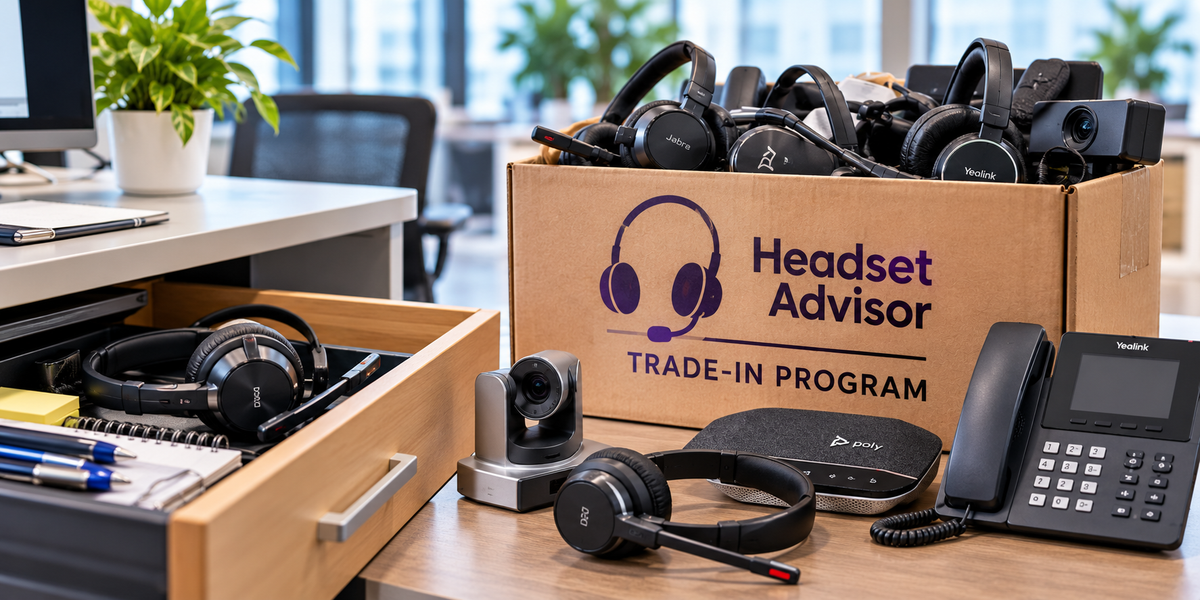
1. Turn Old Equipment Into Trade-In Credit
Before you throw out boxes of older headsets, desk phones, speakerphones or other communication equipment, let us take a look at what you have.
Qualifying equipment may have trade-in value that can be applied toward your new equipment. And with a larger deployment, even a modest value per device can add up when you're replacing dozens or hundreds of them. And, you won’t have to pay an e-waste company to dispose of them.
To learn more, or to get a quote visit our trade-in page here.
Why this matters
Instead of leaving old equipment sitting in a storeroom, or simply sending it to e-waste recycling at a cost, you may be able to turn those old headsets into credit that helps offset the cost of your next deployment.
2. Let Us Help Manage the Headsets for You
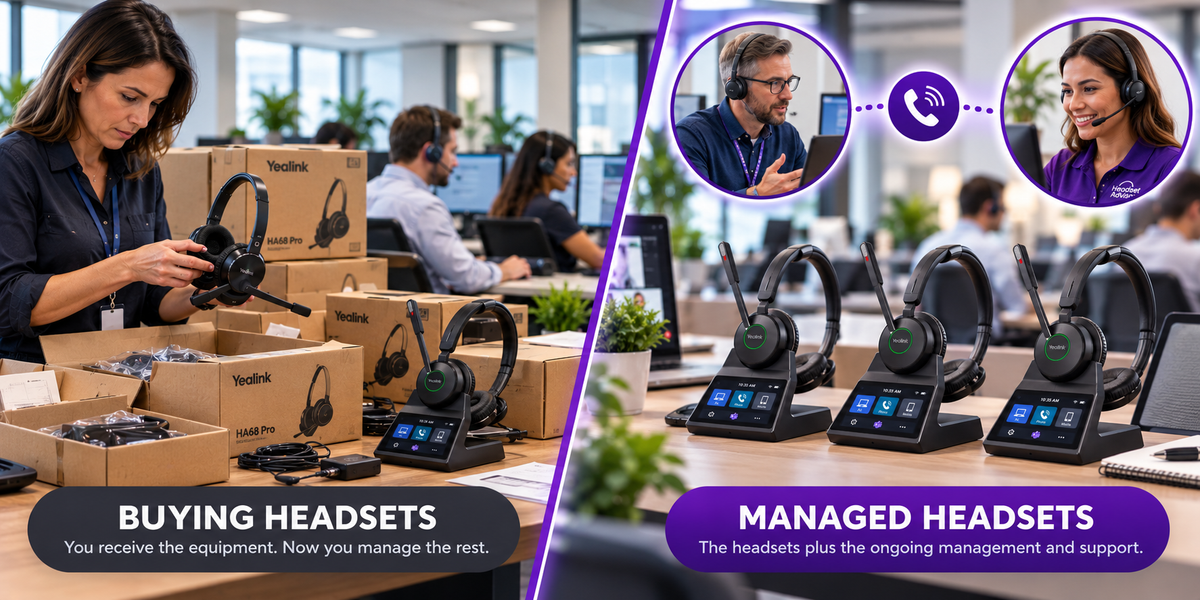
Buying 50, 100 or 1000 headsets is one thing. Managing them afterward is another.
With the Headset Advisor Managed Headsets Program, you pay one predictable monthly rate per user rather than making a large upfront hardware purchase. But this isn't simply a traditional equipment lease.
The program is designed to help with the work that comes after the headsets are deployed, including covered headset failures, worn ear cushions, batteries that no longer hold a charge, accidental damage within program limits, employee turnover and equipment reassignment.
Why this matters
Your IT staff will have fewer headset related problems to manage, your employees can get replacement equipment when it's needed, failing batteries, and worn ear cushions are replaced, and your organization has a more predictable monthly headset expense.
This is a highly unique program, only available from Headset Advisor.
Want to see how the Managed Headsets Program works? Drew explains what's included, how replacements and employee turnover are handled, what it costs, and what your options are at the end of the initial term.
Have a look at this short, four minute video below to learn more.
Is the Yealink HA68 Pro Worth The Price?
At $329.99, the HA68 Pro is clearly positioned as a premium business headset.
Whether it's worth that price depends less on how many features it has and more on how many of them solve problems you actually have. Then, it's a matter of whether having those features is worth the investment.
If you work primarily from one computer in a quiet private office and rarely move away from your desk, there are many headsets with fewer features and a modest price that would likely serve your needs just fine.
But if you move around the office, work across multiple devices, deal with distracting noise, or see the value in having touchscreen access to your headset controls, the HA68 Pro brings some unusual capabilities together in one system.
Don't buy it because it has more features. Buy it if the features solve problems you actually have.
Have Questions or Need Some Help?
 Headset specifications don't always tell you whether a headset will work with your particular phone, computer, software or work environment.
FAQ’s
What's the difference between the Yealink HA68 Pro and WH68?
The headset itself is the same. The primary difference is the base. The HA68 Pro uses a 3.5-inch color touchscreen workstation base which allows immediate and easy access to features and functions via the touchscreen, while the WH68 uses a simple icon-and-button configuration.
Does the HA68 Pro have Bluetooth built into the headset?
Yes. Bluetooth 5.3 is built into the headset, so you can use Bluetooth away from the DECT base.
How far can I go from the HA68 Pro base?
Yealink specifies DECT wireless range up to 185 meters/607 feet under appropriate conditions. Actual range will vary with walls, interference and the work environment. That's considerably farther than you'll typically get from a Bluetooth headset.
If you’d like to see how far it can go, have a look at our range test where we compared the HA64 Pro (which uses the same technology as the HA68 Pro), against Bluetooth on a football field.
Can the HA68 Pro connect to a computer, desk phone and mobile phone?
Yes. The system is designed for computer and compatible IP-phone connections through the base, with mobile connectivity through Bluetooth in the headset.
How long does the HA68 Pro battery last?
Yealink specifies up to 16 hours of DECT talk time and up to 32 hours of Bluetooth talk time.
Do I need to download software to adjust the HA68 Pro?
The 3.5-inch color touchscreen provides direct access to call, audio and function controls, including volume and essential system settings. That can reduce the need to rely on PC-based configuration for everyday adjustments, and the need to download software to access these same features and functions.