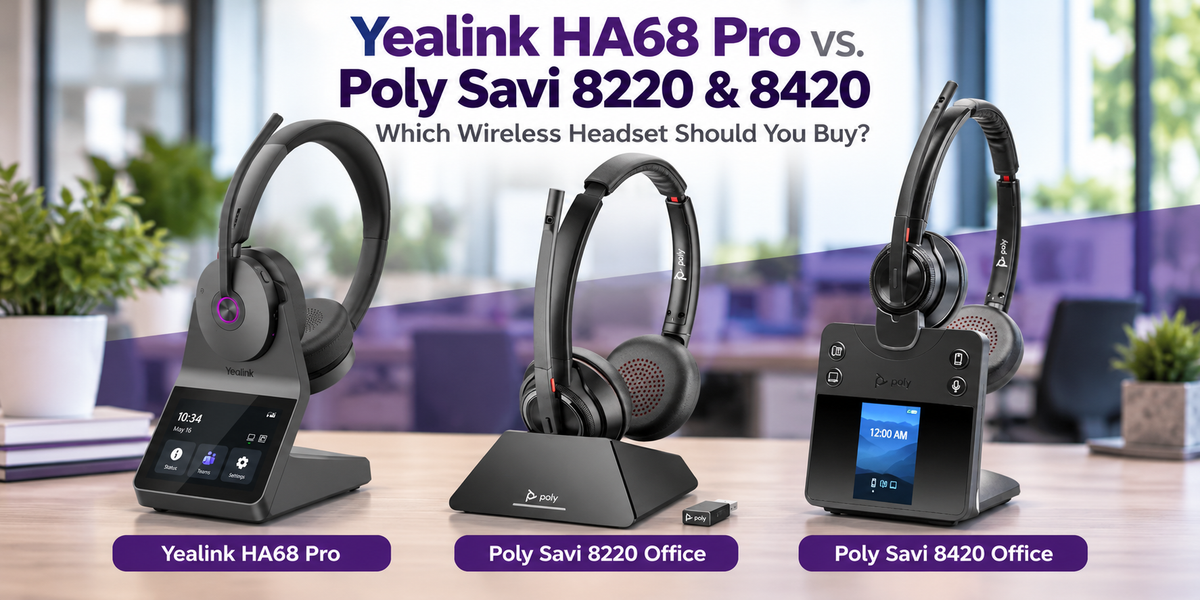
If you're shopping for a premium wireless office headset, you've probably come across the Poly Savi series.
For years, the Poly Savi 8220 has been a popular choice for people who want a wireless headset, noise cancellation, and the ability to connect to a desk phone, computer, and mobile phone.
The newer Poly Savi 8420 builds on that foundation with updated controls and a color display on its charging base.
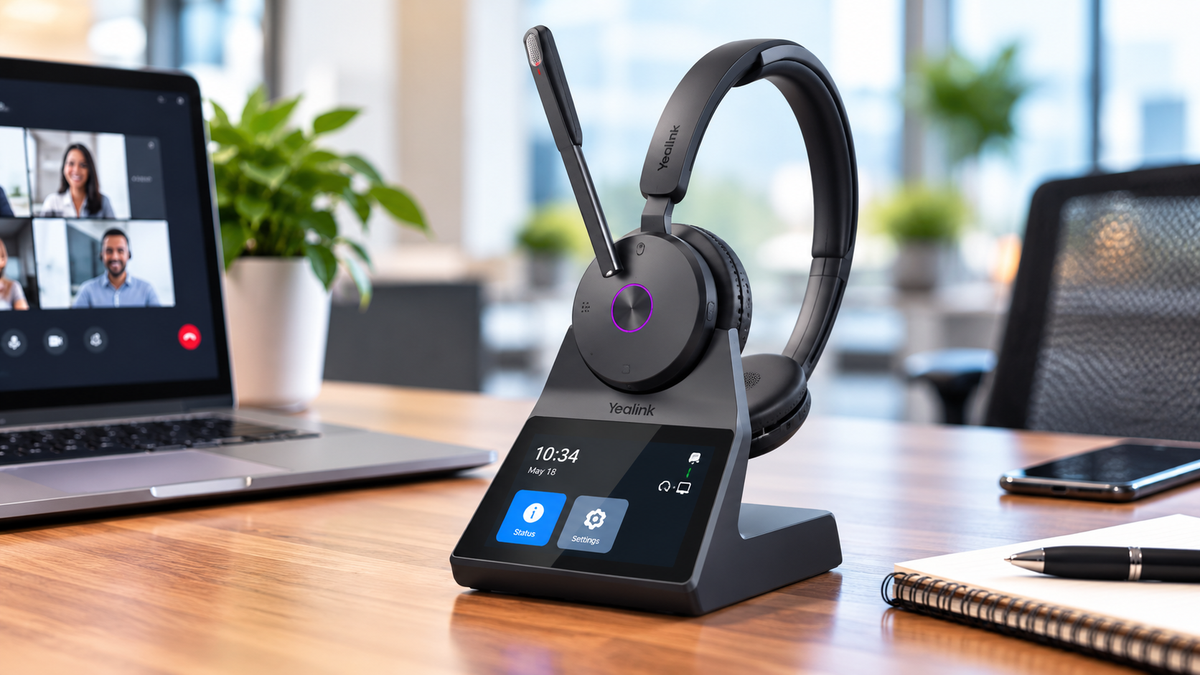
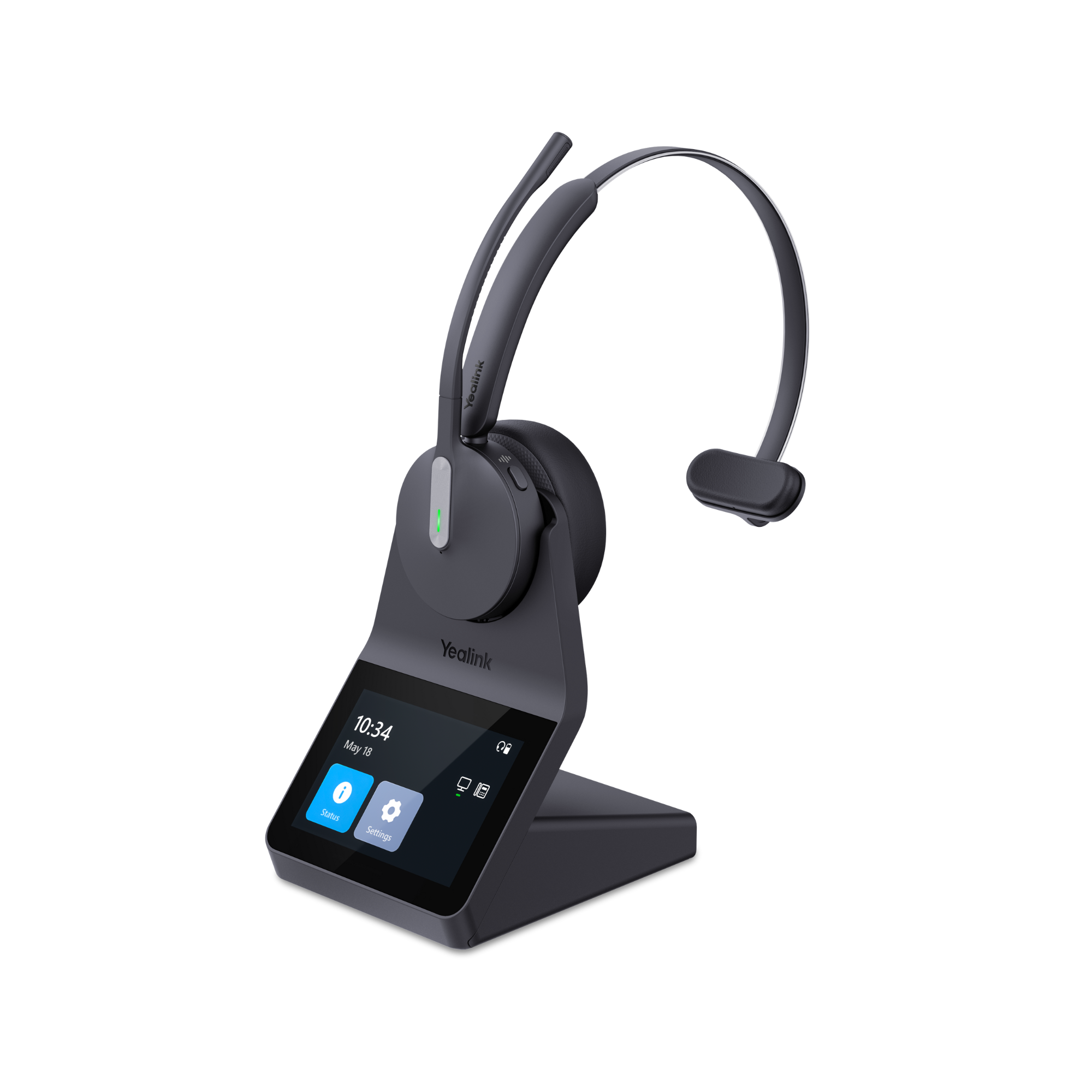
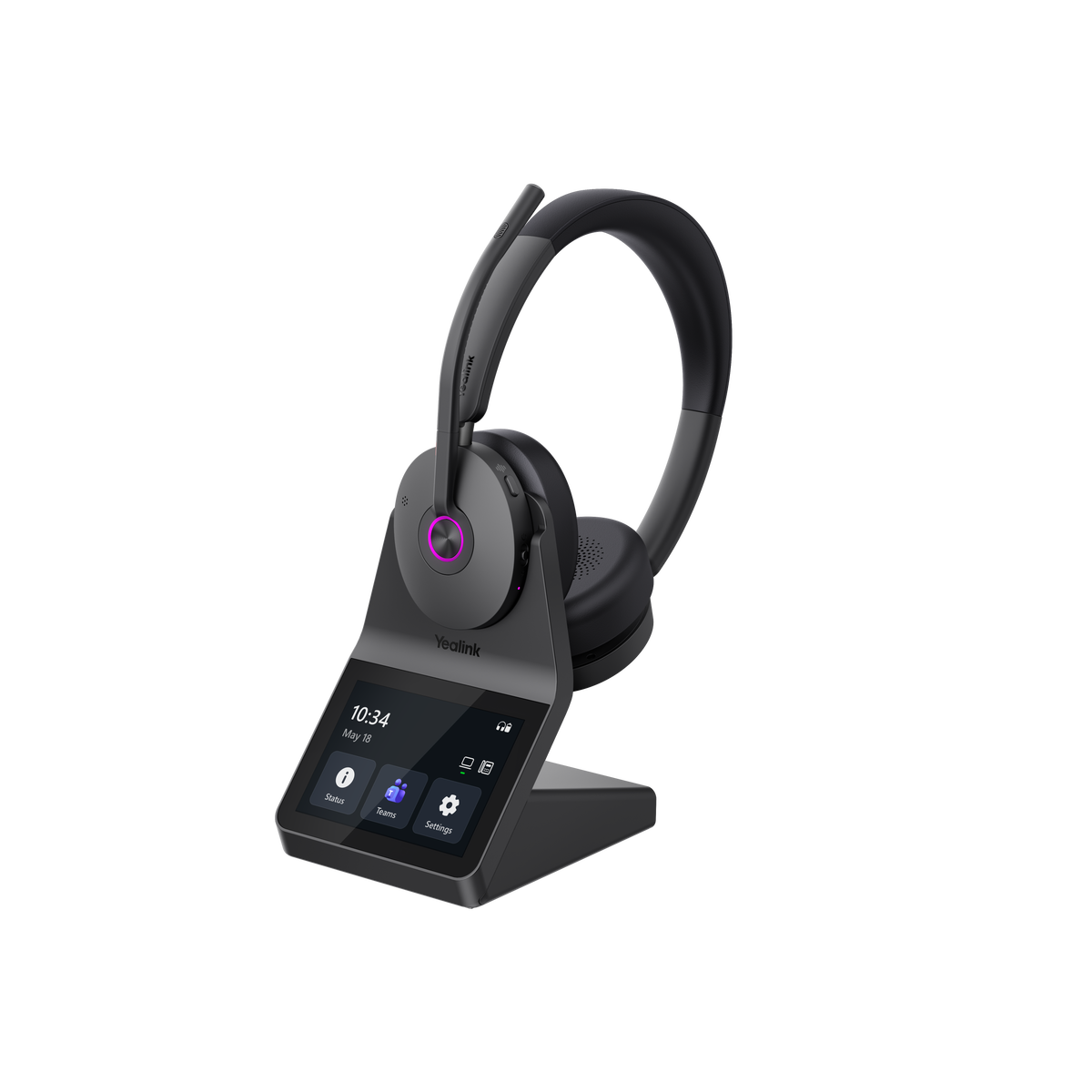
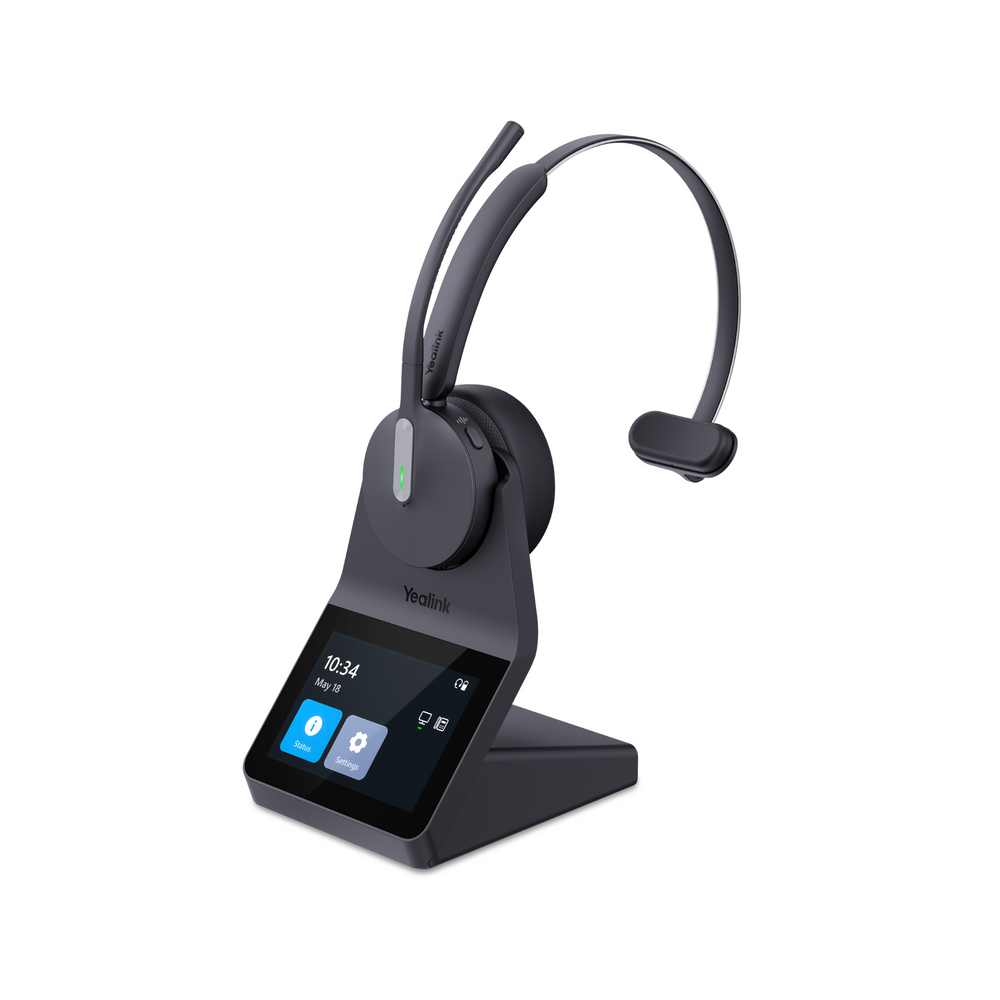
But there's another headset worth considering, the Yealink HA68 Pro.

All three offer DECT wireless technology, noise cancellation, and the flexibility to connect to multiple devices. At first glance, they seem pretty similar.
But there are some meaningful differences, especially when it comes to Bluetooth connectivity, comfort, battery life, and how you manage calls and settings.
So, if you're buying a new wireless headset, which one should you choose? And if you already own a Poly Savi headset, is there a good reason to replace it?
Let's take a closer look.
Yealink HA68 Pro vs. Poly Savi 8220 and 8420: Quick Comparison
Let's take a brief look a few of the features of these headsets to see how they compare.
 Looking at the comparison, you might wonder whether the differences are significant enough to influence your decision.
Some are. Others probably aren't.
For example, the HA68 Pro offers 17 feet more advertised wireless range than the Poly models, which is hardly a reason to choose one over another.
But Bluetooth built directly into the headset, a touchscreen charging base, and longer battery life? Those are differences that could potentially sway someone’s opinion.
Let's start with something that matters to just about everyone who uses a headset for business calls: microphone performance. After all, if you have an otherwise great headset, but it doesn’t provide professional sound quality, its value is heavily diminished.
Which Headset Has the Better Noise-Canceling Microphone?
When you're speaking with a customer, coworker, or someone on an important business call, you want your voice to come through clearly.
Background conversations, office activity, and other distractions can make that difficult, just ask anyone who’s worked in a call center, or open office.
Both Poly Savi models use noise-canceling microphone technology designed to reduce unwanted sounds.
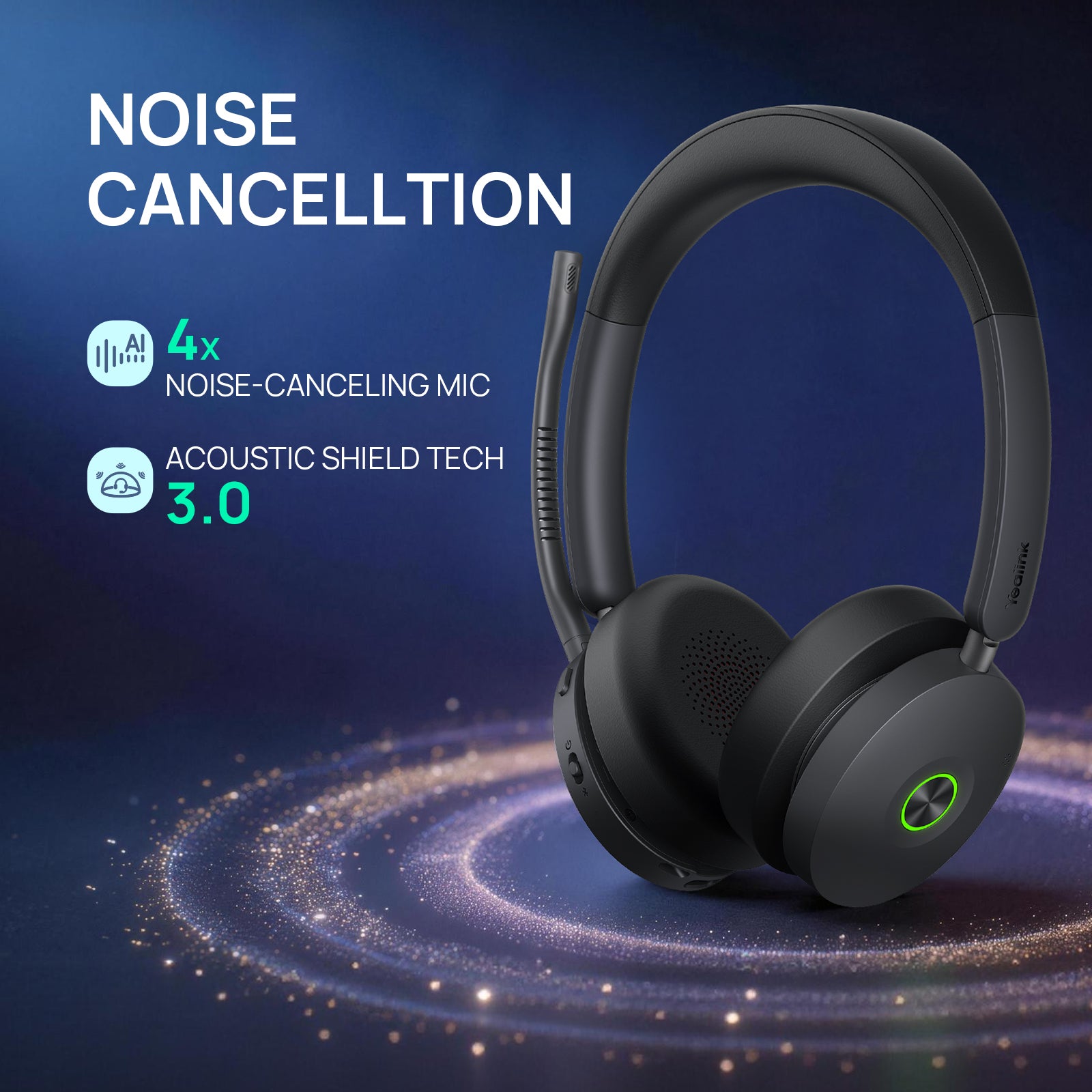
The Yealink HA68 Pro uses Yealink's Acoustic Shield 3.0 microphone system for noise reduction.
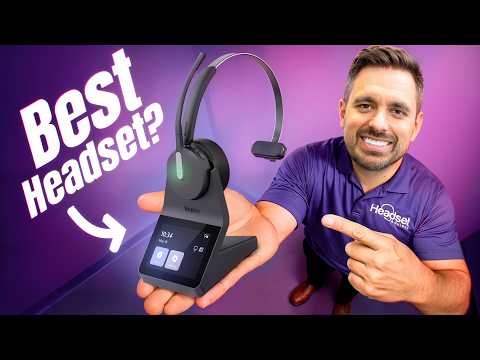
But rather than relying on manufacturer claims, Drew puts the headsets through background-noise tests in the video above.
You can hear how they perform and then decide which microphone sounds best to you.
And that's important because a headset can have excellent specifications, but if the person listening to you struggles to understand what you're saying, especially with background noise going on around you, those specifications don't mean much.
What if Your Headset Doesn't Remove Enough Background Noise?
Even a good noise-canceling headset microphone has its limitations.
If you're working in a busy office, call center, or home environment, some unwanted sounds may still be heard by the people you're speaking with. Those sounds could include noisy coworkers, or the sounds of pets and children.
That's where neep AI noise-canceling software can help.
neep works with your existing headset or microphone and adds another layer of background noise reduction.
And you don't need to purchase a new headset to benefit from it.
Whether you're using a Poly Savi, Yealink HA68 Pro, or another headset, neep can help improve how clearly you're heard.
For businesses outfitting a team, it's another option worth considering when clear communication is a priority.
You can learn more or try neep free for 14 days at https://neep.com.

Active Noise Cancellation: What Will You Hear?
We've talked about how well these headsets reduce background noise for the person you're speaking with. But what about the noise you hear?
That's where active noise cancellation, or ANC, comes in.
All three headsets have ANC, which helps reduce distracting sounds around you. This can be especially helpful if you work in a busy office, around coworkers having conversations, or near noisy office equipment.
But there's an important difference in how these headsets fit against your ears. No two headsets really fit and feel the same, which suggests that some may provide a more comfortable wearing experience.
The Poly Savi 8220 and 8420 use traditional rounded ear cushions, while the Yealink HA68 Pro uses larger, oval-shaped cushions.
The HA68 Pro cushions provide more coverage around your ears, and their design helps create a better seal. That can make a difference in how effectively ANC reduces the noise around you.
In our video, we noticed a more pronounced difference between ANC being turned on and off with the HA68 Pro compared to the Poly models.
That doesn't mean the Poly headsets have ineffective ANC. They can still do a good job of reducing background distractions.
But if you work in a noisy environment, the HA68 Pro's larger cushions and ANC performance are worth considering, and comparing for yourself. At the end of the day, what matters most is what works best for you given your work environment, no matter what label the headset carries.
Which Headset Is More Comfortable for Long Calls?
If you wear a headset for several hours a day, comfort can be just as important as sound quality.
A headset might have excellent features, but if it becomes uncomfortable after a couple of hours, you're probably not going to enjoy wearing it. In fact, you may even look for reasons not to wear it.
The Poly Savi 8220 and 8420 have traditional on-ear designs that have worked well for many business users.
The Yealink HA68 Pro takes a slightly different approach as mentioned above.
Its larger oval ear cushions provide more coverage, and the headset has additional padding along the headband.
After wearing all three headsets, Drew mentions in the video that he found the HA68 Pro noticeably more comfortable.
He preferred how the cushions fit against his ears and how the headset felt during extended use.
Of course, comfort is personal and very subjective. Everyone's head and ears are different, so what feels great to one person may not feel quite the same to someone else.
Still, if you spend much of your day on calls, comfort should be high on your list of things to consider.
So if comfort is on your radar, make sure to include the Yealink HA68 Pro as a worthy consideration.

Built-In Bluetooth: One of the Biggest Differences
This is where the Yealink HA68 Pro really begins to separate itself from the Poly Savi 8220 and 8420.
All three headsets offer Bluetooth connectivity, so you might assume they work pretty much the same way.
They don't.
With the Poly Savi 8220 and 8420 Office systems, Bluetooth connectivity is handled through the charging base.
You pair your mobile phone to the base, and the base communicates wirelessly with your headset.
That's convenient when you're working at, or in close proximity to your desk, but there's a limitation.
Your mobile phone needs to remain within Bluetooth range of the charging base for that connection to work, and that can be very limiting.
The Yealink HA68 Pro is different because Bluetooth is built directly into the headset itself, rather than in the base.
So, what does that mean for you?
Let's say you're working at your desk, using the HA68 Pro with its DECT charging base. Later, you need to leave the office, work from another location, or take a call while you're away from your workstation.
You can connect the HA68 Pro directly to your mobile phone over Bluetooth.
You don't need to bring the charging base with you, just the headset. That’s not the case with the Poly models.
And that gives you considerably more flexibility in how and where you’re able to use the headset.
For someone who works exclusively at a desk, this difference probably doesn’t matter much.
But if you split your time between an office, home, and other locations, having Bluetooth built into the headset can be a real advantage.
It's one of those features that might not sound particularly exciting until you realize how useful it can be.

Touchscreen Base vs. Traditional Headset Controls
The charging base is another area where these headsets differ.
The Poly Savi 8220 has a straightforward charging base with traditional controls.
The newer Poly Savi 8420 adds a color display and additional controls.
The Yealink HA68 Pro goes further with a 3.5-inch touchscreen.
You can use the touchscreen to manage calls, switch between connected devices, and adjust many headset settings.
One example is sidetone.
Sidetone lets you hear some of your own voice through the headset while you're speaking.
Some people prefer more sidetone. Others prefer less.
With the HA68 Pro, you can make that adjustment directly from the base instead of downloading software which many organizations don’t allow.
The same convenience applies to other supported headset settings.
It's not simply about having a more modern-looking base. It's about making common adjustments easier, and more accessible.

Can You Use the HA68 Pro With a Laptop Away From Your Desk?
Yes, and there's an optional accessory that makes this particularly interesting.
The Yealink WDD60 USB dongle provides a portable DECT connection for the HA68 Pro.
Here's a practical example.
You have a desktop computer at your office with the HA68 Pro touchscreen base connected.
You also have a laptop that you take home or use while traveling.
Rather than disconnecting and transporting the entire charging base, you can use the optional WDD60 dongle with your laptop.
This gives you another way to use the headset when you're away from your primary workstation.
Combined with Bluetooth built into the headset, the HA68 Pro offers flexibility for people who work from more than one location which can help to make your communications easier.
Wireless Range: Is There Really a Difference?
The Poly Savi 8220 and 8420 offer up to 590 feet of wireless range in open conditions.
The Yealink HA68 Pro is rated for up to 607 feet.
That's a difference of just 17 feet.
Would we recommend choosing one headset over another because of those additional 17 feet?
Not really.
All three offer long-range DECT wireless technology.
Your actual range will depend on your building, walls, interference, and other environmental factors.
Due to this minor range difference, most buyers would see these three headsets as being pretty much the same.
Battery Life: The HA68 Pro Has an Advantage
Battery life is one area where the published specifications show another slight difference.
The Poly Savi 8220 and 8420 provide up to 13 hours of talk time.
The Yealink HA68 Pro offers up to 16 hours using DECT and up to 32 hours using Bluetooth.
Not everyone needs a ton of talk time.
But if you spend much of your workday on calls, having additional battery capacity can be reassuring that you won’t run out of battery in the middle of an important call.
And if you regularly use your headset with a mobile phone, the HA68 Pro's longer Bluetooth talk-time rating is another benefit worth considering.
Lastly, longer battery life means you may need to recharge the battery less often.
Desk Phone Compatibility: Don't Overlook This
If you're connecting your wireless headset to a desk phone, there's something you should check before buying.
Not every headset connects to every desk phone in exactly the same way.
Some desk phones require an additional electronic hook switch, or EHS cable, to let you answer and end calls remotely using your headset.
Others may require a handset lifter or another accessory.
The Poly Savi series supports a wide range of desk phones, but certain configurations require additional accessories.
The Yealink HA68 Pro can simplify this process with many compatible modern IP phones that support USB headset connectivity and integrated call controls.
In those situations, you may not need a separate EHS cable.
However, this does not mean the HA68 Pro is automatically plug-and-play with every desk phone.
Before ordering, tell us the exact make and model of your phone.
We'll help you determine whether the headset is compatible and whether you need any additional cables or accessories.
It's much easier to check beforehand than discover after delivery that you need something else.
An Optional Busy Light That Can Reduce Interruptions
If you work around other people, there's another accessory worth considering.
The Yealink BLT60 external busy light provides a visible indication that you're on a call.
While some headsets have their own busy indicators, those small, LED lights aren't always easy for someone across the room to see.
An external busy light can make your call status more noticeable.
If coworkers regularly approach you while you're speaking with customers or attending meetings, a visible busy light may help reduce those interruptions.
It's a relatively simple accessory, but sometimes small conveniences can make a noticeable difference in your workday.
Should You Replace Your Existing Poly Savi Headsets?
Not necessarily.
If you already own Poly Savi 8220 or 8420 headsets and they're working well, there's no reason to replace them simply because something newer is available.
Both of those models remain capable business headsets.
But if you're looking to purchase new equipment, expanding your team, or planning a headset refresh, the Yealink HA68 Pro deserves a close look.
Its built-in Bluetooth, touchscreen controls, comfort-focused design, and additional battery life offer practical advantages.
And if you're replacing several headsets, there's another question worth asking.
What should you do with the old ones?
Replacing Headsets? Put Your Old Equipment to Work.
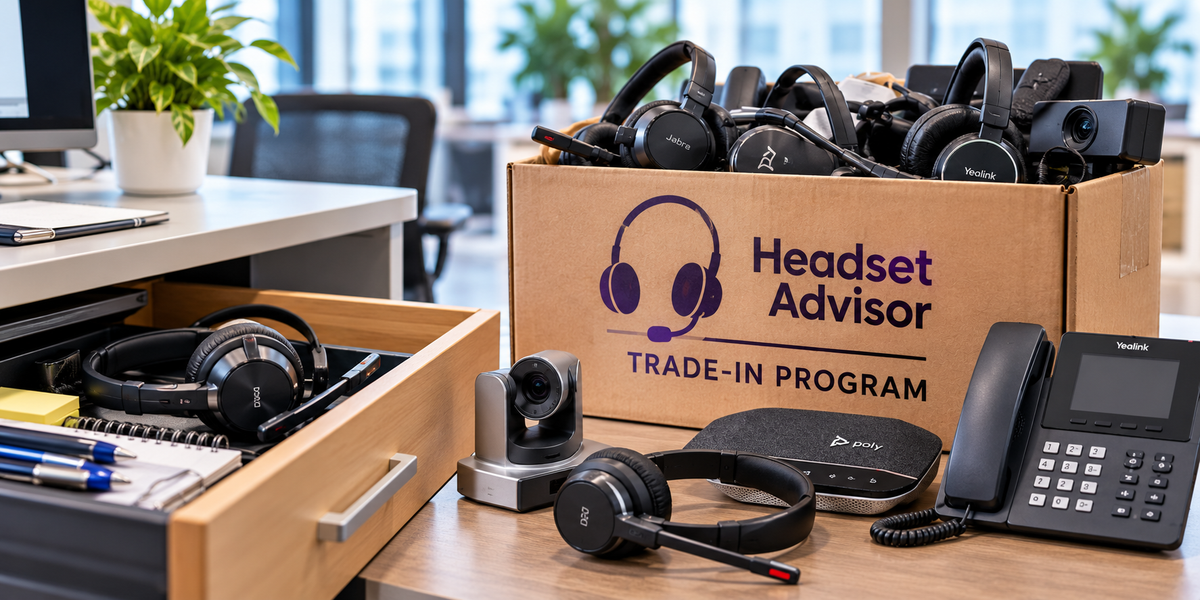
When businesses upgrade their headsets, the old equipment often ends up sitting in a storage room or collecting dust somewhere.
But those headsets may still have value.
With Headset Advisor's Trade-In Program, eligible used headsets can potentially be exchanged for credit toward replacement equipment.
And if you're considering our Managed Headsets Program, eligible trade-in credit may also be applied toward your monthly rate.
That gives you a practical option for dealing with the equipment you're replacing while helping reduce the financial impact of an upgrade.
Instead of wondering what to do with your old headsets, storing them, or paying to have them responsibly disposed of, ask us what they're worth.

Tired of Managing Headset Problems? Let Us Handle Them.
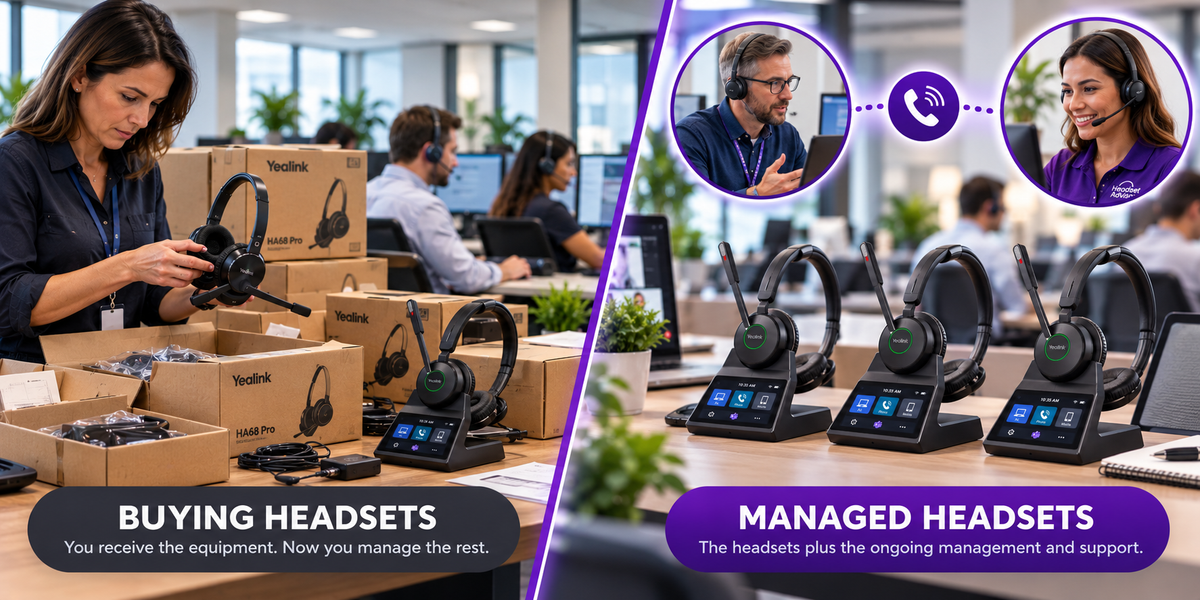
Buying headsets is easy. Managing them when problems arise? That's another story.
When an employee's headset malfunctions or stops working, productivity can suffer.
Someone needs to troubleshoot the problem, determine whether the headset needs replacing, find out if it’s in warranty, trace it back to the vendor that provided it, and coordinate the exchange or make a new purchase.
That responsibility often falls on an IT Manager, supervisor, or office manager who already has plenty to do.
And if there's no spare headset available, the employee may be left waiting.
Some warranty replacement processes require the defective headset to be received before a replacement is shipped. That can mean additional days without a working headset.
Headset Advisor's Managed Headsets Program takes a different approach.
We help troubleshoot headset-related problems so you don’t have to, we manage covered exchanges, and ship advance replacements without waiting to receive the defective headset first.
The program also includes ongoing warranty coverage, replacement batteries, ear cushions, and other covered consumables, all for a low, predictable monthly rate.
For organizations needing 10 or more headsets, it's a way to reduce upfront equipment expenses, minimize potential employee downtime, and take much of the day-to-day headset management off your team's plate.
And if you're replacing existing equipment, eligible trade-in credit may be applied toward your Managed Headsets Program monthly rate.
Less downtime. Less time troubleshooting. Fewer headset headaches.
Let us do what we do best, so you can do what you do best.

Which Wireless Headset Should You Buy?
Here's how we'd approach the decision.
Choose the Yealink HA68 Pro if:
- You want Bluetooth built directly into the headset for the flexibility that it offers.
- You prefer a touchscreen base for managing calls and settings without a download.
- You regularly switch between desk, laptop, and mobile phone use.
- You want longer battery life for more use time.
- You value larger ear cushions and a comfort-focused design.
Consider the Poly Savi 8420 if:
- You prefer Poly's headset ecosystem.
- Its connectivity and features meet your needs.
- You already use compatible Poly equipment and accessories.
- You prefer its design and controls after comparing the options.
Keep your existing Poly Savi 8220 if:
- It's comfortable and works reliably.
- Its microphone and ANC performance meet your needs.
- You don't need the HA68 Pro's additional mobility or controls.
There's no reason to replace a perfectly functional headset unless the upgrade solves a problem or delivers a meaningful benefit.
Frequently Asked Questions
Is the Yealink HA68 Pro better than the Poly Savi 8420?
For buyers who value direct Bluetooth connectivity, touchscreen controls, and longer rated battery life, the HA68 Pro has some meaningful advantages. However, the better choice depends on your work environment, compatibility requirements, personal preferences and whether the current headset is fully meeting your needs.
Can I use the HA68 Pro without its charging base?
Yes. Bluetooth is built directly into the headset, allowing you to connect to a compatible mobile device without the charging base. The optional WDD60 dongle also provides another connection option for compatible computers.
Does the HA68 Pro have active noise cancellation?
Yes. It has ANC to help reduce the noise you hear, along with Yealink Acoustic Shield 3.0 microphone technology to help reduce unwanted noise heard by callers.
Will the HA68 Pro work with my desk phone?
That depends on your exact phone model and connection requirements. Some compatible IP phones support USB connectivity and remote call controls, while others require additional accessories.
Can neep improve noise cancellation on my existing headset?
Yes. neep can add software-based background noise reduction for your current headset, or any other model you might be considering. It removes noise on both ends of the call, learns your voice, enhances it, and isolates it from other competing sounds which helps you to sound your best.
Can my company trade in old Poly headsets?
Potentially. Headset Advisor's Trade-In Program accepts eligible equipment. Contact us to determine whether your headsets qualify and what credit may be available.
Is the Managed Headsets Program available for small teams?
The program is available for organizations needing 10 or more headsets. It combines equipment with ongoing headset management and covered support for a predictable, low monthly rate.
Final Thoughts
The Poly Savi 8220 helped establish what people expected from a premium wireless office headset.
The newer Savi 8420 continues that tradition with updated controls and connectivity.
But the Yealink HA68 Pro brings some meaningful differences to the table.
Built-in Bluetooth, a 3.5-inch touchscreen base, longer rated battery life, and a comfort-focused design make it an attractive option for people purchasing a premium wireless headset today.
Still, the best headset isn't necessarily the one with the longest feature list.
It's the one that works with your equipment, feels comfortable throughout your workday, and helps you communicate clearly.
And if your current headset already does those things well, replacing it wouldn’t make a lot of sense.
Have Questions or Need Some Help?
 Choosing the right headset shouldn't require you to become a headset expert.
At Headset Advisor, we've been helping businesses and individuals find the right communication equipment for more than 30 years, and we've earned over 800 five-star Google reviews along the way.
Whether you're comparing the Yealink HA68 Pro with the Poly Savi series, checking desk phone compatibility, exploring neep AI noise-canceling software, trading in older equipment, or considering our Managed Headsets Program, we're here to help.
Tell us what devices you're connecting to, how you work, and what challenges you're trying to solve.
We'll help you find a solution that makes sense without recommending equipment or accessories you don't need.
Visit https://www.headsetadvisor.com or contact our team for personalized assistance.