Do you want the best headset?
If your headset keeps disconnecting during calls, you’re not alone—and more importantly, it’s not something you should just “put up with.”
Dropped connections, audio cutting in and out, or devices randomly disconnecting can ruin calls, frustrate you and your customers, and hurt productivity.
After helping businesses troubleshoot headset issues for over 30 years, we’ve found that most disconnecting problems come down to a handful of common causes—and once you know what to look for, they’re usually fixable.
In this blog, we’ll break down why your headset keeps disconnecting and exactly how to fix it.
In many cases, these issues are tied to how your headset connects and communicates with your devices.
Quick Fix: Why Your Headset Keeps Disconnecting
If you need a fast answer, here are the most common causes:
- Bluetooth interference - relocate away from other wireless devices, or disconnect some of them reducing frequency traffic.
- Out of range - move closer to your connected device
- Low battery - charge overnight, and when on breaks - could also be a bad battery
- Software or firmware issues - confirm compatibility, and update firmware
- USB or cable problems - check for frayed cables, bad connectors and try a different USB port
- Using wireless Bluetooth - consider using a USB dongle instead where possible
- Headset is auto switching to another connected device - check settings to make sure devices are set up properly, or disconnect other paired devices.
Continue reading for detailed explanations and fixes.
The Most Common Reasons Headsets Disconnect

1. Bluetooth Interference
Bluetooth is convenient, but it’s also one of the most common causes of disconnecting issues, especially in offices or homes with multiple wireless devices.
What’s happening:
- Bluetooth operates on the 2.4GHz frequency
- This is the same frequency used by Wi-Fi routers, wireless keyboards, mice, microwaves, cordless phones and even baby monitors.
- When too many devices compete for the same frequency, audio quality can suffer and signals can drop.
In real-world environments, this means your headset signal is constantly fighting for “space,” which can lead to instability.
Symptoms:
- Audio cutting in and out mid-call
- Random disconnects even when you’re nearby
- Reduced range compared to what’s advertised
- Occasional delays or robotic-sounding audio
- Static on your call
These issues often show up more during busy times of the day when more devices are active.
How to fix it:
- Move closer to your connected device to strengthen the signal
- Use a USB Bluetooth dongle instead of built-in Bluetooth (this often provides a more stable connection)
- Reduce nearby wireless congestion (move away from routers or crowded areas)
- If you’re in an office environment, consider switching to a DECT headset, which operates on a different frequency and can avoid this situation.
If you’re in an office environment where reliability matters, this is where understanding the difference between Bluetooth vs DECT headsets becomes important, since DECT operates on a separate frequency and avoids most interference issues, advanced call security and longer wireless range.
2. Out of Range
Every wireless headset has a maximum range, and once you exceed it, even slightly, the connection becomes unstable and sound quality can become degraded.
Typical ranges:
- Bluetooth: ~30–100 feet
- DECT: ~300–600+ feet
Disclaimer: Range estimates referenced by manufacturers are commonly based on open field testing. This means there are no obstructions to weaken the wireless signal. This represents the most ideal environment for obtaining the maximum wireless range. Real world settings are full of obstructions which means you should expect less than the stated wireless range. How much range you get depends on your work environment, and the specifications of the headset.
Range is one of the biggest real-world differences between wireless technologies, and it’s often overlooked when choosing a headset, especially if you’ve never compared Bluetooth vs DECT headsets side by side.
If you’d like to see a dramatic illustration of the differences in range between Bluetooth and DECT headsets, make sure to check out our video below showing how they compare side by side.
Symptoms:
- Audio starts to cut out as you walk away
- Calls drop when moving between rooms
- Sound can become choppy or staticy
Often, users don’t realize they’re exceeding range because as mentioned earlier, real-world limits are usually lower than advertised specs.
How to fix it:
- Stay within a realistic working range (not the advertised range, but instead about ½ of advertised range)
- Avoid barriers like walls or metal objects when possible. Not always possible I realize, but if you’re moving around and you can choose different paths, choose the one with fewer obstructions where possible.
- Upgrade to a DECT headset if you need extended mobility in an office or warehouse setting, as well as call security and longer wireless range.
3. Battery Issues

Wireless headsets rely on batteries, and over time, battery performance naturally degrades.
Symptoms:
- Headset disconnects unexpectedly even with charge remaining
- Shorter talk time than when the headset was new
- Headset powers off or reconnects during calls
These issues are especially common with older headsets or those used heavily throughout the day.
How to fix it:
- Fully charge your headset before use
- Charge the headset when on a break, or over your lunch period.
- Avoid constantly draining the battery to 0%, which can shorten its lifespan
- Replace the battery if your model allows it
- If the headset is several years old, it may be more cost-effective to replace it
4. Software or Firmware Problems

Outdated software or firmware can cause compatibility issues between your headset and devices.
Symptoms:
- Intermittent disconnects without a clear pattern
- Headset not being recognized consistently
- Features not working properly (mute, call controls, etc.)
- Connectivity issues
- Unusual or random issues
These problems often appear after system updates or when using newer software with older firmware.
How to fix it:
- Update your headset firmware using manufacturer tools (Jabra Direct, Poly Lens, etc.)
- Update your computer’s operating system
- Restart your device after updates to ensure changes take effect
Keeping software up to date is one of the simplest ways to prevent ongoing issues. Make sure to check with your IT department before downloading software or updates because many organizations have rules or restrictions on downloading.
5. USB Port or Cable Issues

For wired headsets or wireless base stations, the physical connection point can be a weak link. This typically involves a physical, hard wired connection.
Symptoms:
- Connection drops when the cable or USB plug is moved
- Headset disconnects intermittently without warning
- Device reconnects when repositioned
- Audio quality is compromised when headset or base is moved
These issues are often caused by worn cables, loose ports, bad connectors or unreliable USB hubs.
How to fix it:
- Try a different USB port on your computer. As simple as this sounds, it’s one of those things that many people don’t think to try.
- Avoid using USB hubs when possible (plug directly into the device)
- Replace worn or damaged cables
- Ensure the connection is secure and not under tension
6. Device Compatibility Problems

Not all headsets work equally well with all platforms, applications, or devices.
Symptoms:
- Headset works fine on one device but disconnects on another
- Issues specifically with apps like Teams, Zoom, or softphones
- Inconsistent performance depending on how the headset is connected
Compatibility issues can be subtle and frustrating because everything may appear to be set up correctly. To add fuel to the frustration, symptoms can show up randomly and disappear just as fast which can make it challenging to pin down.
How to fix it:
- Check that your headset is certified for your platform (Microsoft Teams, Zoom, etc.)
- Use manufacturer-recommended adapters or accessories
- Avoid mixing connection types if not supported (e.g., Bluetooth + USB simultaneously without proper support)
- Make sure firmware is up-to-date
7. Too Many Connected Devices

Modern headsets often support multiple device connections, but this can sometimes cause conflicts.
Symptoms:
- Audio cutting out when another device connects
- Headset switching between devices unexpectedly
- Random disconnects during calls
- No audio for the device you’re wanting to connect to
- Handoff from one device to another can be slow which can be problematic
This is especially common when a headset is connected to both a computer and a mobile phone.
How to fix it:
- Disconnect unused devices from the headset
- Limit active connections to only what you need
- Use a headset designed for seamless multi-device switching if this is a requirement
- Make sure firmware is up-to-date
Real-World Insight: Where Problems Actually Show Up
On paper, most headsets are presented as reliable. But issues tend to show up in real environments:
- Busy offices with dozens of wireless devices
- Remote setups with mixed hardware and networks
- Users switching between laptop, phone, and desk phone throughout the day
In these situations, entry-level or consumer-grade headsets are more likely to struggle, while business-grade models tend to perform more consistently and efficiently.
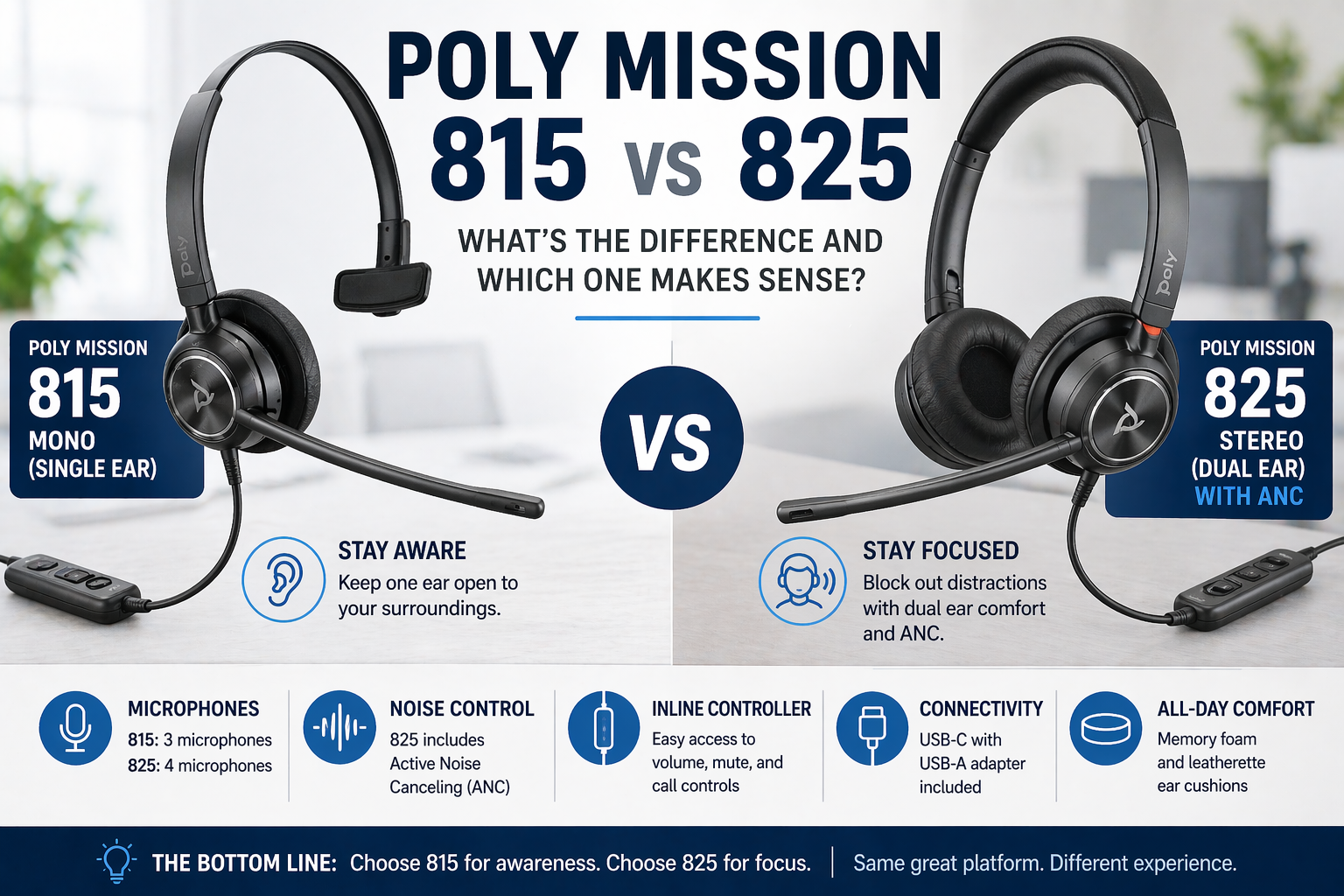
In some cases, even something as simple as choosing between a mono vs stereo headset can impact how well you stay focused and how much background noise you hear throughout the day which can have an impact on your productivity.
When It’s Not Worth Fixing

Sometimes the issue isn’t your setup, it’s the headset itself.
You may want to replace your headset if:
- It continues disconnecting after you’ve exhausted all troubleshooting options
- It’s several years old and heavily used
- It wasn’t designed for your environment (for example, using Bluetooth in a large office)
- Audio quality has taken a noticeable dip
- Reliability and sound quality has declined significantly
- Technical support, and replacement parts are no longer available
The Right Headset Can Prevent These Issues
If disconnecting is a recurring problem, upgrading to the right type of headset can eliminate most issues entirely.
For office environments:
-
Use DECT headsets for better range, security and call stability, especially in busy environments where Bluetooth struggles, something we explain in more detail in our guide to Bluetooth vs DECT headsets.
For remote work:
-
Use USB dongle-based Bluetooth headsets instead of native Bluetooth. Using a dongle for connectivity vs. Bluetooth will provide you with a more reliable connection, one that also gives you longer wireless range and better audio quality.
For maximum reliability:
-
Wired headsets eliminate most connection issues altogether. This is due to the simple nature of a wired headset. No batteries, no signals competing for frequency space, and no recharging. Just plug in and get going.
-
In some situations, switching from wireless to a wired headset can eliminate disconnecting issues entirely, which is why understanding the differences between wired vs wireless headsets is important before choosing a solution.
Final Thoughts
Most headset disconnecting issues come down to interference, range, battery, or compatibility.
The key is identifying the root cause, and once you do, the fix is usually straightforward.
If you’re constantly dealing with disconnecting issues, it may be time to rethink your setup or upgrade to a headset designed for your specific environment.
Need Help Finding A Better Headset?
 If you’re not sure what’s causing the issue, or want help choosing a more reliable solution, contact us at Headset Advisor.
Best of all, when it's time to renew the lease, you get brand new equipment which means the team is never using old, outdated equipment. Go here to find out how our lease program can help you avoid the need for large upfront costs.
We’ve been helping businesses with their communication needs since 1994, so don’t hesitate to reach out if you have any questions, or need some help.