Do you want the best headset?

Choosing the right wireless office headset can feel straightforward at first. You find something that fits your budget, connects to your devices, and seems to check the basic boxes. So, you pull the trigger, get it ordered and wait for its arrival.
But once you start using it day to day, that’s when things can show up that you didn’t expect or anticipate.
Limited range. Connectivity issues. Needing to download software just to make simple adjustments. Or realizing your headset doesn’t work the way you expected once you step away from your desk.
The reality is, most people focus on the obvious features and overlook the ones that actually impact performance in many work environments.
Range Matters More Than You Think

One of the most common frustrations with a wireless headset for office use is limited range.
Many standard Bluetooth headsets only provide reliable connectivity within 30 to 100 feet. That may be fine if you never leave your desk, but in real-world environments, people move around, and in some cases, they move around a lot. For those people, the typical Bluetooth headset range may not be adequate.
Whether you’re stepping into another room, walking across the office, or multitasking during a call, range becomes critical. One thing people try to avoid is placing callers on hold for extended periods of time while they’re working in the background. Nobody likes to be kept on hold.
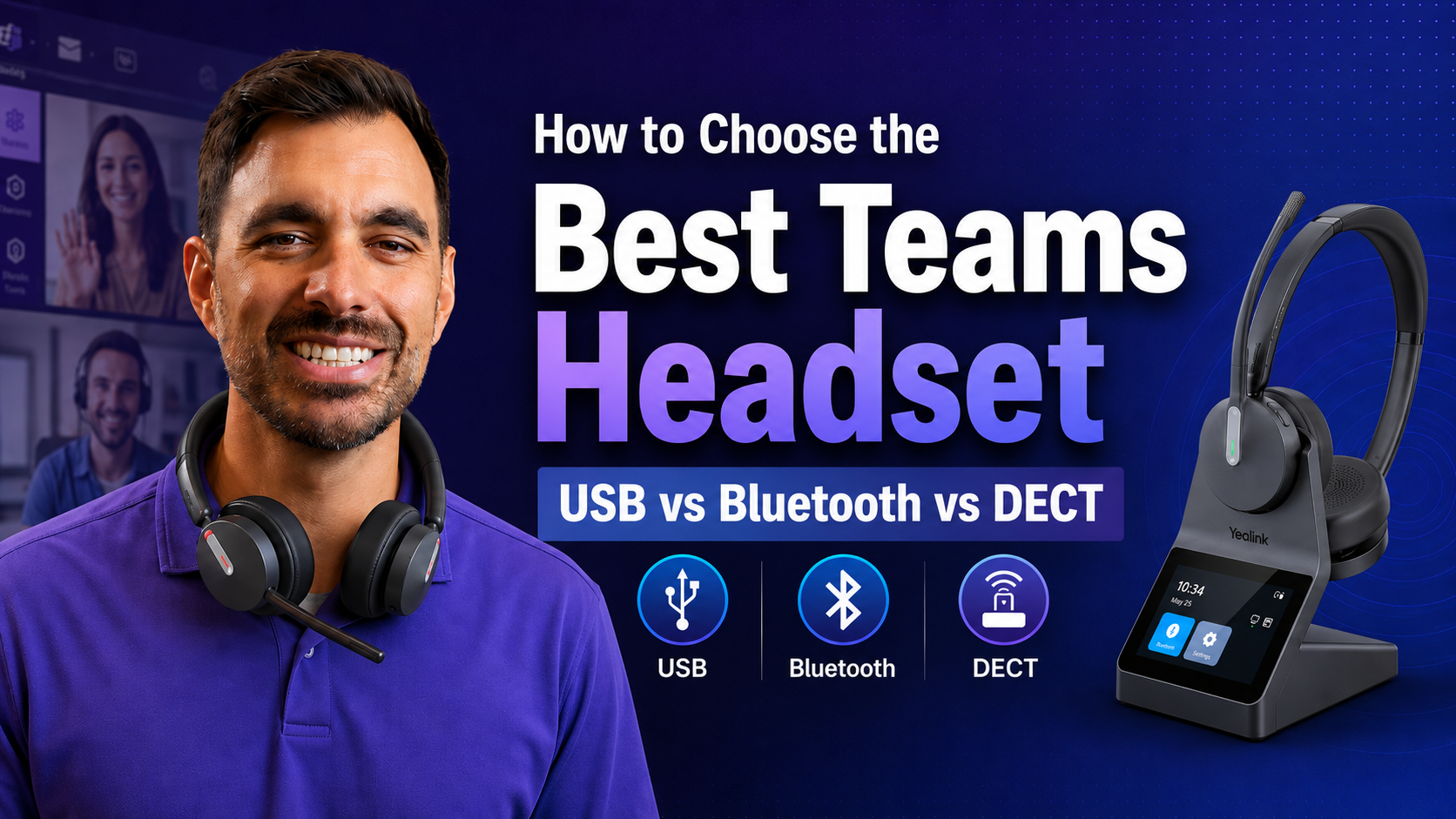
That’s where DECT technology stands out. A long range wireless headset using DECT can provide significantly more freedom, often extending hundreds of feet beyond what Bluetooth alone can handle.
If mobility matters in your day-to-day work, this is one of the first things you’ll want to consider.
DECT vs Bluetooth Headsets: It’s Not Either/Or Anymore

When comparing a DECT vs Bluetooth headset, many people assume they need to choose one or the other.
-
DECT for long wireless range
-
Bluetooth for better use for mobile devices
But newer dual connectivity headsets combine both.
This allows you to:
-
Stay connected to your desk phone or computer using DECT
-
Pair to your mobile device using Bluetooth
And though this can be very convenient, by offering you a variety of connection options, it’s important to know that not all dual-mode headsets are built the same. On the surface it would seem so, but the truth is, there are differences.
The Hidden Limitation Most People Don’t Know About

Here’s something that rarely gets discussed:
In most dual-mode headsets, Bluetooth is built into the base station, not the headset itself.
That means:
-
You can only use Bluetooth when you’re near your desk because the bluetooth is housed there
-
Once you walk away, and exceed the limit of the base connection, you lose that connection
For users who want mobility with a better reach, this can be a frustrating thing to discover.
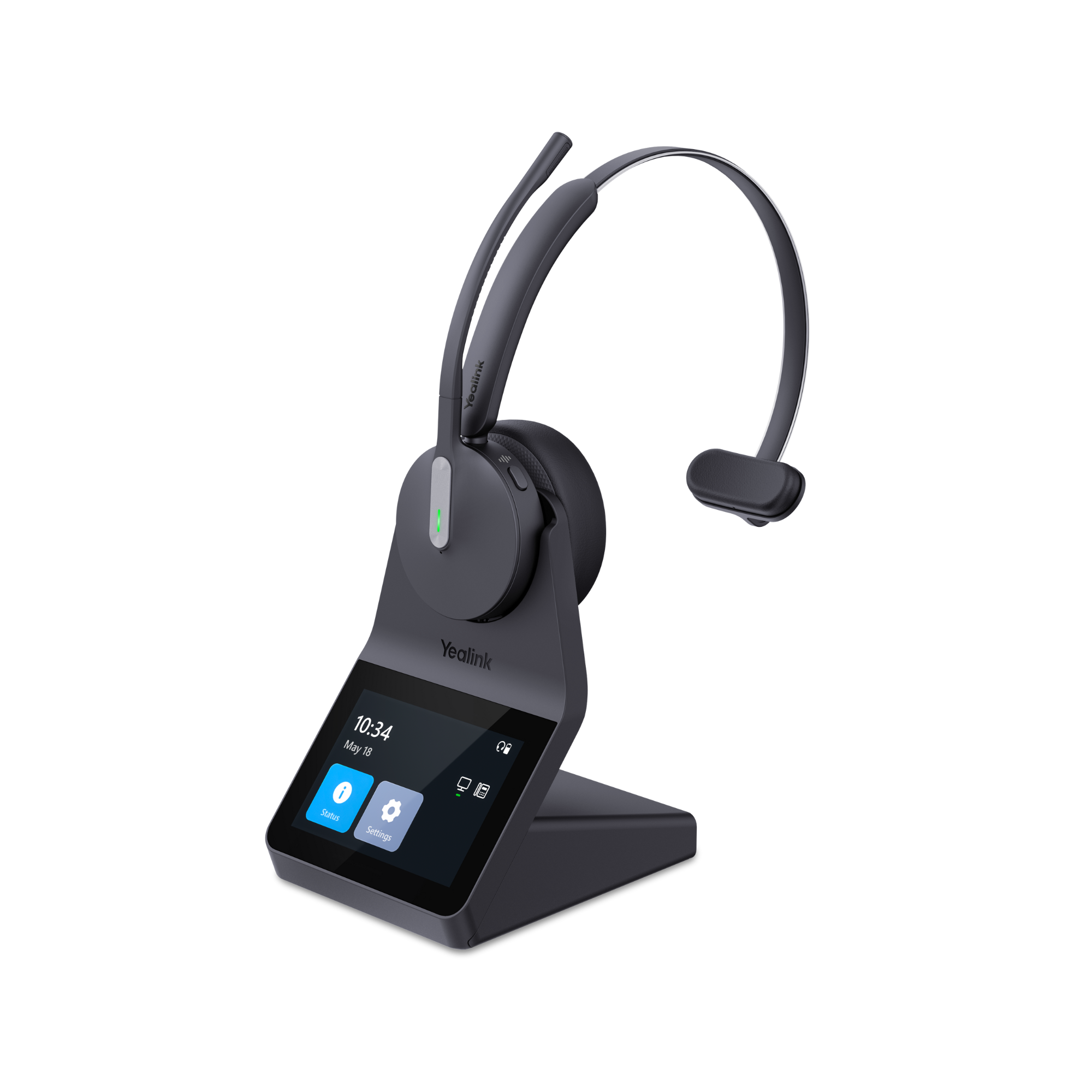
Some newer Yealink models place Bluetooth directly inside the headset instead of the base. Yealink was the first company to do this, and to my knowledge, no other company has duplicated this at this time.
By having Bluetooth in the headset, it allows you to stay connected to your mobile device even when you leave your desk or leave the building.
If you’re looking for a headset that works outside the office or away from your workstation, this detail is something to pay close attention to as it makes a big difference, and it’s something that's easy to overlook.
To learn more about DECT and Bluetooth headsets, and how they're similar and different, you may find value in reading a recent blog titled Bluetooth vs DECT Headsets: What’s the Difference and Which Is Better?
Why Software Requirements Can Be a Dealbreaker

Another commonly overlooked factor is how headset settings are managed.
Many modern headsets offer downloadable software like Poly Lens, Jabra Direct, or Yealink USB Connect for example, that require you to download software to:
-
Adjust sidetone
-
Change audio settings
-
Update firmware
That’s not always a problem, unless you work in an environment where software installs aren’t allowed, which isn't uncommon these days due to concern for viruses and intrusions.
In IT-restricted organizations, this can make certain headsets difficult or even impossible to fully use. Some features are only available to be accessed via the download.
That’s why there’s growing demand for a headset that permit accessing features without the need for downloading headset software.
Some models now offer built-in controls, including touchscreen interfaces, allowing you to adjust settings directly on the device.
For companies with locked-down systems, or users who simply prefer simplicity, this can be a major advantage.
Ease of Use Shouldn’t Be Overlooked

Even when a headset has great specs on paper, usability matters.
Ask yourself:
-
Can you quickly adjust settings without downloading and accessing software?
-
Is it easy to switch between devices like from computer to desk phone to mobile?
-
Does it work consistently without a regular need for troubleshooting?
Features like intuitive controls, clear displays, and accessible settings can make a big difference in day-to-day use, and these are things that could easily be overlooked
Audio Quality Still Matters (Alot)
Of course, none of this matters if the headset doesn’t perform well during calls, and have you sounding your best.
A high-quality business headset should provide:
-
Clear, natural voice sound quality
-
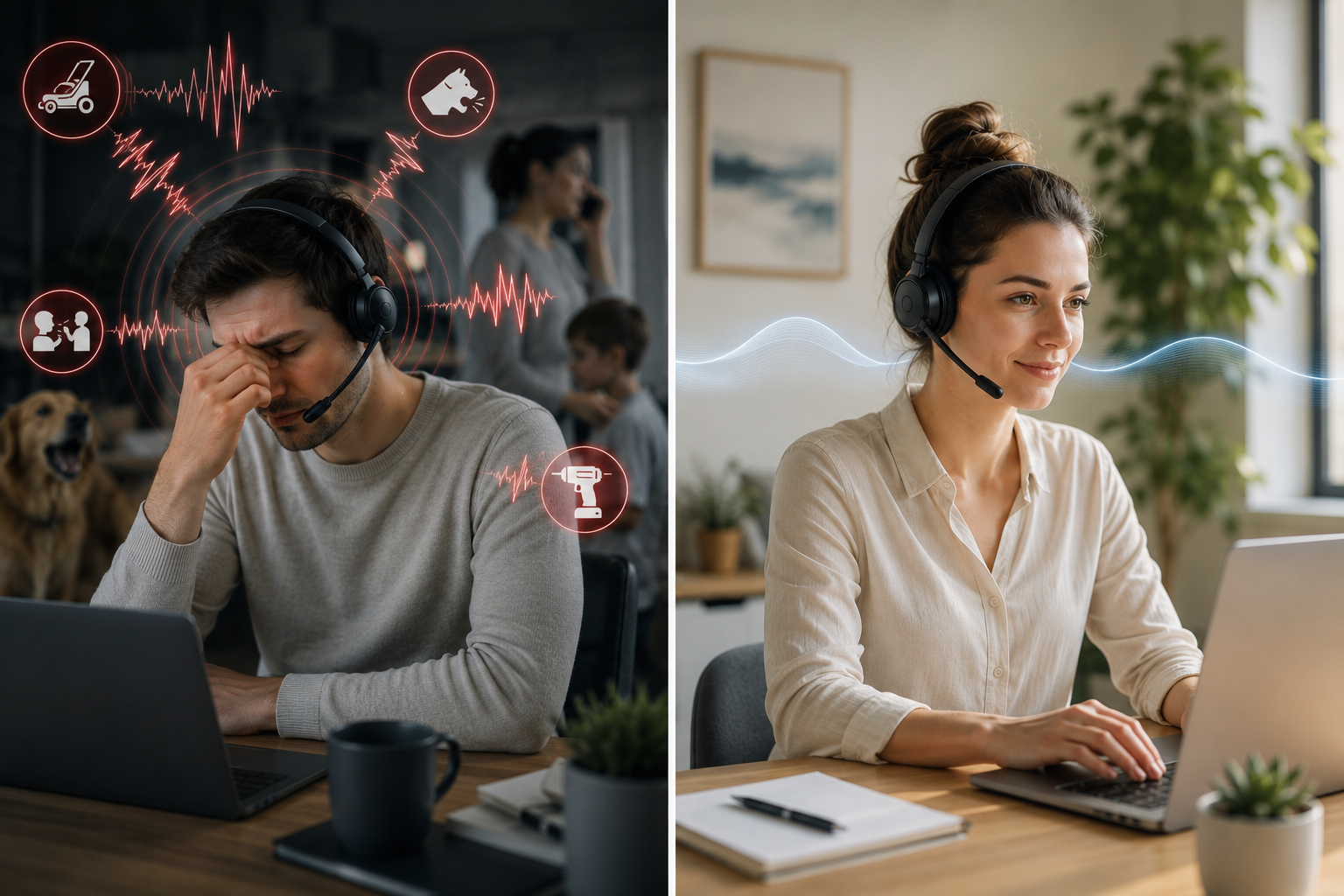
Effective noise cancellation to remove unwanted background noise
-
Consistent audio performance across different environments
Especially in customer-facing roles, audio quality directly impacts communication, professionalism, and work efficiency.

In situations where upgrading hardware isn’t immediately possible, tools like neep ai noise canceling software can help improve call clarity and reduce background noise on both ends of the call, even when using existing headsets or other audio devices. This can be a practical way to enhance the performance of your current devices while planning a future upgrade.
If you’re looking to improve call quality without replacing your current equipment, it’s worth seeing how neep works and how it can enhance voice clarity.
A Real-World Example

-
DECT for long-range connectivity (rated over 600 feet)
-
Bluetooth built directly into the headset for true in, or out of office mobility
-
A built-in 3.5 inch touchscreen for adjusting settings without software
-
Professional-grade audio and noise cancellation
-
Easy switching between computer, desk phone and mobile
-
Availability in both mono and duo configurations
Rather than focusing on just one feature, it’s designed as a more complete solution for modern work environments.
Today, people work differently than they did in the past, and the Yealink HA64 Pro is designed to work seamlessly in a hybrid workplace.
Making New Headset Technology More Accessible

One of the challenges many teams face is upgrading to newer headset technology without stretching their budget. Most organizations don’t find themselves with endless funds. In fact, there are often competing priorities for the same budget dollars.
Instead of delaying upgrades, buying fewer units than needed, or settling for lower-cost options, there are alternative approaches that can make higher-quality solutions more accessible.
For example, leasing headsets allows organizations to spread costs over time rather than making a large upfront investment. It can also include ongoing support, replacement accessories, and warranty coverage for the full term. Having everything bundled streamlines the process and helps to avoid the need for order, and stocking accessories, and paying for repairs or extended warranties.
If you’re exploring ways to reduce upfront costs while still equipping your team with better technology, it’s worth taking a closer look at how a headset leasing program works and what’s included over the term.
This approach helps ensure your team continues using up-to-date, high-performing equipment without the typical lifecycle concerns that come with owning and maintaining older hardware.
What Most People Miss
When choosing a wireless office headset, many buyers focus on:
-
Price
-
Brand
-
Basic compatibility
But the real differentiators tend to be:
-
How far you can move while staying connected
-
Whether your headset works beyond your desk and even out of the office
-
How easy it is to adjust settings and where those settings are done
-
Whether it fits within your company’s IT restrictions
These are the factors that impact your experience every day, and getting the wrong headset can have significant consequences, especially across wide deployments.
Final Thoughts
The right wireless headset for work calls isn’t just about checking a few boxes, it’s about finding something that works seamlessly in your actual environment.
When you take the time to look beyond the basics, you’ll avoid common frustrations and end up with a solution that truly supports how you work.
The points raised in this blog are designed to get you thinking more broadly about the specifics of headsets, rather than the key features. Digging into this a bit more can help you find a solution that’s right for your work style and needs.
Need Help Choosing the Right Headset?

Every work environment is different, and the right solution depends on your setup, devices, and workflow.
If you’re unsure which headset is the best fit, and you’d have a lot of company if you’re a bit confused, contact our team for a personalized recommendation based on your specific needs and environment.
Headset Advisor has been assisting customers with their communication needs for over 30 years, and we have over 800 five-star Google reviews. We know headsets, and we have experts available to provide you with the assistance you need and deserve.
Contact us today to speak with one of our expert Advisors.
FAQ's
1. What is the difference between a DECT and Bluetooth headset?
DECT and Bluetooth headsets serve different purposes. DECT headsets are designed for longer wireless range and more stable connections in office environments, while Bluetooth headsets are typically used for connecting to mobile devices, longer talk times but offer shorter wireless range. Some modern headsets combine both technologies, allowing users to benefit from long-range performance and mobile connectivity in one device.
2. How far can a wireless office headset reach?
Wireless headset range depends on the technology used. Most Bluetooth headsets offer a range of around 30 to 100 feet, while DECT headsets can extend significantly farther, often up to several hundred feet. If you need to move around your office while on calls, choosing a long-range headset is important. One long range headset is the Yealink HA64 Pro that’s rated up to 600 feet.
3. Can I use a wireless headset outside of the office?
It depends on how the headset is designed. Many dual-mode headsets have Bluetooth built into the base, which limits use to the range of the base station. However, some headsets include Bluetooth directly in the headset itself, allowing you to stay connected even when you leave your desk or office. This is a good thing to sort out if a versatile headset is of interest to you.
4. Do all headsets require software to adjust settings?
No, not all headsets require software. Many models rely on apps or desktop software to access features like sidetone, audio adjustments, or firmware updates. However, some headsets offer built-in controls, such as buttons or touchscreens, allowing you to make adjustments without downloading any software.
5. What if my company doesn’t allow software downloads?
If your organization restricts software installations, it’s important to choose a headset that can be fully used without requiring an app. Headsets with onboard controls or touchscreen interfaces can be a better fit in these environments, as they allow you to access key features without needing IT approval. Firmware updates though do require Apps, so updating the firmware could be done using a non-company computer, or you should seek the approval from your IT department before downloading any Apps or updating firmware.
6. How can I improve call quality without replacing my headset?
If upgrading your headset isn’t an immediate option, software-based solutions like neep can help improve call quality. Tools like noise canceling software can reduce background noise for both ends of the call, and enhance voice clarity, making your calls sound more professional even with your current equipment.
7. Is leasing headsets a good option for businesses?
Leasing can be a practical option for businesses looking to reduce upfront costs. Instead of purchasing headsets outright, leasing allows you to spread payments over time and often includes support, accessories, and warranty coverage for the full term. This can make it easier to keep your team equipped with up-to-date technology while avoiding the need to purchase, and stock accessories and keep track of headset warranty status.
8. What’s the difference between Bluetooth in the headset vs the base?
In many dual-mode headsets, Bluetooth is built into the base station, which means you can only use it within range of your desk. Some headsets place Bluetooth directly in the headset itself, allowing you to stay connected even when you leave your desk. This provides greater flexibility for users who need mobility throughout the day.
9. What is a dual connectivity headset?
A dual connectivity headset allows you to connect to more than one device type, typically combining DECT for desk and computer use and Bluetooth for mobile devices. This setup gives users the ability to switch between devices more easily without needing multiple headsets.
10. Why does wireless range matter for office headsets?
Wireless range determines how far you can move while staying connected on a call. In larger offices or active work environments, limited range can interrupt calls and reduce productivity. A longer range headset allows for more freedom and fewer disruptions during the workday. With longer range, you can keep callers engaged, rather than on hold.
11. What’s the biggest mistake people make when buying a headset?
One of the most common mistakes is focusing only on price or brand, while overlooking how the headset will actually be used. Factors like range, mobility, ease of use, and compatibility with workplace restrictions often have a bigger impact on long-term satisfaction.