Wireless Office Headsets

1 product

Showing 1 - 1 of 1 product

Shop wireless office headsets for your desk phone, for Teams and Zoom calls on your computer, and for your mobile, in DECT, Bluetooth or both. We have published reviews or mic tests of 49 wireless headsets for work, so our picks below come with our verdicts and review videos.

Showing 1 - 1 of 1 product
View

Our tests

Three we'd buy, from our reviews and mic tests.

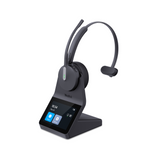
  • Yealink HA64 Pro

    Our verdict: Microphone sound quality was solid, and the noise cancellation was excellent.

    Read our review →

    From $209.99

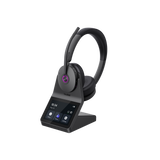
  • Yealink HA68 Pro

    Our verdict: But if you move around the office, work across multiple devices, deal with distracting noise, or see the value in having touchscreen access to your headset controls, the HA68 Pro brings some unusual capabilities together in one system.

    Read our review →

    $329.99

  • EPOS Impact 1000

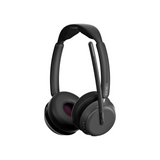
    Our verdict: So if you want to sound professional, and you want to eliminate distracting noise from your calls, then the Impact 1000 should be your next new headset.

    Read our review →

    From $219.99

Compare our top picks

HeadsetTypeConnects toTeams or UCBatteryRangePrice
Yealink HA64 ProYealink HA64 Pro DECT + Bluetooth wireless, mono or dual earComputer and compatible IP desk phones via the base; mobile via BluetoothTeams and Zoom certifiedDECT up to 14 h mono, 16 h dual; Bluetooth up to 26 h mono, 32 h dualDECT up to 606 ft; Bluetooth up to 164 ftFrom $209.99ViewReview
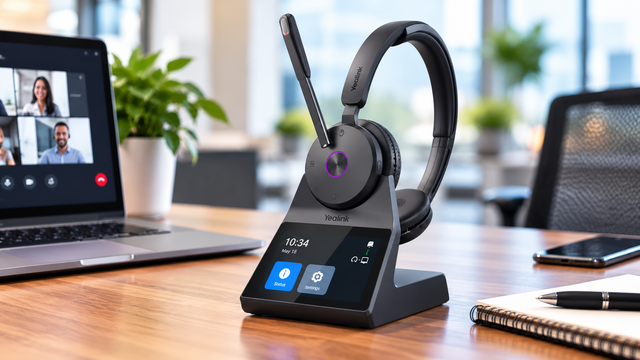
Yealink HA68 ProYealink HA68 Pro DECT + Bluetooth wireless, dual ear, hybrid ANCPC and compatible desk phone via the base; mobile via BluetoothMeets Microsoft Teams Open Office requirements; works with other UC platformsUp to 16 h talk (DECT), 32 h (Bluetooth)DECT up to 606 ft; Bluetooth up to 164 ft$329.99ViewReview
EPOS Impact 1000EPOS Impact 1000 Bluetooth with USB dongle, dual ear, ANC optionalComputer via the USB dongle or USB-C cable; mobile via Bluetooth (up to 3 devices)Teams or UC version; Teams version is Microsoft Teams certifiedUp to 20 hrs talk time (19 hrs with ANC on)Up to 100 ft (Bluetooth)From $219.99ViewReview
Yealink WH64Yealink WH64 DECT + Bluetooth, mono or duoComputer, USB IP phone, mobile; other phones with EHS62Teams or UC versionUp to 14 hrs (mono) or 16 hrs (duo) DECT talk timeDECT up to 525 ftFrom $199.99ViewReview
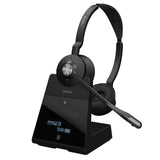
Jabra Engage 75 SEJabra Engage 75 SE DECT, dual ear, Bluetooth in the baseDesk phone, computer and mobile via the base (up to 5 devices)UCUp to 13 hrs talk timeUp to 490 ft (150 m)$487.44View
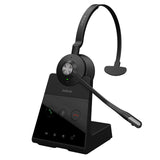
Jabra Engage 65 SEJabra Engage 65 SE DECT, monoDesk phone and PCUCUp to 13 hrs talk timeUp to 490 ft (150 m)$318.00View
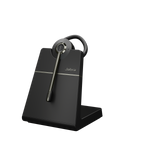
Jabra Engage 55 SEJabra Engage 55 SE DECT, convertible, single earComputer only, via the Link 400 USB-A or USB-C DECT adapterTeams or UC version; Teams version is Microsoft Teams certifiedUp to 9 hrs talk timeUp to 490 ft (150 m)$283.00View

Battery and range are the manufacturer's ratings. Mic recordings are from our own tests.

Start with what you'll connect to

Which wireless office headset fits depends on the devices you connect it to, so check compatibility before you order. Make a short list first: your desk phone's brand and model, the calling app on your computer (Teams, Zoom, RingCentral or another softphone) and your mobile phone. Then decide where you'll take most calls: in an office building, at home, or both.

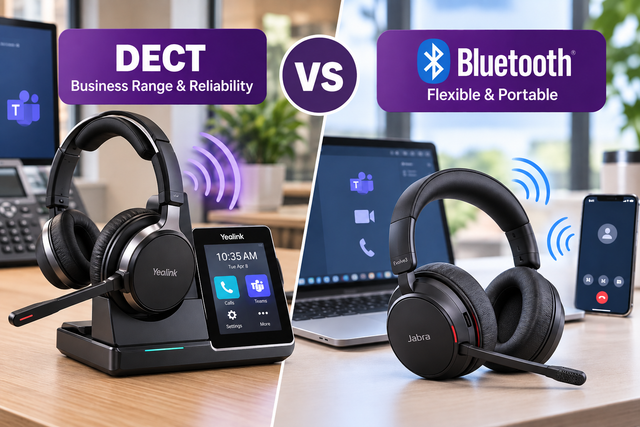
DECT vs Bluetooth

A DECT headset talks to its own base or adapter instead of the Bluetooth radio in your computer. The base plugs into your computer by USB and, on compatible systems, into your desk phone. A Bluetooth headset pairs with your mobile phone and, on a computer, usually works through a small USB dongle.

When DECT makes sense

If you work from a dedicated desk, take calls on a desk phone or need to walk away mid-call, our DECT vs. Bluetooth guide says "DECT deserves a serious look." Each DECT headset keeps its own connection to its base, so it isn't one more device crowding the Bluetooth signals around your desk. In our HA64 Pro Teams review, we list DECT's strengths as longer wireless range, call security and headset density, meaning more headsets can work in the same space. Browse every model in our DECT headsets collection.

When Bluetooth makes sense

Bluetooth isn't the wrong choice. The same guide says "Bluetooth would be our first choice for many people," especially if your day revolves around a laptop and a mobile phone, you travel, or you move between work locations. On a computer, use the USB adapter that comes with a business Bluetooth headset rather than your computer's built-in Bluetooth. The adapter gives you a steadier connection and call controls such as answering, ending and muting calls from the headset. Read USB dongle vs. direct Bluetooth for the details.

Or both in one headset

You don't have to pick one. The Yealink HA64 Pro, HA68 Pro and WH64 put DECT and Bluetooth in the headset itself: DECT to your computer and desk phone through the base, Bluetooth straight to your mobile. Where the Bluetooth sits matters. In headsets like the Jabra Engage 75 SE, Bluetooth is built into the base, so your mobile only works while you're within range of your desk. With Bluetooth in the headset, as our HA68 Pro review puts it, "Bluetooth travels with the headset." You can leave the base behind and keep using the same headset with your mobile.

Wireless range: the rating vs your building

Our HA64 Pro review notes that typical DECT headsets are rated up to 350 feet and most Bluetooth models 50 to 100 feet. The HA64 Pro and HA68 Pro are rated up to 606 feet in DECT mode, the WH64 up to 525 feet, the Jabra Engage 55 SE and 75 SE up to 490 feet, and the EPOS Impact 1000 up to 100 feet over Bluetooth. Ratings come from open-field tests, so we suggest cutting them in half to allow for walls, doors and cubicles. In our open-field test, the HA64 Pro stayed clear from one end zone of a football field to the other, while a Jabra Bluetooth headset lost its connection around the 40-yard line. As our write-up of that HA64 Pro range test says, an open-field result doesn't reflect what you should expect in an office. If range is your top need, see our longest range wireless headsets.

Desk phone, computer or both

If a desk phone is part of your day, start with its model. Yealink headsets work with compatible Yealink desk phones out of the box, and other phone brands often need an extra cable or a handset lifter to answer calls away from your desk. We cover that part, phone brand by phone brand, on our wireless headsets for office phones page, and you can look up your phone in our headset compatibility guide.

If your calls run on a computer, you have more choices. The EPOS Impact 1000 connects to your computer through its USB dongle and to up to two mobile phones over Bluetooth; EPOS lists it for softphones and mobile devices, not desk phones. The Jabra Engage 55 SE is a DECT headset for computers only, through its pre-paired Link 400 USB adapter, with no mobile connection. The Jabra Engage 65 SE connects to both a desk phone and a computer. If you use all three, look at the HA64 Pro, HA68 Pro or WH64.

Teams or UC version?

Many headsets come in a Microsoft Teams version and a UC version. Our WH64 review puts it simply: "If you use Microsoft Teams as your exclusive communication platform, then choose the Teams variant." If you also use Zoom, RingCentral or other apps, choose UC. The WH64, Impact 1000 and Engage 55 SE come in both versions. The HA64 Pro doesn't need a separate version: you switch between Teams and UC on its touchscreen base, with no software to download. For more Teams options, see our Microsoft Teams headsets.

In an office building or at home

Office buildings and open offices

In a shared office, the challenges are many headsets in one space, noise and interruptions. DECT handles the first. For noise, active noise cancellation (ANC) helps you hear. Our HA68 Pro review says that in an open office, a shared workspace or a home with other people around, "ANC becomes considerably more valuable," and that in a quiet private office it may not add much. Busylights help with interruptions. The HA64 Pro, HA68 Pro, WH64 and Engage 75 SE all have them, and the same review says of the HA68 Pro's busylights: "This isn't sophisticated technology, but in an open office it can be surprisingly useful." If you talk with coworkers between calls, a single-ear headset keeps one ear open to the room.

Home and hybrid work

If your home setup is a laptop and a mobile phone, a business Bluetooth headset with its USB dongle covers both. Our Impact 1000 review says it "should definitely be on your watch list" if you work in a busy or open office, at home, or as a hybrid worker. If you split your week between home and the office, Bluetooth in the headset lets you take one headset everywhere: DECT at your office desk, Bluetooth on the go. DECT range helps at home too. Our HA64 Pro review calls its longer range "very useful for those working from home, or in a large office where mobility is important." For more home options, see our headsets for working from home.

Noise: what your callers hear, and what you hear

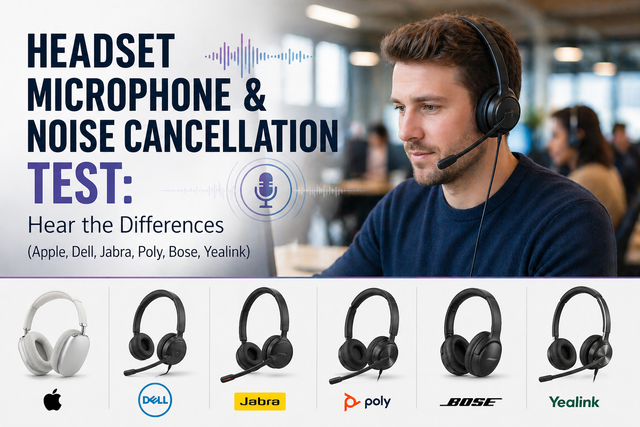
Two different features deal with noise. A noise-canceling microphone reduces what your callers hear; ANC reduces what you hear. In our crying-baby noise test of the HA64 Pro, "Microphone sound quality was solid, and the noise cancellation was excellent." We tested the Impact 1000 against barking dogs, crying babies, office sounds and our blender test, and wrote, "The results were spectacular!" The HA68 Pro adds hybrid ANC, ANC is optional on the Impact 1000, and the HA64 Pro and WH64 don't have it. Watch the crying-baby test in our headset microphone noise cancellation test, or compare more models in our noise cancelling headsets for work.

Comfort for all-day calls

Single ear (mono) suits quieter offices and people who talk with coworkers. Dual ear (stereo) blocks more of the room when your space is noisy or you need to focus for long stretches. The HA64 Pro and WH64 come in mono or duo, the HA68 Pro is dual ear only, the Impact 1000 comes in single-speaker and dual-speaker versions, and the Engage 55 SE is a convertible you can wear with an earhook, a headband or a neckband. Weight adds up over a long day: the Engage 55 SE convertible weighs 0.63 ounces, the HA64 Pro mono 3.2 ounces, the HA68 Pro 5.4 ounces and the Impact 1000 6 ounces. Our mono vs. stereo guide goes deeper.

Buying for a team

When you equip a whole office, consistency matters. IT teams often prefer headsets that connect through their own USB dongle, because it standardizes the connection across different laptops and cuts troubleshooting. Our advisors can check compatibility across your computers and phones and prepare a volume quote. We accept purchase orders, tax-exempt orders and payment terms for enterprise, government, education and healthcare teams, and teams of 10 or more can use our Managed Headset Program, with headsets from $4 to $20 per user per month and replacements that ship first.

Still not sure?

Tell a headset advisor what you connect to and where you work, and we'll match you with a compatible headset. You can also read what to look for in a wireless office headset, our checklist of the details most buyers miss.

Frequently asked questions

What is the difference between a headset and headphones?

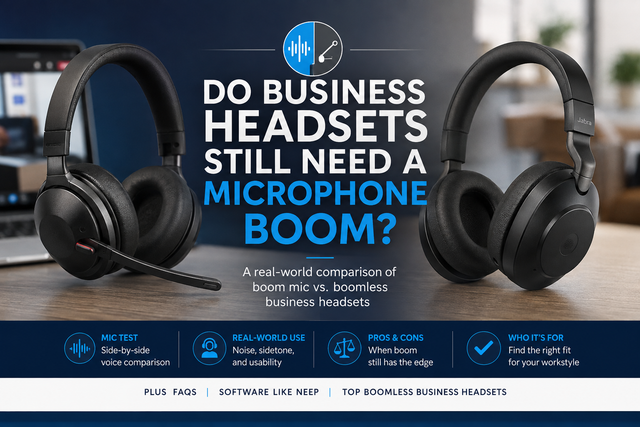
A headset has a microphone on a boom that sits near your mouth. Headphones don't have a boom, so any microphone is built into the ear cup. That matters on business calls. When we tested five popular over-ear headphones without boom mics, background noise came through on several, and our reviewer said he "wouldn't use any of the headphones on this list" for important business calls. See the results in our boomless headphones test.

Should I choose DECT or Bluetooth for an office headset?

Choose DECT if you work from a dedicated desk, use a desk phone or need to walk far from your desk during calls. It has considerably longer wireless range and its own connection to a base. Choose Bluetooth if you mostly use a laptop and a mobile phone, travel or move between work locations. If you want both, the Yealink HA64 Pro, HA68 Pro and WH64 have DECT and Bluetooth in the headset. Our DECT vs. Bluetooth guide explains the trade-offs.

How far can I walk from my desk with a wireless headset?

It depends on the technology and your building. Most Bluetooth headsets are rated for 50 to 100 feet, and typical DECT headsets for up to 350 feet. The Yealink HA64 Pro and HA68 Pro are rated up to 606 feet in DECT mode, and the WH64 up to 525 feet. Manufacturers measure range in an open field, so cut the rating in half to estimate what you'll get around walls, doors and cubicles. If range matters most, browse our longest range wireless headsets.

Do wireless headsets need a USB dongle?

Not always, but on a computer it helps. A Bluetooth headset can pair with your computer's built-in Bluetooth. The USB dongle that comes with a business headset gives you a steadier connection and call controls in apps like Teams and Zoom, such as answering, ending and muting calls from the headset. Without it, you may lose remote call answering. DECT headsets connect through their base or a DECT USB adapter instead. Read USB dongle vs. direct Bluetooth.

Are wired headsets better than wireless for work?

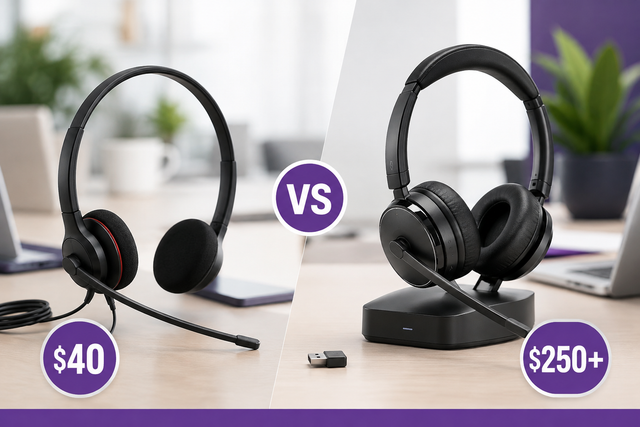
Neither is better for everyone. A wired headset is the simpler, lower-cost choice: no battery to charge, a consistent connection and often a longer warranty, but you're tied to the cord. A wireless headset lets you move around, multitask and connect to more than one device. Business-grade models of both types sound excellent today. If you stay at your desk all day, see our wired office headsets, or read wired vs. wireless headsets.

Should I get a single-ear or dual-ear office headset?

Pick single ear (mono) if you want to hear coworkers and stay aware of the room, or you don't like both ears covered. Pick dual ear (stereo) if your office or home is noisy, you need long stretches of focus or you listen to music between calls. The Yealink HA64 Pro and WH64 come in both, the HA68 Pro is dual ear only, and the Jabra Engage 55 SE converts between earhook, headband and neckband. See our mono vs. stereo guide.

What is sidetone on a headset?

"Sidetone is a small amount of your own voice that's piped into your ear speaker as you speak." Hearing yourself confirms that your microphone works and your call is connected, and it helps you keep your voice at the right volume. Some headsets let you adjust sidetone on the headset, but most need the maker's software to change it or turn it off. The Jabra Engage 55 SE, for example, adjusts it through Jabra Direct. Learn more in what is sidetone.

Why buy from Headset Advisor

  • Free shipping over $50

    Free 3 to 5 day shipping on orders of $50 or more.

  • 30-day returns

    Return any product within 30 days.

  • Real headset advisors

    Not sure which headset fits your phone or computer? We will help you choose.

    Talk to an advisor →
  • Team and volume orders

    Volume quotes, purchase orders, tax-exempt orders and payment terms for enterprise, government, education and healthcare teams.

    Request a quote →
  • Managed Headset Program

    For teams of 10 or more: headsets from $4 to $20 per user per month, and replacements ship first.

    See the program →

Recently viewed