Do you want the best headset?
If you work from home, I’m pretty confident that you know the many challenges that come along with that.
One of the biggest challenges for anyone who calls home their office is noise. And no, I’m not referring to the more subdued sounds you might hear in the background. I’m referring to those that are annoying, and distracting, and can derail conversations if left unchecked.
Some of the most common noise challenges include the sounds of:
- kids
- pets
- deliveries
- landscapers
- traffic
- neighbors
Depending on the age, kids can be a major source of noise when playing, or fighting.
Barking dog noise has no place on important business calls. When the doorbell rings, or when Amazon or FedEx makes a delivery for example, dogs let you know that they’re there to protect the house. And though that’s great from a security point of view, it not helpful when you're on an important call with a customer.
Landscapers can be another source for noise as well. Lawnmowers, leaf blowers and other equipment can become highly distracting. And it’s not like you can tell them to keep the noise down either. So, you're left to just wait it out, or temporarily relocate. And if that leaf blower fires up when you in the middle of a call, it's not only frustrating, but it can easily break your concentration.
Noise is everywhere. Neighbors make noise, there's traffic noise, keyboard sounds, heat/AC units make noise, fans, foot traffic sounds, or the sound of doors closing…well, it's hard not to notice that noise is all around us.
How Noise Affects Productivity And Professionalism

The truth is, if you work around distracting noise, it can have a very negative effect on your work productivity. It can also erode your image in the eyes of your callers too. Neither is good, and both work against you.
When noise becomes distracting, as in the case when Spot the wonder dog starts barking, it interrupts your concentration. And when that happens, it derails your focus which ends up being counterproductive. Once concentration is broken, it can take several minutes to fully refocus, especially during detailed or customer-facing work. Over the course of the day, week, and month, this drain on productivity can really add up.
Noise also impacts your image. When a customer hears your background noise, it’s easy for them to form opinions, and generally, they’re not the most positive. Noise can say that you haven’t been provided with professional grade equipment by your company. It could leave an impression as to your work environment being unprofessional. It can even erode confidence by the customer in your product or service. No matter how you slice this, distracting noise never leaves a positive impression.
Why Concentration Is Hard to Regain Once Interrupted
We all get distracted when working. It’s hard to avoid that fact. And, as I’ve mentioned before, regaining your focus once it's lost can be a challenge.
A barking dog, ringing doorbell, lawn mower outside the window, or someone walking into the room may only distract you for a few seconds, but getting fully refocused often takes much longer. Once your train of thought is broken, your brain has to work to reconnect with what you were doing before the interruption occurred.
This can be especially frustrating during:
- Important customer conversations
- Video meetings
- Detailed projects
- Writing or analytical tasks
- Any work that requires sustained focus
And it’s not just about productivity. Frequent interruptions can also increase mental fatigue throughout the day. Constantly shifting attention from one thing to another forces your brain to repeatedly reset, which can leave you feeling more drained and less efficient, even if you haven’t technically worked longer hours.
For people who work from home regularly, this becomes more than an occasional annoyance. Over time, repeated distractions can affect your work, increase stress levels, and make it harder to stay engaged throughout the day.
That’s why reducing background noise matters for more than just call quality. It also helps create an environment where you can stay focused longer, communicate more professionally, and work more effectively.
Practical Ways To Reduce Noise and Stay Focused at Home

1. Schedule Important Calls Strategically
If you have calls that repeat, and repeat at about the same time daily, weekly or monthly, it’s a good idea if you can schedule those around times when known activities aren’t occurring in your background.
For example, if you have weekly lawn service on a specific day, and they normally arrive early in the morning, try to schedule your calls later in the morning, or afternoon.
The same goes for kids’ activities and school schedules. If the kids are in school for several hours each day, those are prime time hours to conduct important calls and meetings.
And, if you typically receive deliveries on certain days, and times, that too is something to be mindful of. The point is, you want to give thought to those times when distracting activities aren’t present. That gives you those power hours where you can get more done without becoming distracted.
2. Create a Dedicated Workspace (if possible)
This is a point that may seem obvious, but could fly under the radar for some.
If possible, try to locate yourself in a separate area away from where noise might come from. That means away from the kids' playing areas, away from where the dog hangs out most of the time, and even away from the front door where deliveries take place.
Locating yourself away from gathering places like TV or common areas would also be a good call.
Finally, if you have the ability to have a workspace with a door, closing it provides another layer of noise control that could be very useful during times when noise begins to rise. Simply step over to the door, and close it. That small step alone can make the difference between a noisy, distracting call and one that feels far more controlled and professional.
3. Use Better Audio Equipment
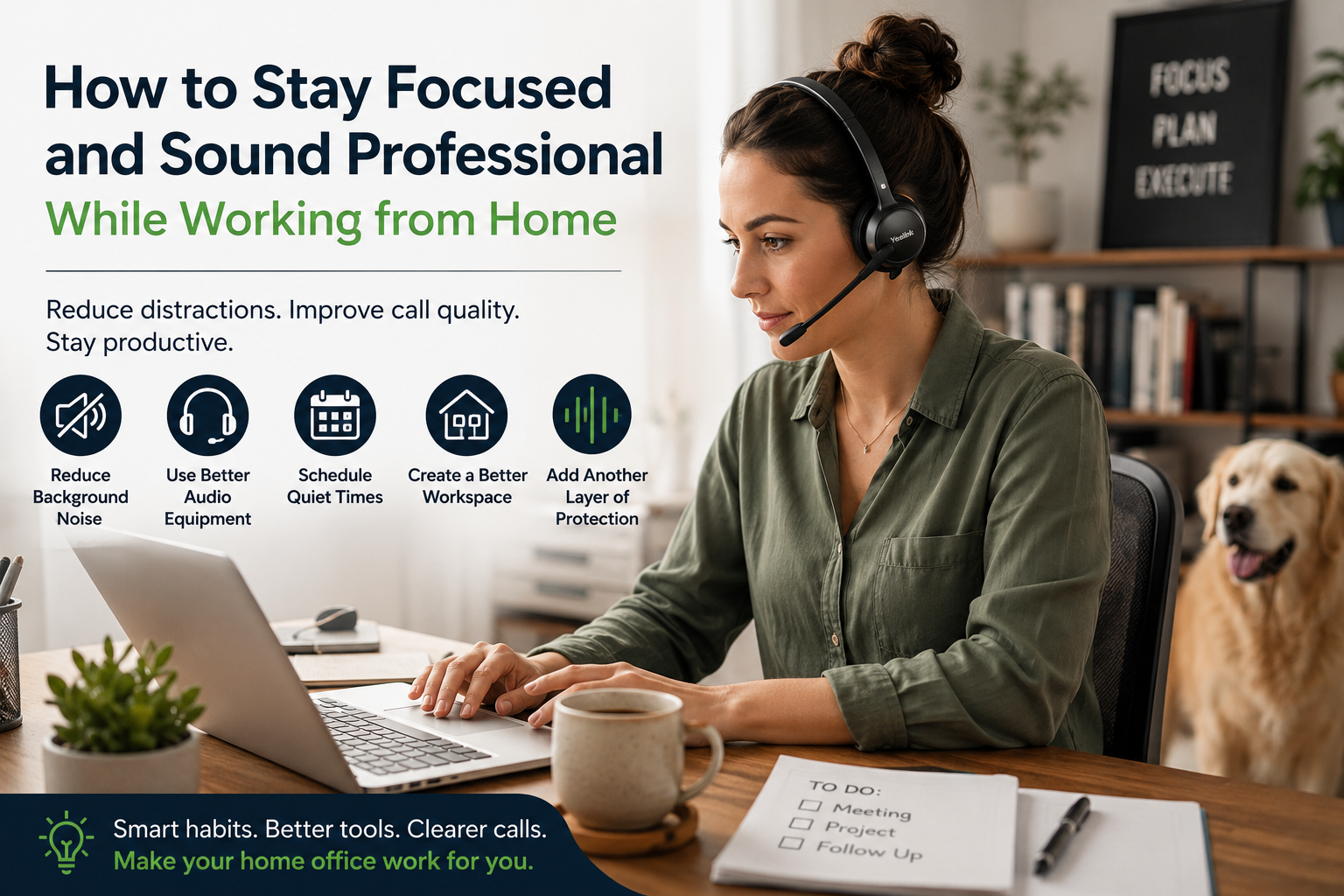
One of the most obvious things you can do to help dampen down the noise level, is to outfit yourself with a headset that features a professional grade microphone. And, contrary to popular belief, not all headsets sound the same, nor perform the same.
The key things you may want to consider include:
- Professional sounding microphone - because you need to always sound your best
- Noise cancellation feature - this is to help knock down unwanted background noise
- Active Noise Cancellation (ANC) - an electronic feature to counter incoming noise so you can stay focused
- Better Ear Speaker Clarity - sound quality is a two way street; what your caller hears, but also what you hear. Having a headset with good speakers is a benefit because it allows you to hear better.
- Long wireless range - this allows you to move throughout your house while on a call, and also allows you to take calls anywhere as well. Not all headsets can provide this range.
- Connectivity - You need a headset that can work with the devices you use each day. If you use a desk phone, computer and mobile devices, having one headset for all helps to simplify and streamline.
Having a headset that checks all, or most of these boxes can be a huge benefit to having clear, and productive calls and meetings.
If you’re unsure how your current setup sounds to callers, you can also use our microphone test tool to hear your voice the way others hear it. You may be surprised with the results. It's free, and only takes a few minutes.
One headset that you may want to consider is the Yealink HA64 Pro. This is a unique headset that has many useful features for those who work from home. Just consider what this headset offers:

Long wireless range - rated at over 600 feet, which is 5-6 times longer than any Bluetooth headset.
Triple connectivity - works with desk phones, computers, and mobile phones (in or out of the office)
Professional grade microphone - Yealink produces professional audio equipment, and the HA64 Pro sounds great.
Noise Cancellation - Yealink HA64 Pro features Acoustic Shield noise cancellation technology which is designed to eliminate background noise. That helps to give you noise free, distraction free calls.
Touchscreen - This 3.5 inch color screen allows you to access a wide variety of features directly from the headset base. This is far more convenient than having to download software.
4. Add Another Layer of Noise Control

It’s a fact that no headset is designed to remove all the background noise. With that in mind, you may want to add another layer of noise insurance by employing software designed to eliminate background noise.
neep noise canceling software is one that’s worth considering because when you team neep together with a professional grade headset, like the Yealink HA64 Pro, you have the ultimate tool for better sounding calls and meetings.
neep can be particularly useful when you experience unpredictable sounds, like when the dog decides to say hello to the FedEx driver, or when the kids are fighting over control of the Xbox controller, or when the Landscapers made a change in their lawn service schedule. Once you experience the difference, you’ll quickly appreciate how effective neep can be at reducing distracting background noise.
neep does many things that’s helpful in establishing great sound quality. First, it works to counteract background noise in your environment (what your callers hear), but it also removes noise from your caller's background (what you hear). The result? You both get better audio quality.
neep also learns your voice, enhances it, and isolates it from other, competing voices and noise. This provides your callers with the best possible sound quality available.
To learn more about neep, or to request your free trial, just go to neep.com
5. Communicate Quiet Times With Others at Home
One of the simplest, and often most effective, ways to reduce distractions while working from home is to make sure the people around you know when you need quiet time.
That may sound obvious, but many interruptions happen simply because others in the home don’t realize you’re on an important call, in a meeting, or trying to focus on something that requires concentration.
A little communication can go a long way.
For example:
- Let family members know when you have important meetings scheduled
- Use a shared calendar so others can see when you shouldn’t be interrupted
- Establish “quiet hours” during key parts of the workday
- Use simple visual cues, like a closed door or sign, to indicate when you’re on a call
For parents working from home, coordinating around school schedules, naps, sports practices, or other activities can also help create more predictable quiet periods during the day.
Of course, no home environment will ever be perfectly silent, and unexpected interruptions will still happen from time to time. But setting expectations with the people around you can significantly reduce distractions and make it easier to stay focused when it matters most.
6. Mute When You’re Not Speaking

This is something that’s easily overlooked. When you’re not actively speaking, simply mute your headset microphone. That one small thing can save your call from disastrous background noise that you didn’t expect.
So if you’re on a long voice call, or video meeting, a group call etc. just get into the habit of muting your microphone. And of course the flip side of this is to remember to unmute when you want to say something. Believe it or not, that can take some practice to get into the swing of this, but worth it in the long run.
7. Reduce Visual Distractions Too
Noise isn’t the only thing that can pull your attention away from work. Visual distractions, like TVs running in the background, constant phone notifications, social media, or activity happening around the house, can interrupt concentration just as quickly.
Even brief distractions can break your focus and make it harder to stay productive throughout the day.
Simple changes, like silencing unnecessary notifications, keeping your workspace organized, or positioning your desk away from high-traffic areas, can help create a more focused work environment and reduce the mental fatigue that comes from constant interruptions.
Final Thoughts
Working from home offers flexibility and convenience, but it also comes with challenges that can affect both productivity and professionalism. Background noise, distractions, and constant interruptions can make it harder to stay focused, communicate clearly, and maintain a polished experience on calls and meetings.
The good news is that many of these challenges can be reduced with the right approach.
Simple changes, like scheduling important calls during quieter times, creating a more focused workspace, and reducing unnecessary distractions, can make a meaningful difference. And when those efforts are combined with professional-grade tools, like a quality wireless headset and advanced noise canceling software, remote work becomes much easier to manage.
Solutions like the Yealink HA64 Pro help address many of the common frustrations remote workers face by offering long wireless range, multi-device connectivity, professional audio quality, and the flexibility to move throughout the home or office without losing connection. Adding another layer of protection with tools like neep can further improve call clarity in unpredictable environments.
At the end of the day, the goal isn’t to create a perfectly silent workspace. It’s to create an environment where you can stay focused, sound professional, and work more comfortably and efficiently throughout the day.
Have Questions Or Need Some Help?

Deciding on the right solution can be confusing. There are a lot of options to choose from, and it isn’t always easy to know which one is right for you. That’s where Headset Advisor comes in.
We’ve been in business for over 30 years, specializing in headsets. We have the experience, and knowledge to help make this process easy. Contact us today, and let one of our knowledgeable Advisors give you the help you need. With over 800 five-star Google reviews, I think you’ll find us to be the best company to work with.